AUTOMATIC DOCUMENT FEEDER
Overview
This section explains how to place originals in the automatic document feeder.
Allowed original sizes
Place originals of different sizes together, if needed, in the automatic document
feeder. In that case, use the "Others" function in each mode to set mixed size
originals.
Before inserting originals into the document feeder tray, be sure to remove any
staples or paper clips.
If originals have damp spots due to correction fluid, ink or pasteup glue, wait until
the originals are dry before making copies. Otherwise the interior of the machine
or the document glass may be soiled.
Do not use the following originals. Incorrect original size detection, original
misfeeds, and smudges may result.
Transparency film or other transparent material for backup copy, tracing paper,
carbon paper, thermal paper or originals printed with thermal transfer ink ribbon
should not be fed through the document feeder. Originals to be fed through the
feeder should not be damaged, crumpled, folded, loosely pasted together, or have
cut-out holes. Originals with multiple punched holes other than two-hole or
three-hole punched paper may not feed correctly.
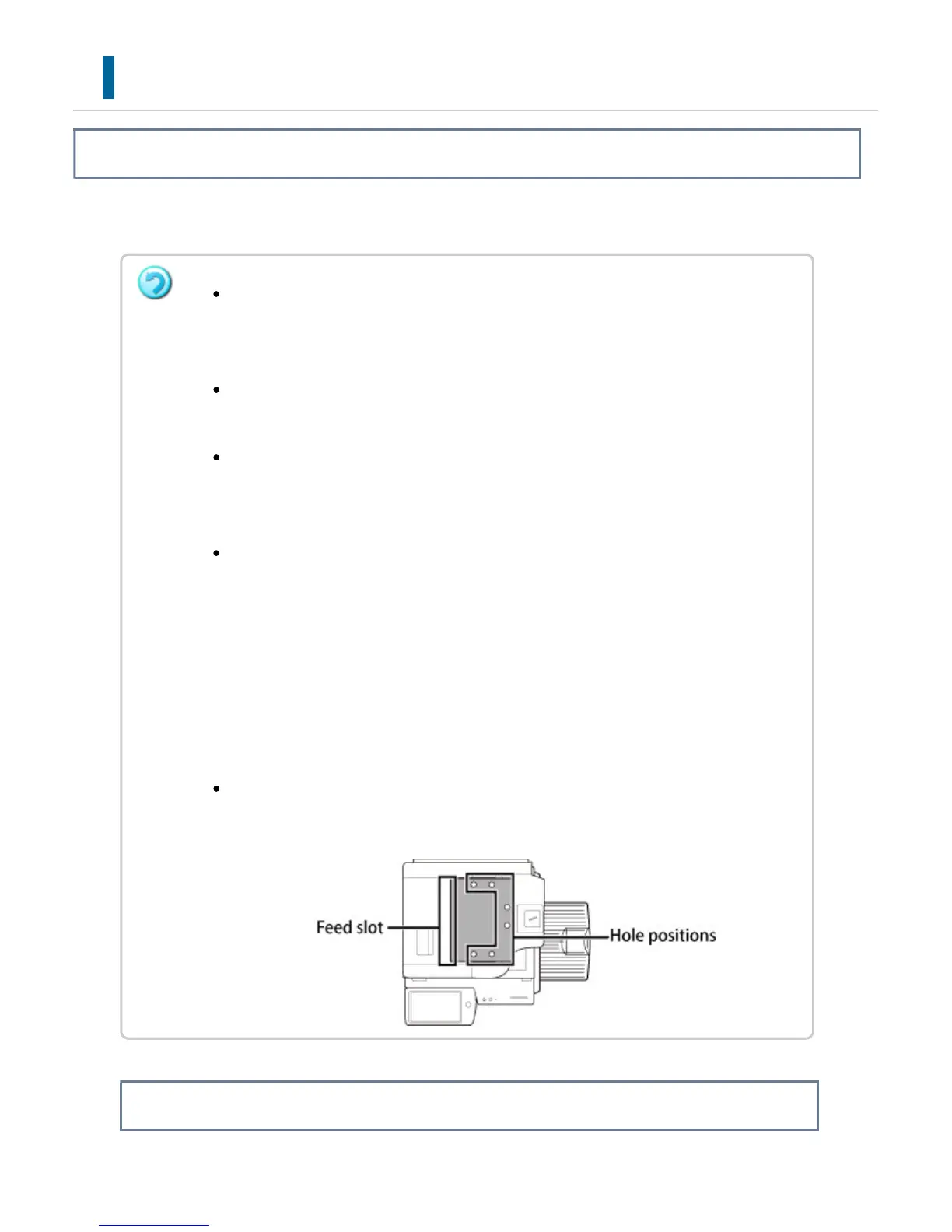
When using originals with two or three holes, place them so that the punched
edge is at a position away from the feed slot of the document feeder tray.
USER'S MANUAL | MX-M365N/MX-M465N/MX-M565N USER'S ... http://siica.sharpusa.com/portals/0/downloads/Manuals/MX-M365N-M...
133 of 1441 3/17/2016 7:14 AM



 To Next Page