BROWSING WEB PAGES ON THE TOUCH
PANEL
When the [Web Browse] key is displayed on the home screen, tapping the key will allow
you to access the Internet and displays Web pages on the touch panel.
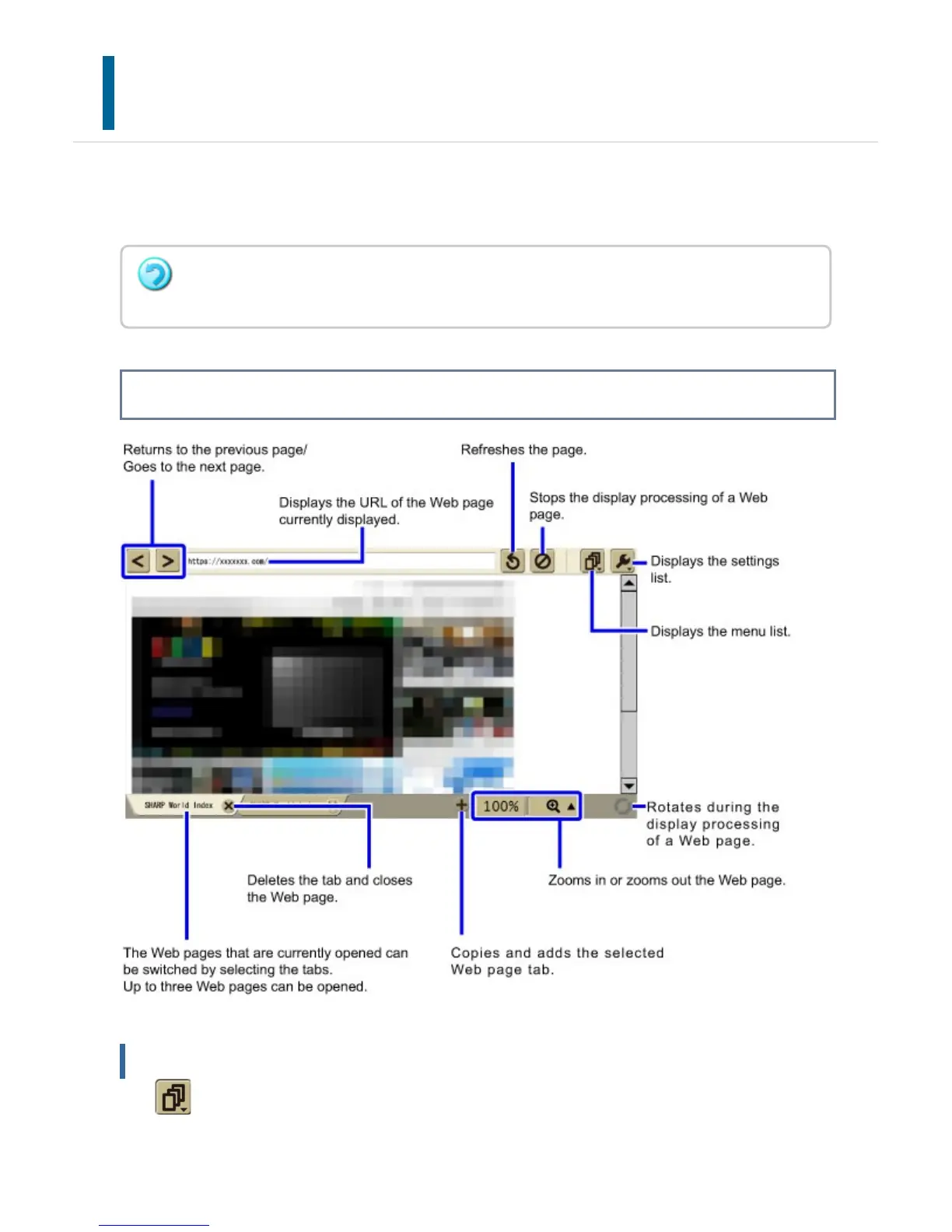
Basic Screen of a Web page
Menu List
Tap to display the menu list. The following shows the items of the menu list.
To enable Web page browsing, the optional Web browsing expansion kit may be required
depending on your country or region, or the type of your machine.
USER'S MANUAL | MX-M365N/MX-M465N/MX-M565N USER'S ... http://siica.sharpusa.com/portals/0/downloads/Manuals/MX-M365N-M...
178 of 1441 3/17/2016 7:14 AM



 To Next Page