USING TWO MACHINES TO REDUCE THE
COPY TIME
(TANDEM COPY)
Overview
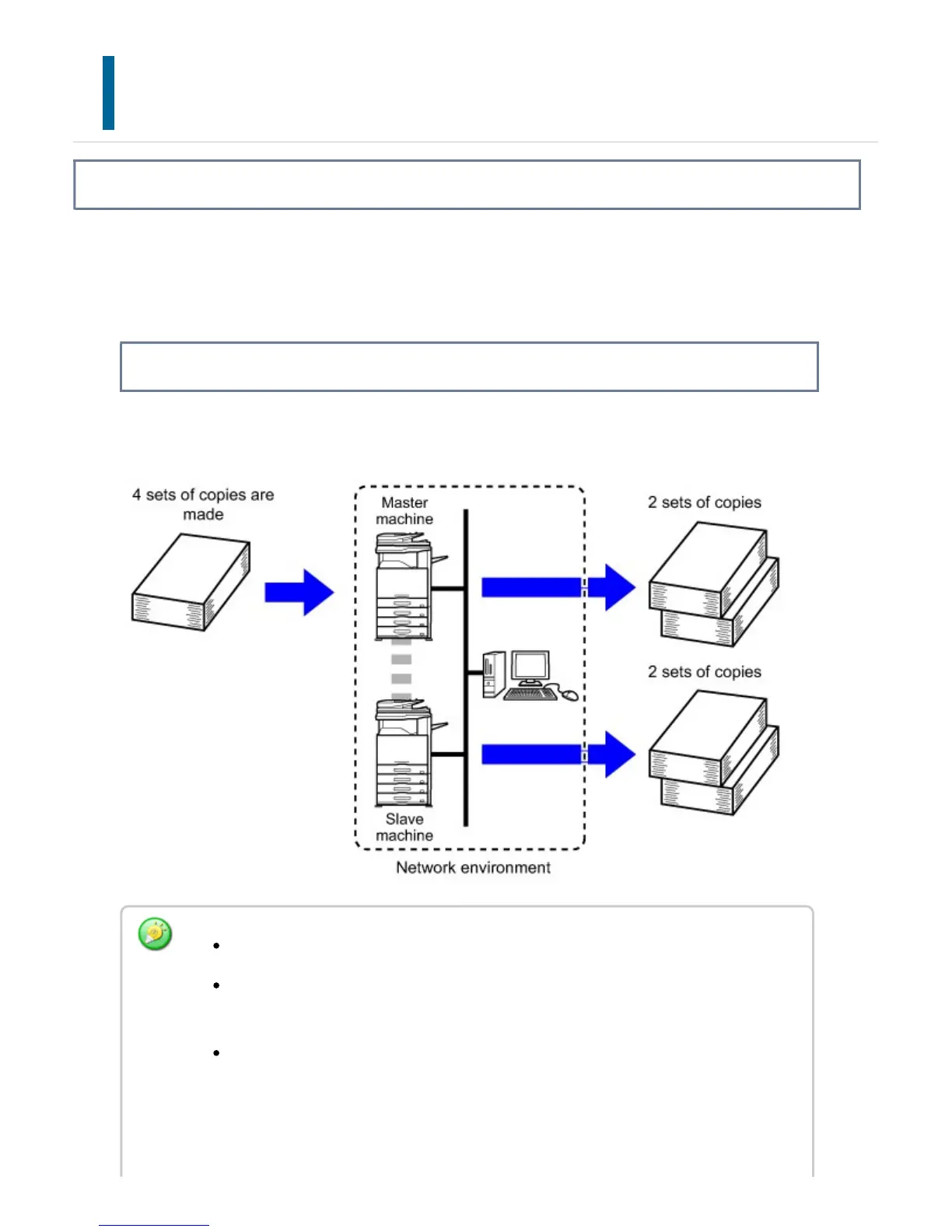
This function shares a copy job half-and-half between two machines connected to the
network, enabling the reduction of the copy time.
Master machine and slave machine
The master machine performs only scanning, and a slave machine registered in the
master machine performs only printing without scanning the original.
To use this function, two machines must be connected to your network.
Even if more machines are connected to the network, this function can only be
used to have one other machine share a job.
To configure the tandem connection setting, register IP address information of
the slave machine in the master machine. For the port number, it is best to use
the initial setting (50001). Unless you experience difficulty with this setting, do not
change the port number. The tandem setting should be configured by your
USER'S MANUAL | MX-M365N/MX-M465N/MX-M565N USER'S ... http://siica.sharpusa.com/portals/0/downloads/Manuals/MX-M365N-M...
306 of 1441 3/17/2016 7:14 AM



 To Next Page