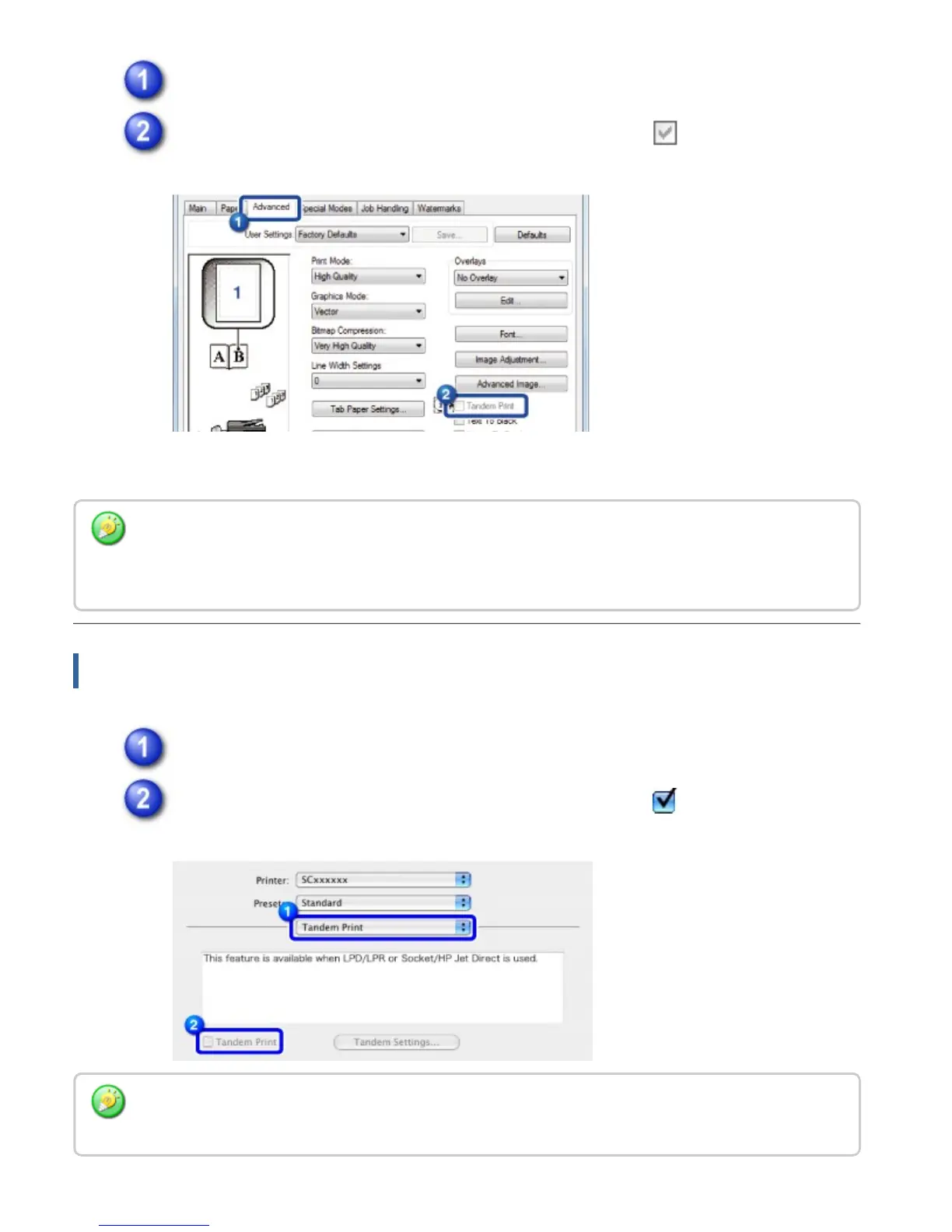
Click the [Advanced] tab.
Click the [Tandem Print] checkbox so that the checkmark appears.
Macintosh
Select [Tandem Print].
Click the [Tandem Print] checkbox so that the checkmark appears.
The tandem print function can be used only when the printer driver has been installed using "Custom
Installation" with [LPR Direct Print (Specify Address/Auto Search)] selected and with the [Yes]
checkbox selected for "Do you want to use the tandem print function?".
To use the tandem print function, you must select the protocol to be used, in accordance with the
message that appears on the screen when you add the printer driver in the "Printer Setup Utility".
USER'S MANUAL | MX-M365N/MX-M465N/MX-M565N USER'S ... http://siica.sharpusa.com/portals/0/downloads/Manuals/MX-M365N-M...
489 of 1441 3/17/2016 7:14 AM



 To Next Page