Operation
Windows
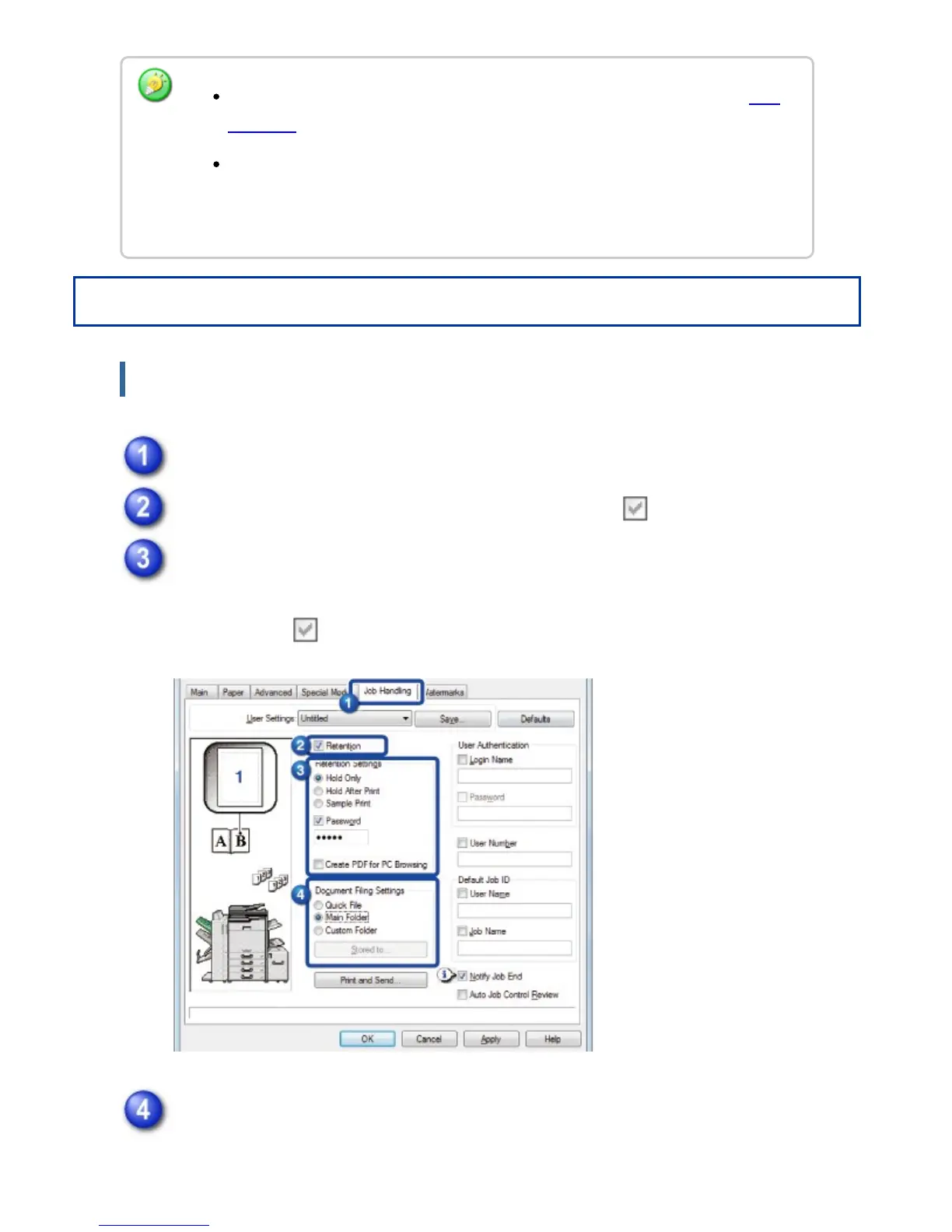
Click the [Job Handling] tab.
Click the [Retention] checkbox so that the checkmark appears.
Select how to save the print data in "Retention Settings".
To enter a password (5 to 8 digit number), click the [Password] checkbox so that
the checkmark appears.
Select the folder to store the file in "Document Filing Settings".
When you have selected [Custom Folder], click the [Stored to] button to select
For the procedure for printing files stored on the machine's hard drive, see "FILE
PRINTING" in "DOCUMENT FILING".
When printing from a PC, you can set a password (5 to 8 digits) to maintain the
confidentiality of information in a stored file.
When a password is set, the password must be entered to print data.
USER'S MANUAL | MX-M365N/MX-M465N/MX-M565N USER'S ... http://siica.sharpusa.com/portals/0/downloads/Manuals/MX-M365N-M...
491 of 1441 3/17/2016 7:14 AM



 To Next Page