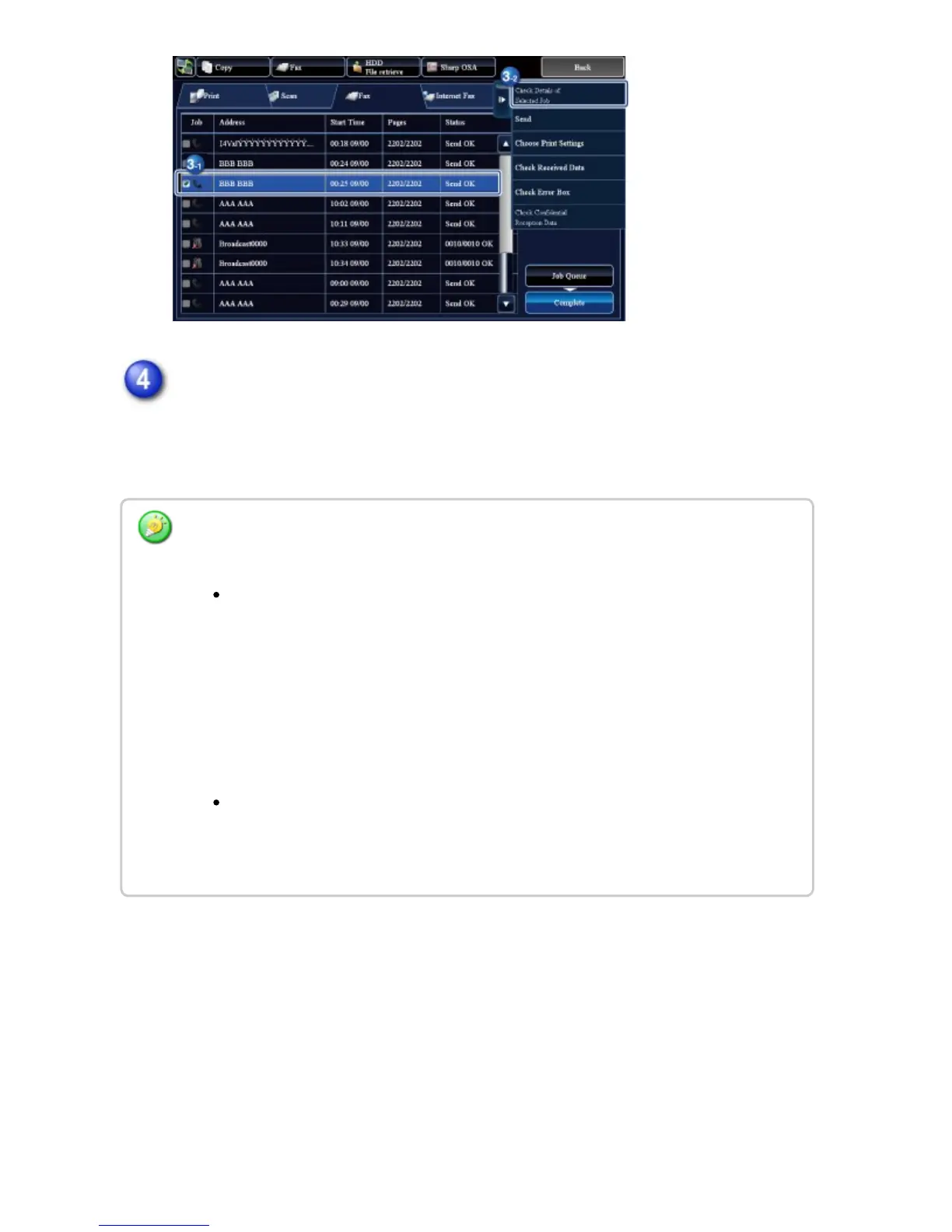
After tapping the [Sending Failed] tab, tap the [Resending to all unsuccessful
transmission destinations] key on the action panel to resend the image.
The steps to follow after the [Resending to all unsuccessful transmission destinations]
key is tapped differ depending on whether or not the document filing function is used.
Using document filing:
You will return to the document filing resend screen with the unsuccessful
destinations entered. Perform the document filing resend procedure. (There is no
need to re-scan the original.)
If the job was stored in a confidential folder or was stored as confidential file, a
password entry screen will appear after you tap the [Retry] key. Enter the
password.
Not using document filing:
You will return to the base screen with the unsuccessful destinations entered.
Place the original and perform the steps of the broadcast transmission.
USER'S MANUAL | MX-M365N/MX-M465N/MX-M565N USER'S ... http://siica.sharpusa.com/portals/0/downloads/Manuals/MX-M365N-M...
578 of 1441 3/17/2016 7:14 AM



 To Next Page