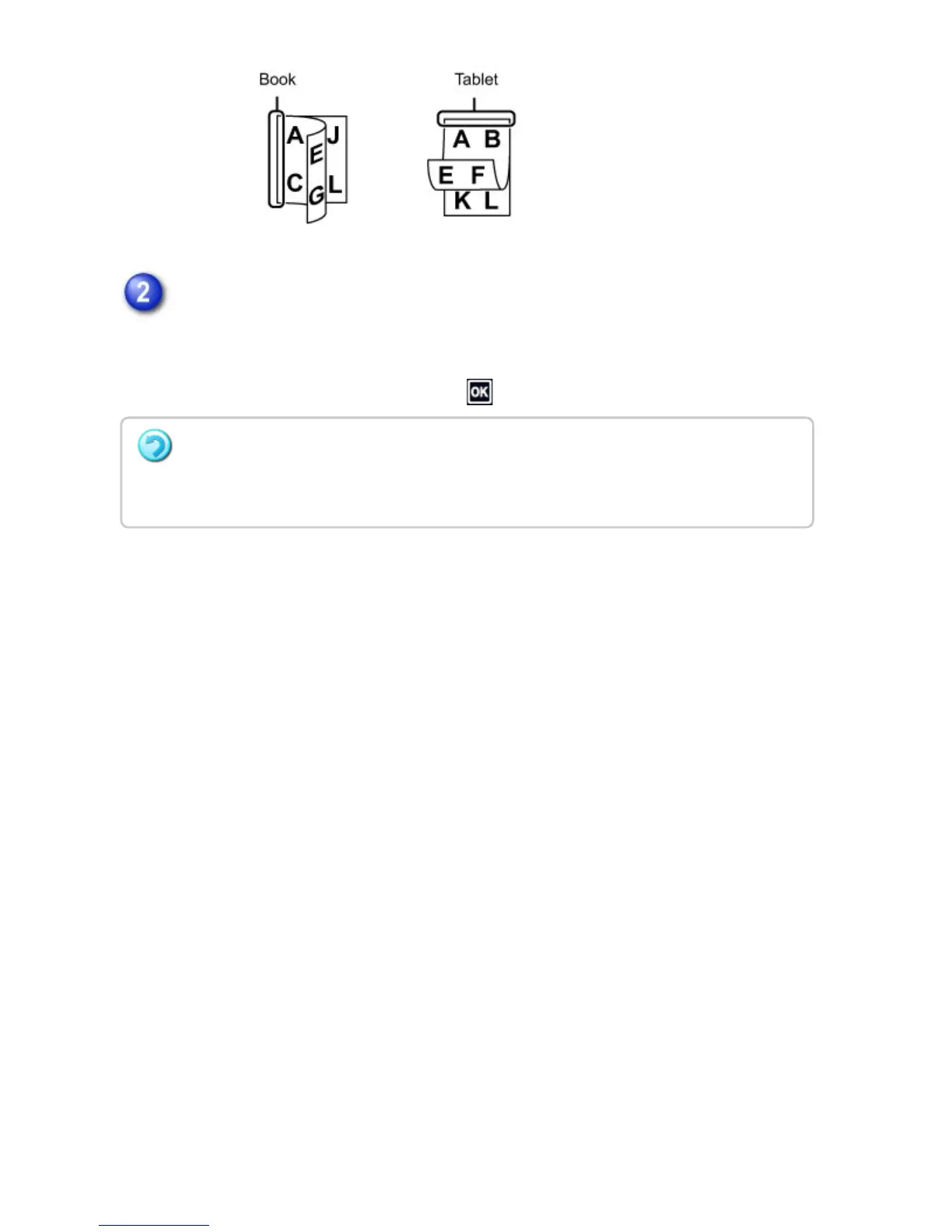
Tap the [Image Orientation] key with the same orientation as the placed
original.
If this setting is not correct, a suitable image may not be transmitted.
After the settings are completed, tap .
To cancel 2-sided scanning:
Tap the [2-sided original type Tablet] key or the [2-sided original type Book] key that has
been forcibly displayed and cancel the display.
USER'S MANUAL | MX-M365N/MX-M465N/MX-M565N USER'S ... http://siica.sharpusa.com/portals/0/downloads/Manuals/MX-M365N-M...
581 of 1441 3/17/2016 7:14 AM



 To Next Page