AUTO DETECTION
When the original is placed, its size is automatically detected.
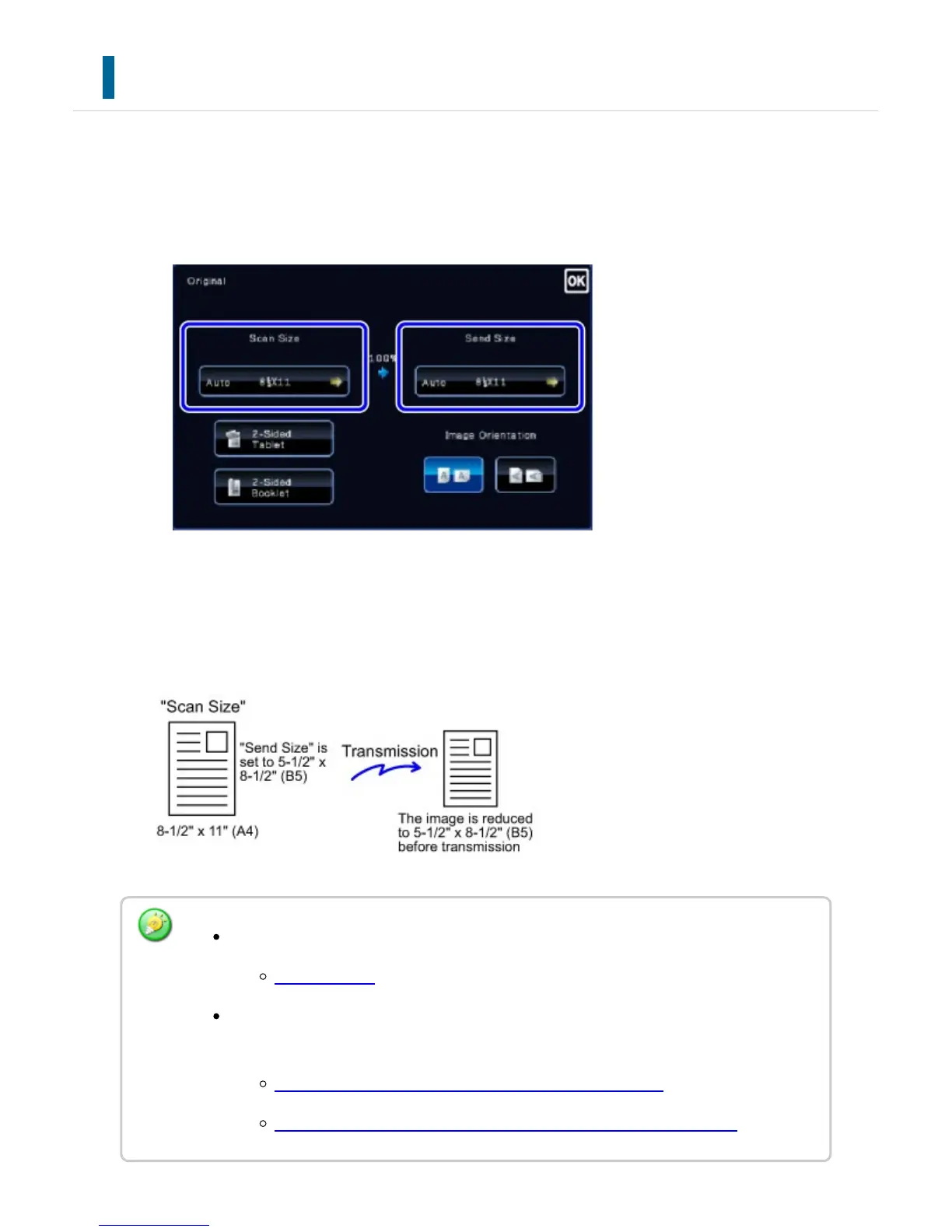
The size of the placed original is indicated as the "Scan Size", and the size to be
transmitted is indicated as the "Send size" in the base screen.
In the above screen, the scan size (the placed original) is 8-1/2" x 11" (A4) and the send
size is auto. For example, if the scan size is 8-1/2" x 11" (A4) and the send size is 5-1/2"
x 8-1/2" (B5), the image will be reduced before transmission.
Only standard original sizes can be automatically detected.
Standard sizes
When the original size is an inch size or a non-standard size, or if the size is not
detected correctly, manually specify the original scan size.
SPECIFYING THE ORIGINAL SCAN SIZE IN PAPER SIZE
SPECIFYING THE ORIGINAL SCAN SIZE USING NUMERIC VALUES
USER'S MANUAL | MX-M365N/MX-M465N/MX-M565N USER'S ... http://siica.sharpusa.com/portals/0/downloads/Manuals/MX-M365N-M...
582 of 1441 3/17/2016 7:14 AM



 To Next Page