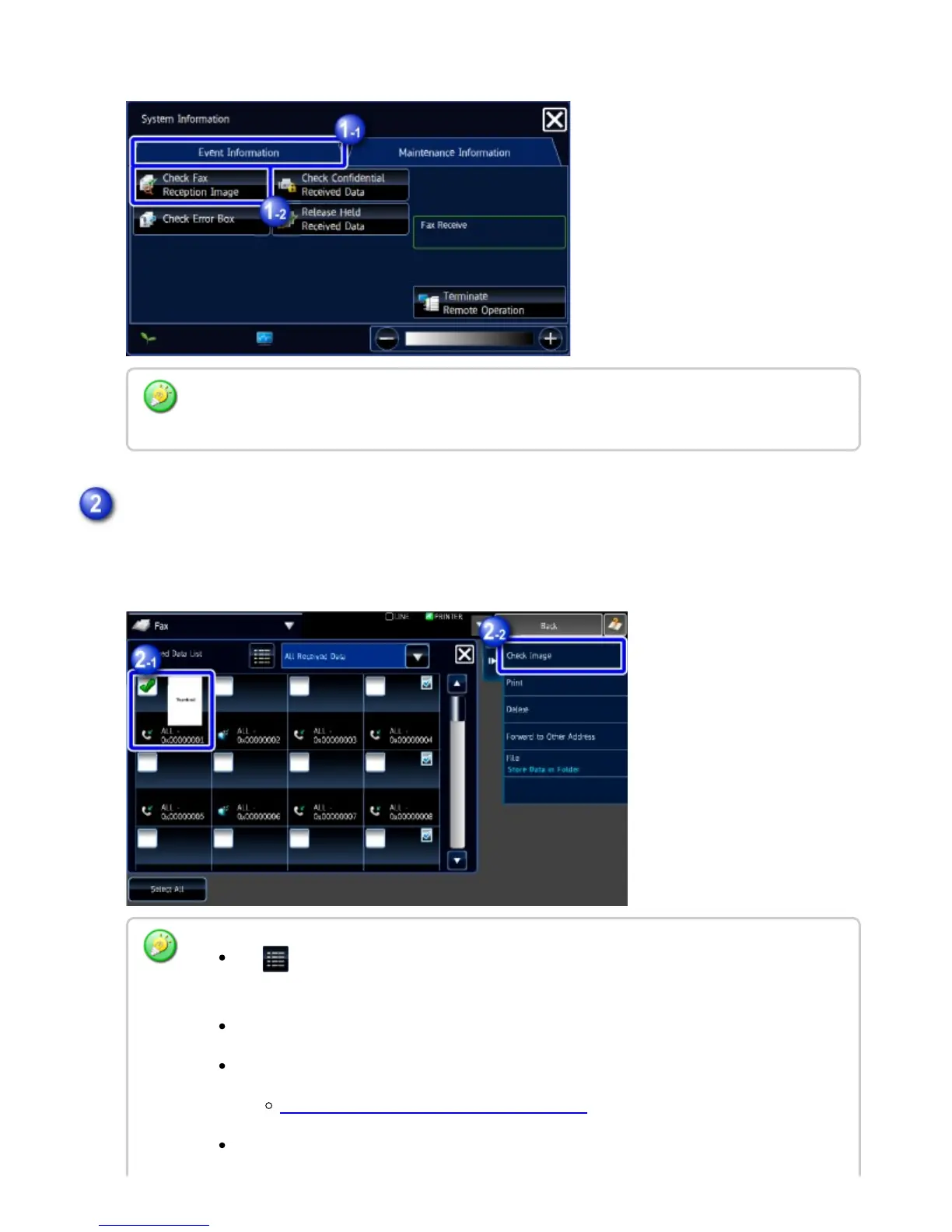
The received data is listed.
Displays the received data image.
You can also display the received data list by tapping the job status display and tapping the
[Check Received Data] key on the action panel of Job Status screen.
Tap the key of the received data you wish to check, and tap the [Check Image] key on
the action panel
Tap to show a list of received data. The list view or thumbnails view can be changed
depending on the setting mode.
To delete a received image, tap the [Delete] key on the action panel.
To transfer the selected received image, tap the [Forward to Other Destination] key.
FORWARDING RECEIVED DATA MANUALLY
To save the selected received image, tap the [File] key.
USER'S MANUAL | MX-M365N/MX-M465N/MX-M565N USER'S ... http://siica.sharpusa.com/portals/0/downloads/Manuals/MX-M365N-M...
602 of 1441 3/17/2016 7:14 AM



 To Next Page