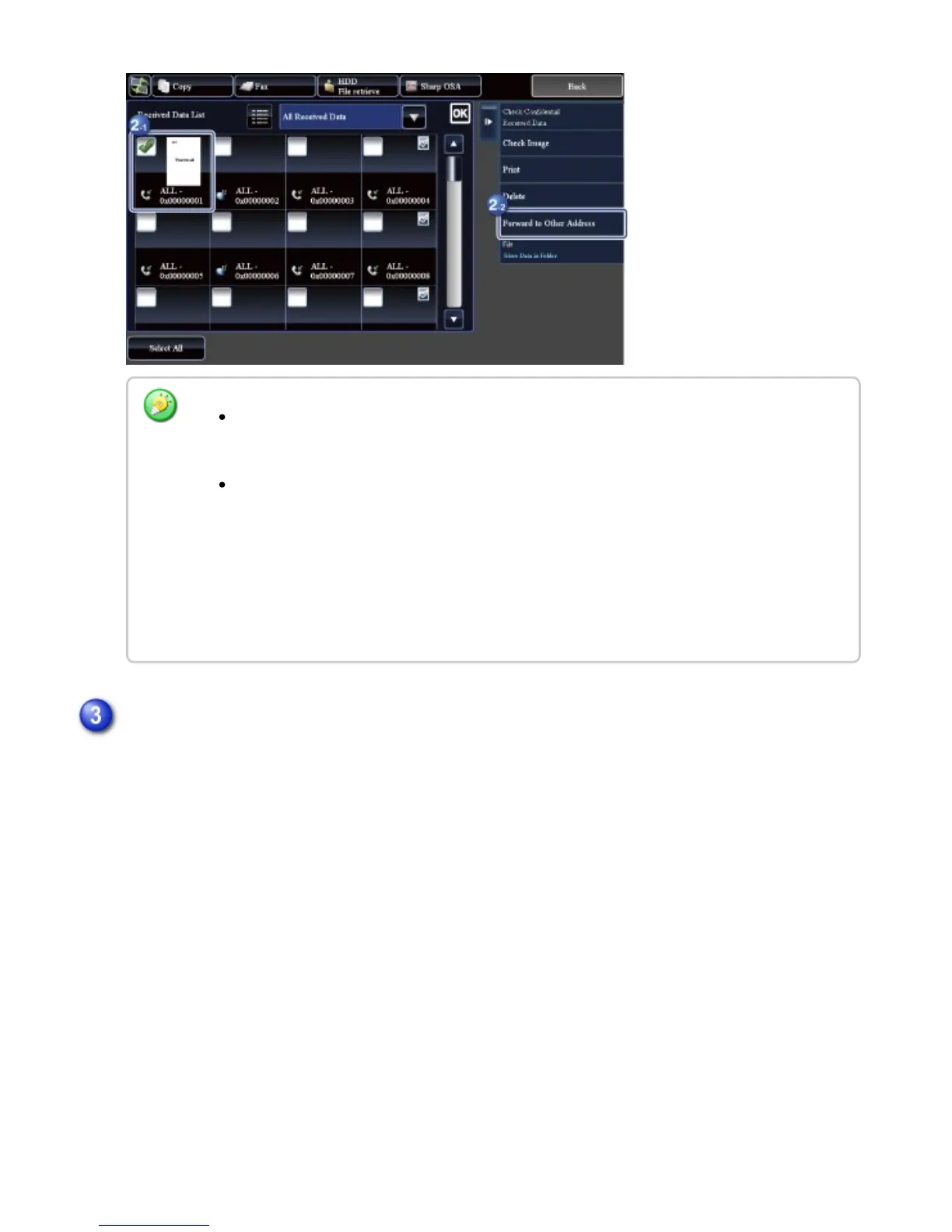
When you select a single received data only, you can tap the [Check Image] key on the
action panel and check the image on the preview screen.
To store the sender fax number as a number for "Allow/Reject Number Setting", tap
the [Store to Unwanted Fax] key and, in the confirmation message screen, tap the
[Store] key.
Specify a sender fax number as a number for "Allow/Reject Number Setting" by
selecting, in "Setting mode (administrator)", select [System Settings] [Image Send
Settings] [Fax Settings] [Receive Settings] [Allow/Reject Number Setting].
Select the destination from the Address Book screen, and tap the [Start] key
USER'S MANUAL | MX-M365N/MX-M465N/MX-M565N USER'S ... http://siica.sharpusa.com/portals/0/downloads/Manuals/MX-M365N-M...
616 of 1441 3/17/2016 7:14 AM



 To Next Page