STORING FAX OPERATIONS
(PROGRAM)
Overview
This function collectively stores various settings as one program. The stored program
can be retrieved using an easy operation.
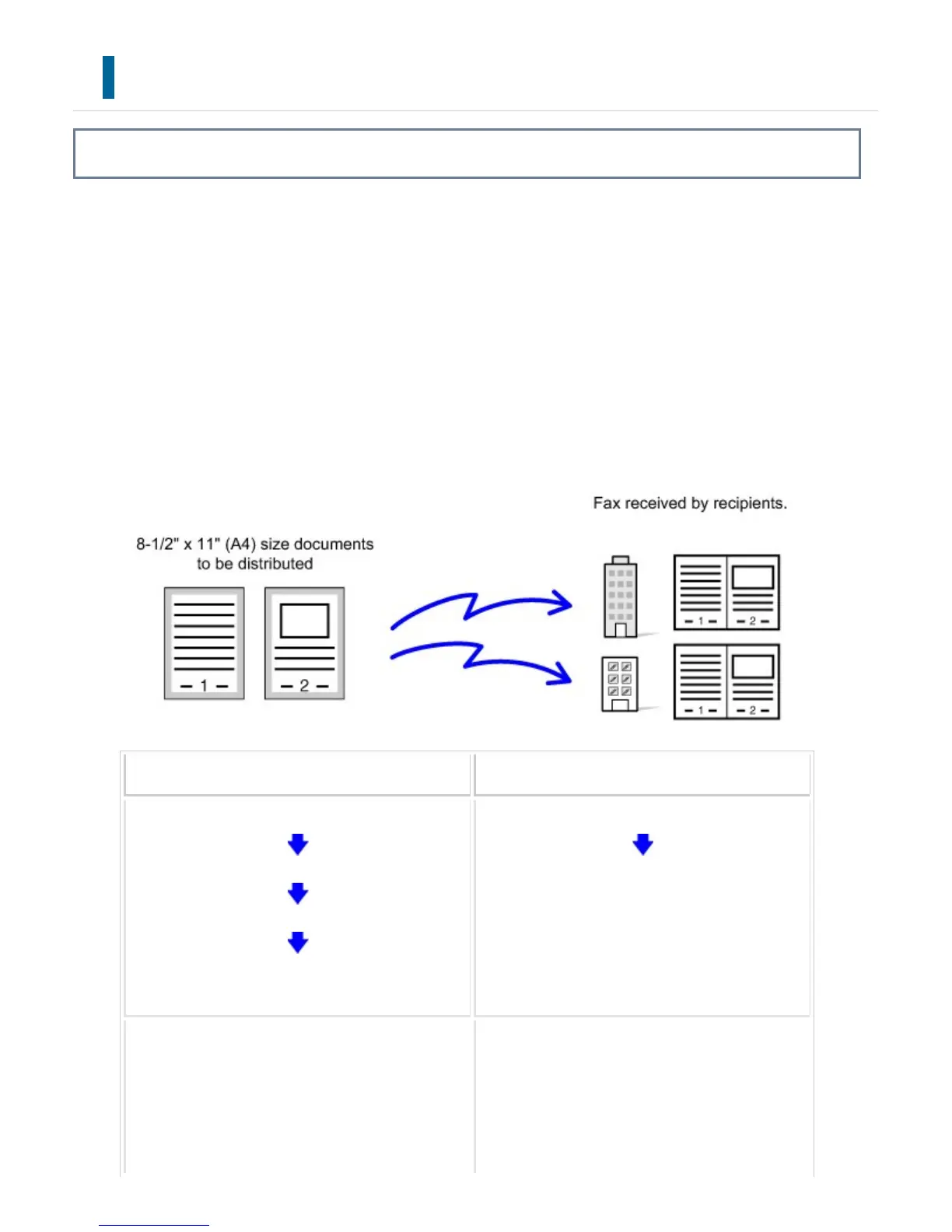
For example, suppose that the same 8-1/2" x 11" (A4) size documents are distributed
to branch offices in various regions once a month.
When a job program is not stored When a job program is stored
Enter the fax number for each branch.
Specify 2in1.
Specify Erase.
Tap the [Start] key.
Scan and send the original.
Call the registered program.
Tap the [Start] key.
Scan and send the original.
Considerable time is required to send the docum
ents each month because the above settings m
ust be selected.
In addition, mistakes are occasionally made whe
When a program is stored, settings are selecte
d with ease by simply tapping the key of the pr
ogram.
In addition, transmission takes place according
(1)The same documents are faxed to each branch office
(2)To save paper, two document pages are faxed as a single page
(3)Smudges on the edges of the documents are erased before transmission
USER'S MANUAL | MX-M365N/MX-M465N/MX-M565N USER'S ... http://siica.sharpusa.com/portals/0/downloads/Manuals/MX-M365N-M...
619 of 1441 3/17/2016 7:14 AM



 To Next Page