SENDING BOTH SIDES OF A CARD AS A
SINGLE PAGE
(CARD SHOT)
Overview
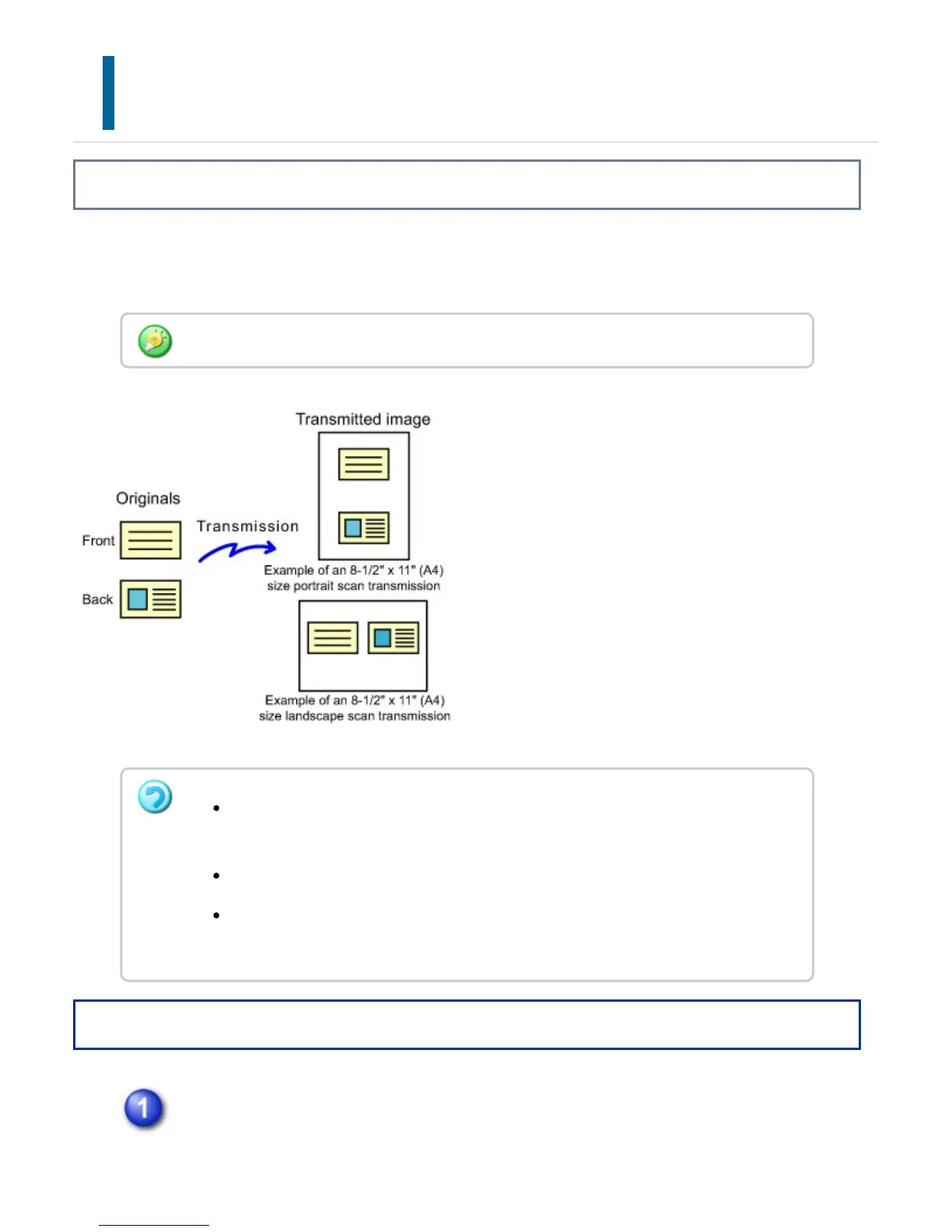
Send the front and reverse sides of a card as a single page, without the need to send
each side separately.
Operation
Place a card face down on the document glass.
When using this function, the original must be placed on the document glass.
If the original size is larger than the send size, it will result in a sending failure.
Check the original size once more, and specify it again.
The ratio cannot be specified and "Rotation Sending Setting" cannot be selected.
This function cannot be used in direct transmission mode or when the speaker is
used to dial.
USER'S MANUAL | MX-M365N/MX-M465N/MX-M565N USER'S ... http://siica.sharpusa.com/portals/0/downloads/Manuals/MX-M365N-M...
625 of 1441 3/17/2016 7:14 AM



 To Next Page