ENTERING AN ADDRESS MANUALLY
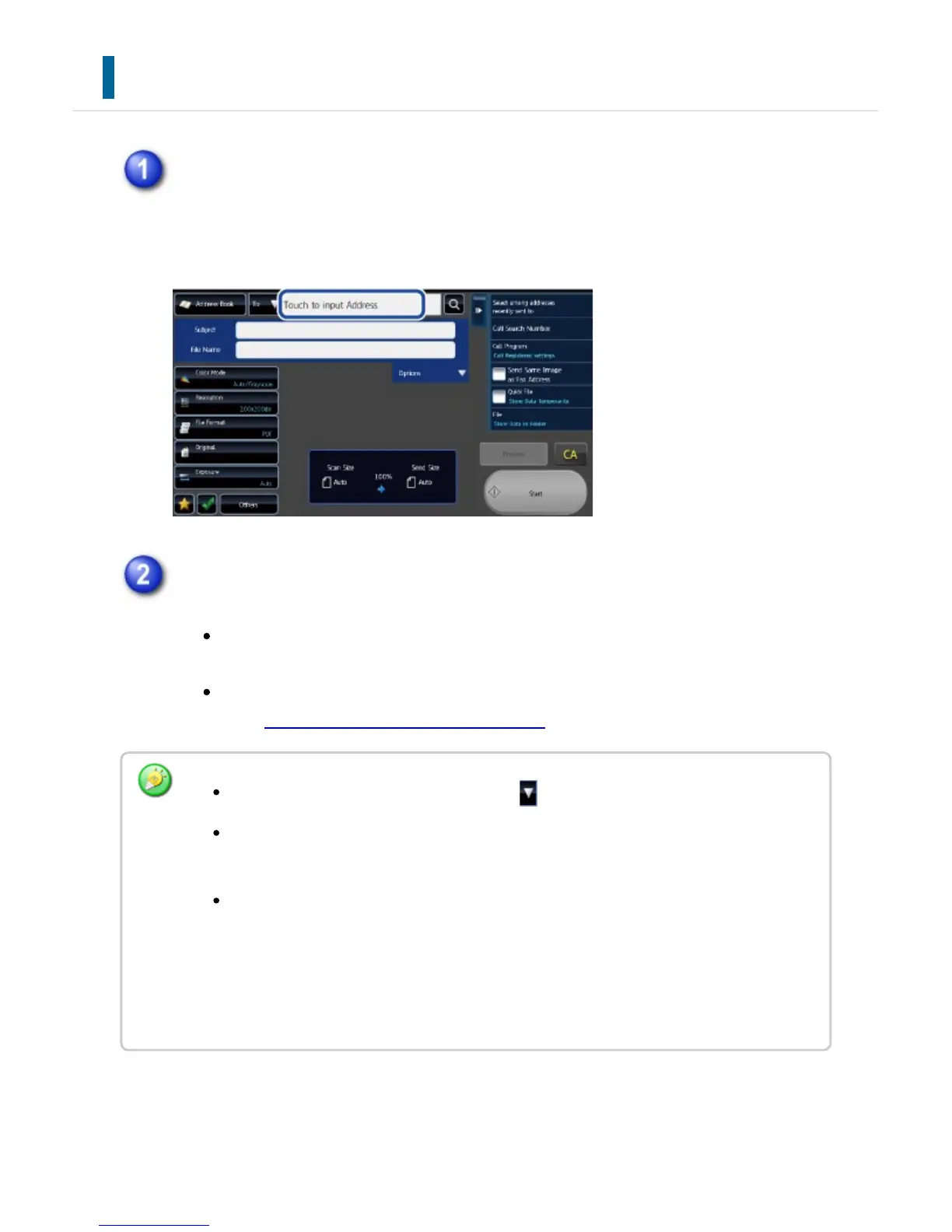
In the base screen of a mode, tap [Text Box]
On the base screen of Internet Fax, tap [Text Box] to display the screen you want
to select the address type. Tap either the [Internet Fax] or [Direct SMTP] key.
Enter the destination address
In data entry mode, select the mode of the destination, and enter the
destination address.
For Scan to Network Folder mode, the network folder entry screen appears.
See "SPECIFYING A NETWORK FOLDER".
To switch among [To], [Cc] and [Bcc], tap .
You can select [Bcc] if [Image Send Settings] → [Scan Settings] → [Scan
Settings] → [Bcc Setting] → [Enable Bcc] is enabled in [System Settings].
In Internet Fax mode, the reception report request screen will appear if [Image Send
Settings] → [Internet Fax Settings] → [Scan Settings] → [Send Settings]→"I-Fax
Reception Report On/Off Setting" is enabled in [System Settings]. If you wish to
receive a report, tap the [Yes] key. If not, tap the [No] key. (When Direct SMTP is
used, transmission confirmation is not performed.)
USER'S MANUAL | MX-M365N/MX-M465N/MX-M565N USER'S ... http://siica.sharpusa.com/portals/0/downloads/Manuals/MX-M365N-M...
730 of 1441 3/17/2016 7:14 AM



 To Next Page