Specify the destination.
RETRIEVING A DESTINATION FROM AN ADDRESS BOOK
VIEWING A LIST OF THE SELECTED DESTINATIONS
USING A SEARCH NUMBER TO RETRIEVE A DESTINATION
ENTERING AN ADDRESS MANUALLY
SPECIFYING A NETWORK FOLDER
RETRIEVING A DESTINATION FROM A GLOBAL ADDRESS BOOK
USING A TRANSMISSION LOG TO RESEND
The icon on the key indicates the type of destination stored in the key.
: Scan to E-mail
: Scan to FTP
: Scan to Network Folder
: Scan to Desktop
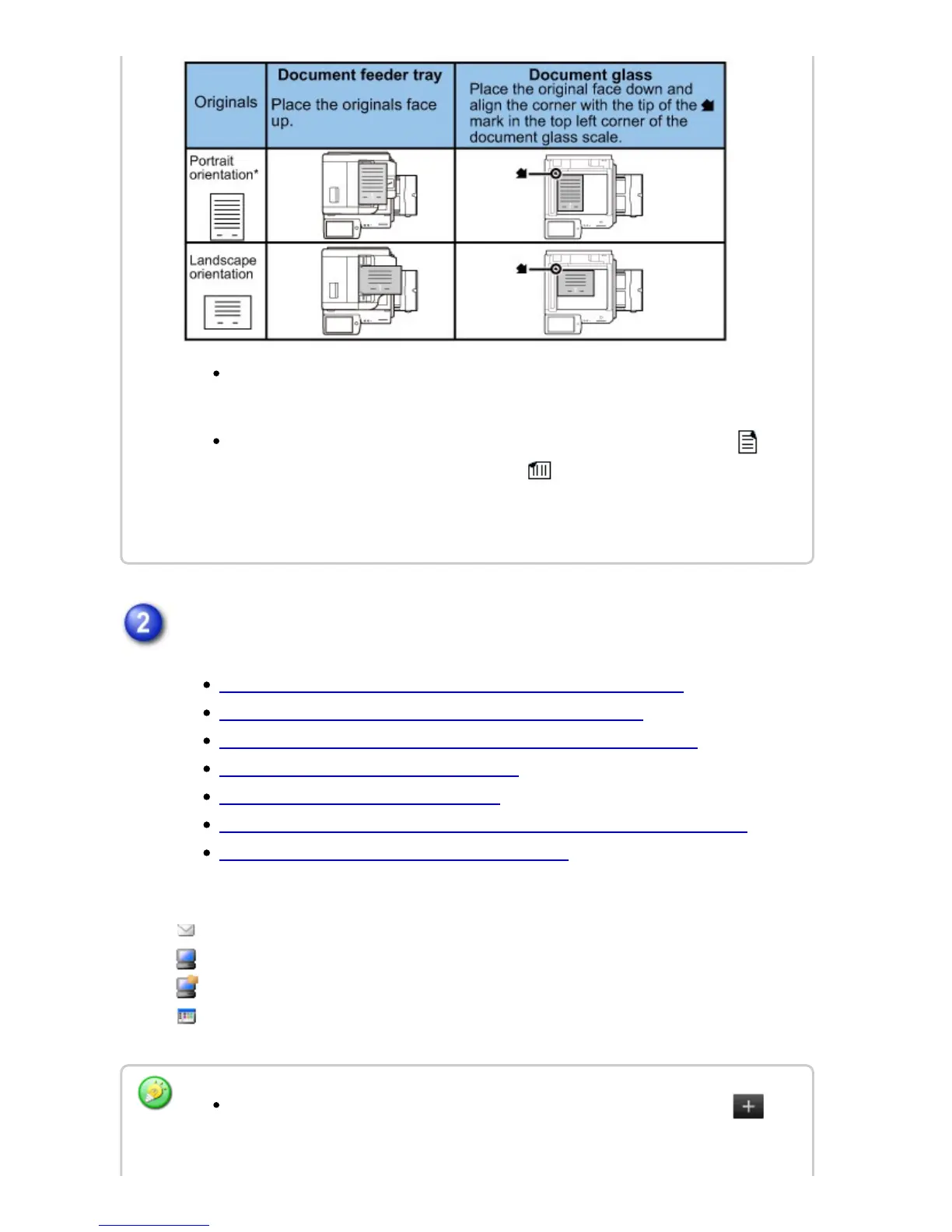
*
To place a large portrait-oriented original, place it as shown in the figure titled
"Landscape orientation" and specify the placement orientation in step 5.
Place 5-1/2" x 8-1/2" (A5) size originals in portrait (vertical) orientation ( ). If
placed in landscape (horizontal) orientation ( ), an incorrect size will be
detected. For an 5-1/2" x 8-1/2"R (A5R) size original, enter the original size
manually.
After a one-touch key is tapped, if the screen is changed without tapping ,
the destination of the tapped key is automatically specified.
USER'S MANUAL | MX-M365N/MX-M465N/MX-M565N USER'S ... http://siica.sharpusa.com/portals/0/downloads/Manuals/MX-M365N-M...
739 of 1441 3/17/2016 7:14 AM



 To Next Page