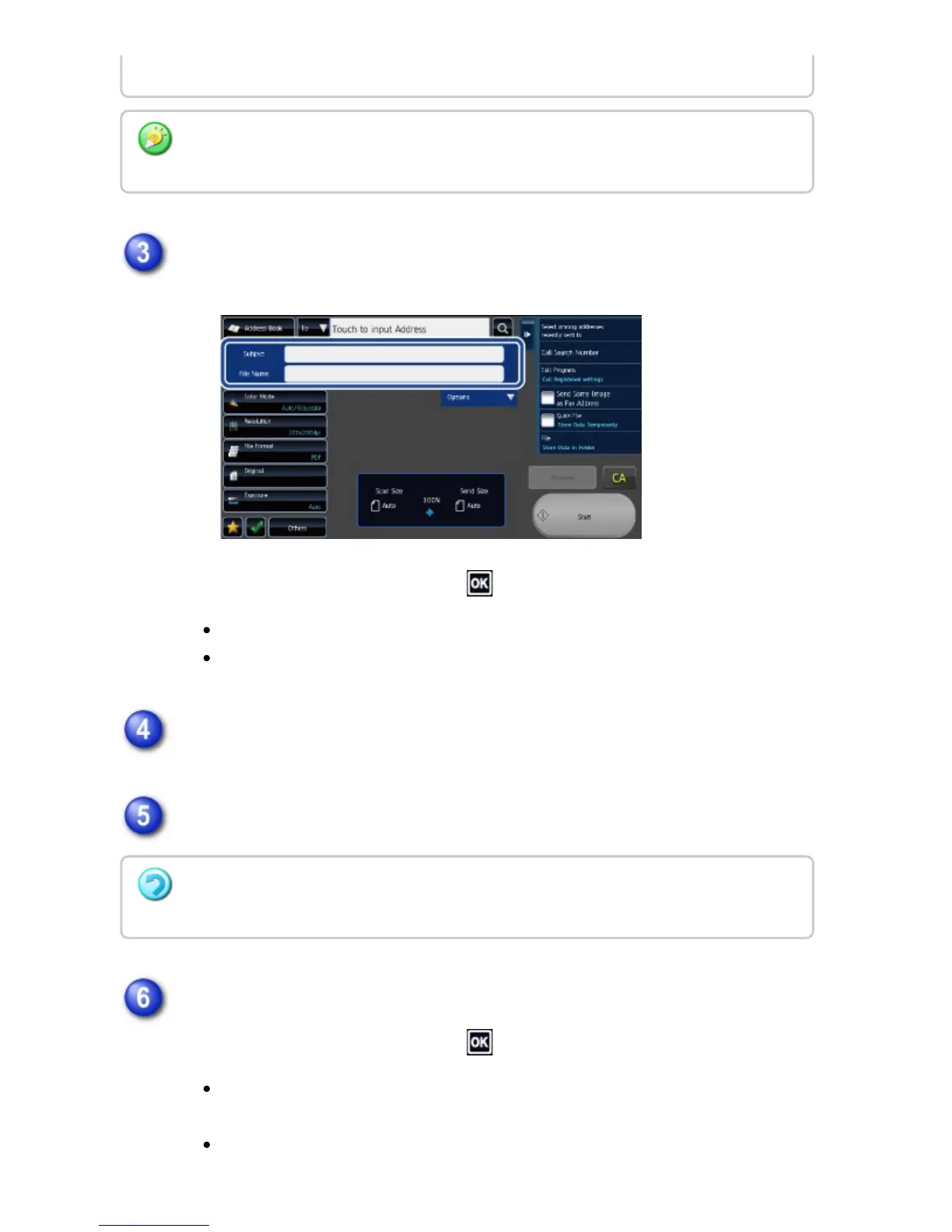
To change the file name, tap the [File Name] entry box.
After the settings are completed, tap .
Tap the key of the file name from the list.
To directly enter the file name, tap the [Direct Entry] key.
Tap [Options].
To change the reply address, tap the [Reply-To] entry box.
Tap the key that you wish to use for the reply address.
After the settings are completed, tap .
Tap the [Global Address Search] key to specify a user stored in the global
address book in the same way as you would select the reply address.
Tapping the [Direct Entry] key allows you to directly enter the e-mail
Tap the [Clear] key.
If you wish to directly enter the text, tap the [Direct Entry] key to open the soft keyboard.
Enter the text and tap the [OK] key.
If user authentication is being used, the information of the user that logged in will be
applied, and thus the reply address cannot be changed.
USER'S MANUAL | MX-M365N/MX-M465N/MX-M565N USER'S ... http://siica.sharpusa.com/portals/0/downloads/Manuals/MX-M365N-M...
744 of 1441 3/17/2016 7:14 AM



 To Next Page