After the settings are completed, tap .
When E-mail, FTP/Desktop, or Network Folder is selected:
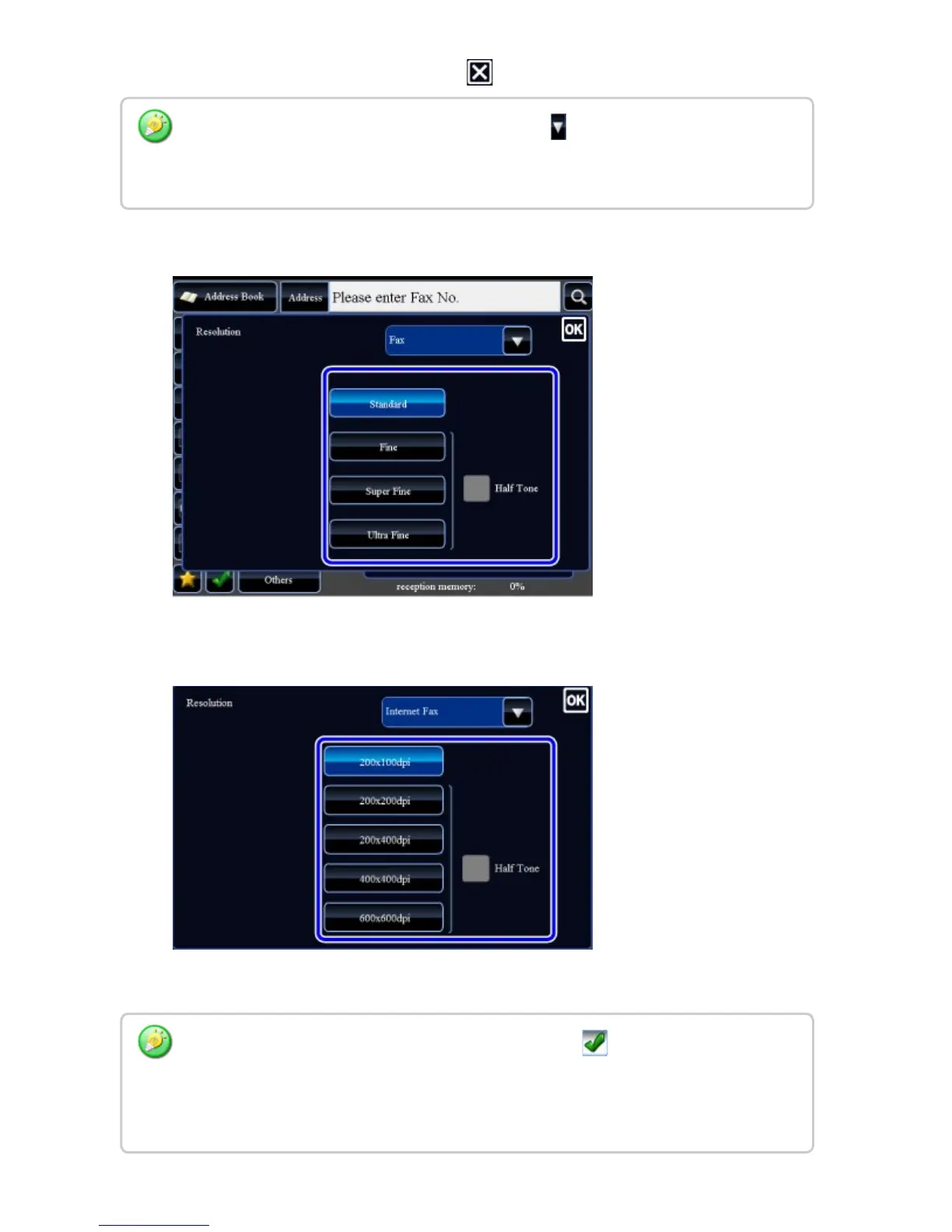
When Internet Fax is selected:
If there is a mix of destinations in different modes, tap to switch modes to set the
resolution in each mode.
However, FTP/Desktop and Network Folder are set to the same mode.
In the Internet Fax mode, set the [Half Tone] checkbox to to specify half tone. (This
option is unavailable if [200x100dpi] is selected.)
This function sends an image with a higher quality than usual when scanning an original
with many grayscale parts such as photographs or colored illustrations.
USER'S MANUAL | MX-M365N/MX-M465N/MX-M565N USER'S ... http://siica.sharpusa.com/portals/0/downloads/Manuals/MX-M365N-M...
778 of 1441 3/17/2016 7:14 AM



 To Next Page