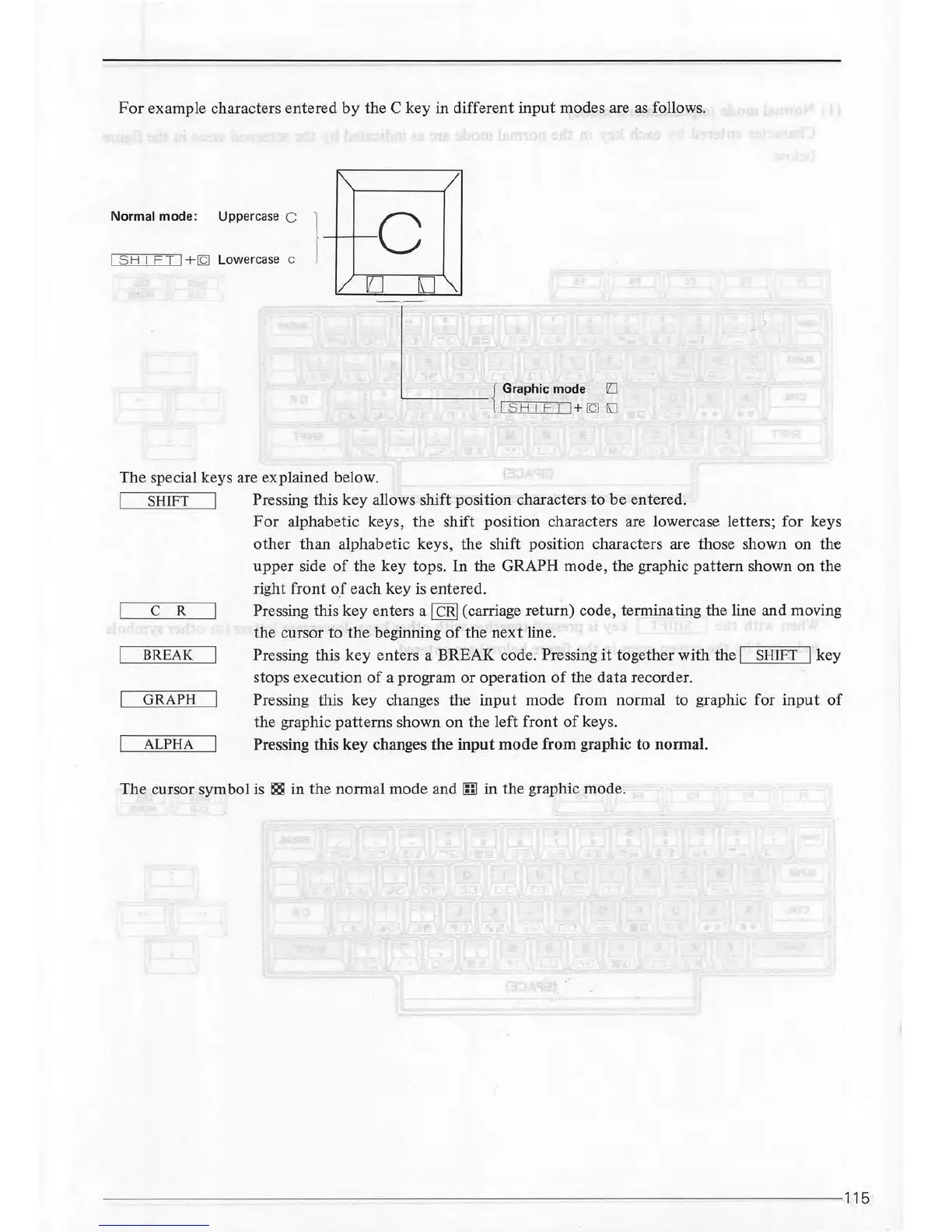
For
example characters entered
by
the C key in different
input
modes are
as
follows.
~
/
Normal
mode:
Uppercase C l
I
SH
I
FT
I+
IQJ
Lowercase c
c
I/
EJ
[]'\.
_)
The special keys are explained below.
I
SHIFT
I Pressing this
key
allows shift position characters
to
be
entered.
C R
BREAK
GRAPH
ALPHA
For
alphabetic keys,
the
shift position characters are lowercase letters;
for
keys
other
than alphabetic keys, the shift position characters are those shown on the
upper
side
of
the key tops.
In
the GRAPH mode, the graphic
pattern
shown
on
the
right front
of
each
key
is entered.
Pressing this key enters a
!CRI
(carriage return) code, terminating the line and moving
the
cursor to
the
beginning
of
the
next
line.
Pressing this
key
enters a BREAK code. Pressing
it
together
with
the I
SHIF
.T I key
stops execution
of
a program
or
operation
of
the
data
recorder.
Pressing this key changes the
input
mode from normal to graphic for
input
of
the graphic
patterns
shown
on
the left front
of
keys.
Pressing this
key
changes
the
input
mode
from graphic to normal.
The cursor symbol is
~
in the normal mode
and[;]
in the graphic mode.
--------------------------~--------------------------------------
------115



 To Next Page