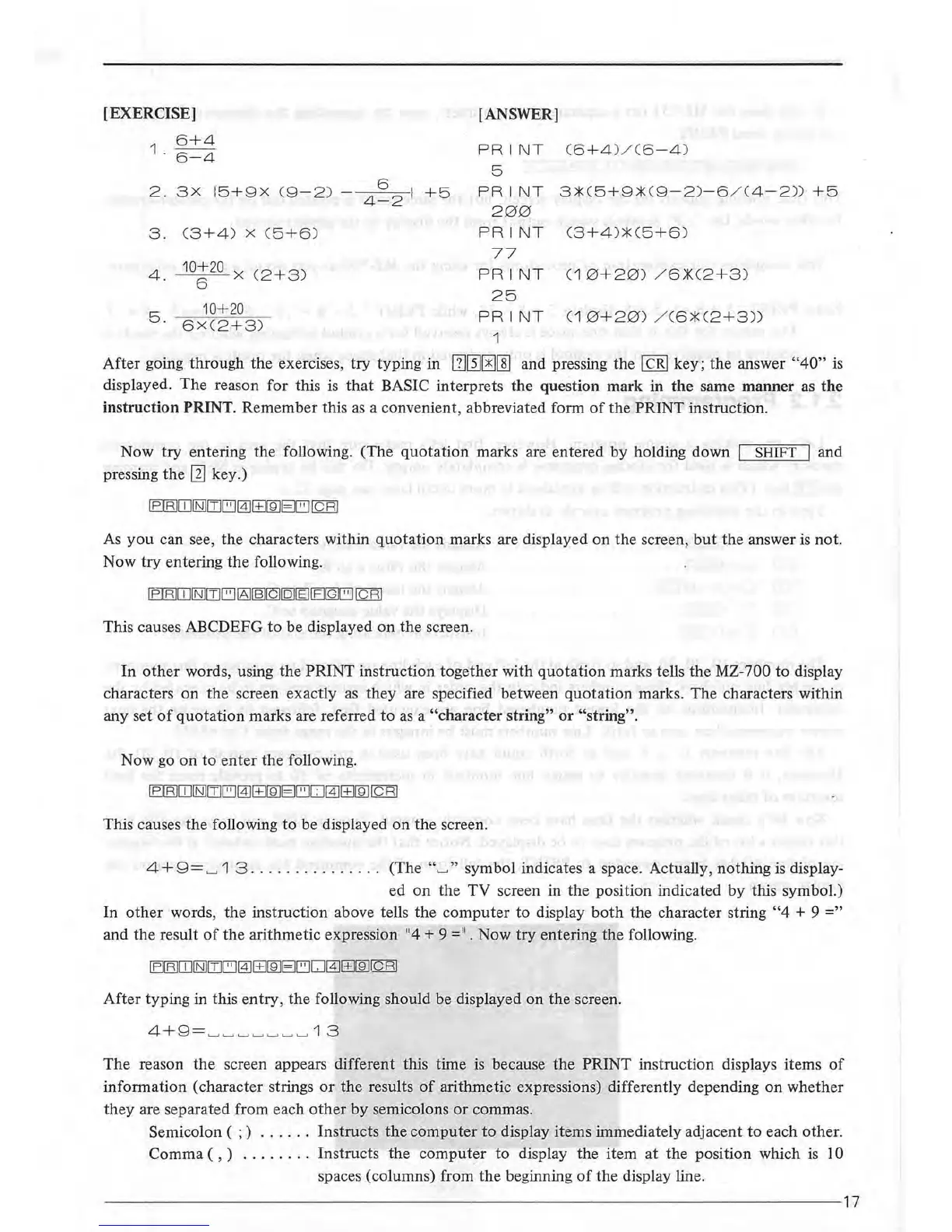
[EXERCISE]
1
6+4
. 6
-4
2.
3X
15+9X
(9
-2
)
3.
(
3+4)
X
C5+6)
4.
10
~
20
X
C2
+3)
10+20
5
·
6X
C
2+3
)
6
4-2
1
+5
[ANSWER]
PRIN
T
(
6+4
)/(6
-4
)
5
PRINT
3::tC5+9::t
C
9-2)-6
/ C4
-2
)}
+5
200
PRINT
C3
+4
)::t
C5
+6
)
77
PRINT
C1
0+20)
/
6.:KC2+3)
25
PRI
NT
C1
0+20)
/
C6::tC2+3))
1
After
going through the exercises, try typing in
[]~[!][§]
and pressing the I
CRI
key; the answer
"40"
is
displayed.
The
reason for this is
that
BASIC interprets the question mark in
the
same manner as
the
instruction PRINT. Remember this
as
a convenient, abbreviated form
of
the PRINT instruction.
Now try entering the following. (The
quotation
marks are entered by holding down I SHIFT I and
pressing
the
[1]
key.)
IBIBJ[O!NJITJ[ij@J[±]IBJEJ[ij
I c
RI
As
you
can see, the characters within
quotation
marks are displayed
on
the screen,
but
the answer
is
not.
Now
try
entering the following.
This causes ABCDEFG
to
be displayed
on
the screen.
In
other
words, using the PRINT instruction together with
quotation
marks tells the MZ-700 to display
characters
on
the screen exactly
as
they are specified between
quotation
marks. The characters within
any set
of
quotation
marks are referred
to
as
a "character string"
or
"string".
Now go
on
to
enter
the following.
This causes the following to be displayed
on
the
screen.
4+
9=
'-' 1 3
... ...
.
........
(The
"'-'"
symbol indicates a space. Actually, nothing
is
display-
ed
on
the
TV
screen in the position indicated
by
this symbol.)
In
other
words, the instruction above tells the
computer
to display
both
the character string
"4
+ 9
="
and the result
of
the arithmetic expression
11
4 + 9 =
11
• Now
try
entering the following.
After typing in this entry, the following should be displayed on the screen.
The
reason
the
screen appears different this time
is
because
the
PRINT instruction displays items
of
information (character strings
or
the
results
of
arithmetic expressions) differently depending
on
whether
they are separated from each
other
by
semicolons
or
commas.
Semicolon ( ; )
......
Instructs
the
computer
to display items immediately adjacent
to
each other.
Comma ( , )
........
Instructs the
computer
to display the item
at
the position which
is
10
spaces (columns) from the beginning
of
the display line.
--------------------------------------------
----
--~-------------------------17



 To Next Page