2. 3. 2. 7 RENUM . . . . . . . . . . . . . . . . . . . . . . . . . . . . (abbreviated format: REN.)
Format
Function
Example
RE
NUM
RENUM
Ln
RENUM
Ln
,
Lo,
n
l
Ln
..
. . New line number
J
..
· ·
....
· Lo . . . . Old line number
n
......
Increment
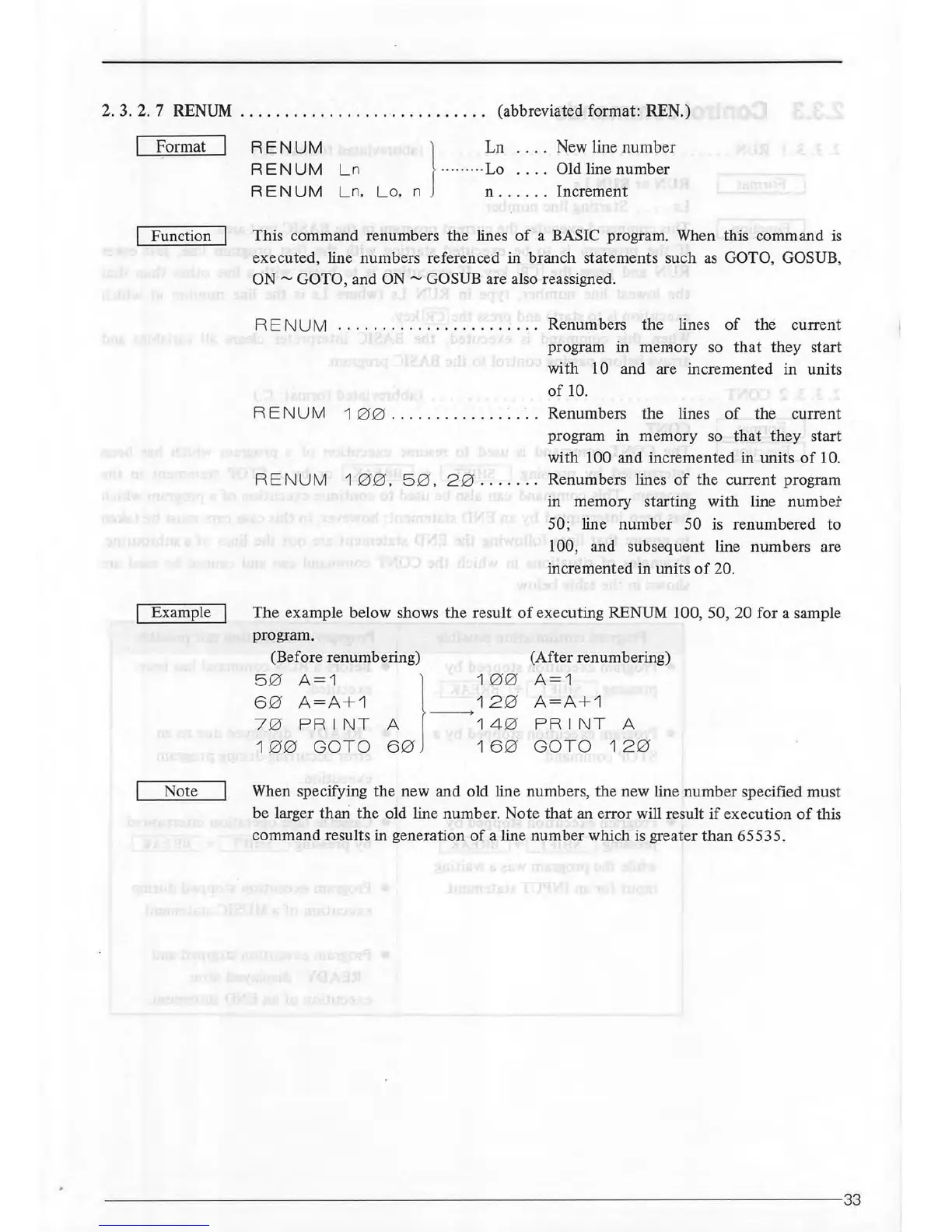
This command renumbers the lines
of
a BASIC program. When this command
is
executed, line numbers referenced in branch statements such
as
GOTO, GOSUB,
ON"'
GOTO, and
ON"'
GOSUB are also reassigned.
RE
NU
M . . . . . . . . . . . . . . . . . . . . . . . Renumbers
the
lines
of
the current
program in
merr10ry so
that
they start
with
10 and are incremented in units
of
10.
RE
NU
M 1 0 0
..........
.
..
·
..
·. . Renumbers the lines
of
the current
program in memory
so
that
they
start
with
100 and incremented in units
of
10.
RE
NUM
1
00
. 5 0 . 2 0 .
......
Renumbers lines
of
the current program
in memory starting with line
number
50; line number 50 is renumbered to
100, and subsequent line numbers are
incremented in units
of
20.
The example below shows the result
of
executing RENUM 100, 50, 20 for a sample
program.
(Before renumbering)
5 0
A=1
l 1
00
6 0
A=A+1
12
0
---->
7 0
PRINT
A
140
1
00
GOTO
6 0
16
0
(After renumbering)
A=1
A=A+1
PRINT
A
GOTO
12
0
Note When specifying the new and old line numbers, the new line number specified must
be larger thari
the
old line number. Note
that
an error will result
if
execution
of
this
command results in generation
of
a line number which
is
greater
than
65535.
----------
------------
--------
--
--------
--
--------
--------
--
----------
- 33



 To Next Page