2. 3. 8. 2 STOP
Format
Function
Example
(abbreviated format: S.)
STOP
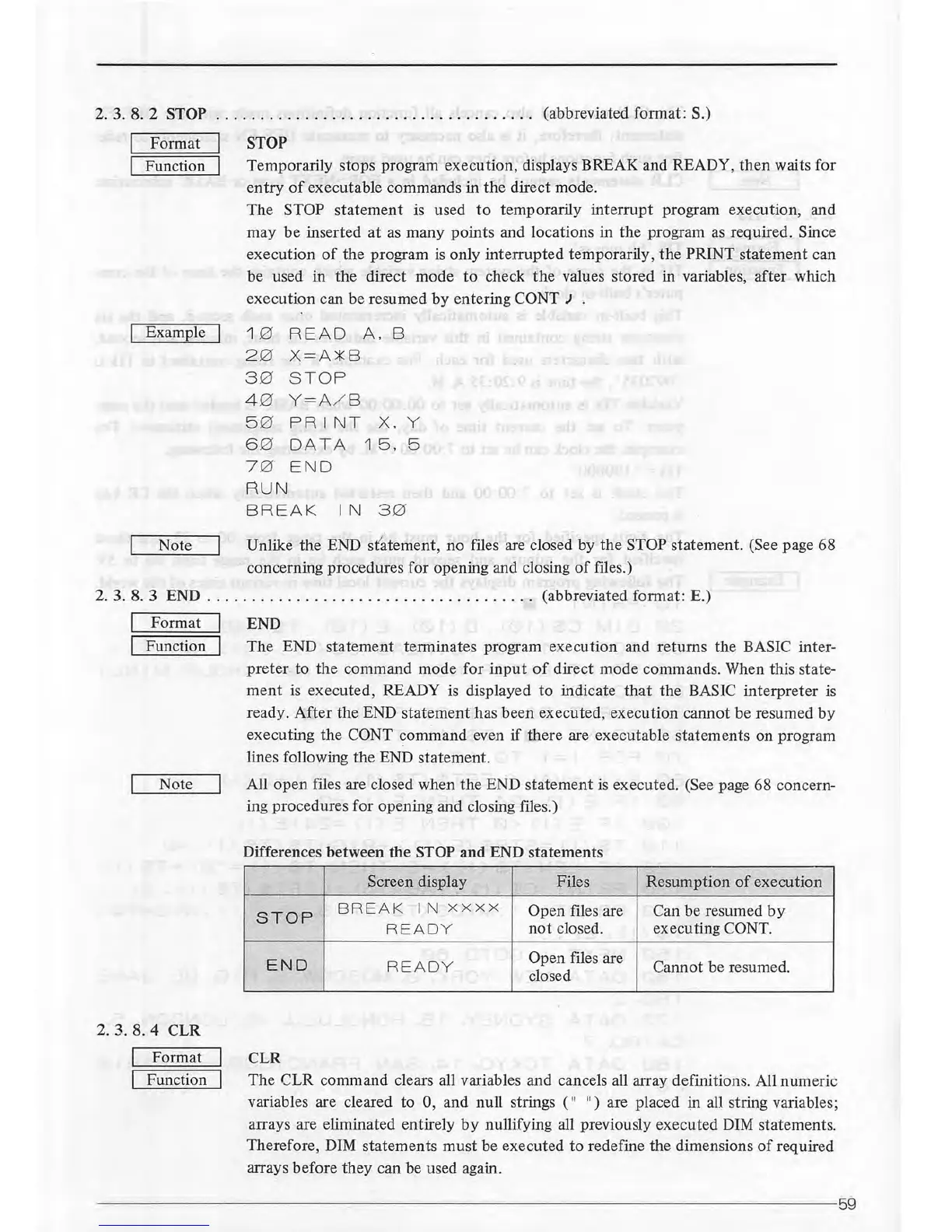
Temporarily stops program execution, displays BREAK and READY,
then
waits for
entry
of
executable commands in the direct mode.
The
STOP
statement
is used
to
temporarily interrupt program execution, and
may
be
inserted
at
as
many points and locations in the program
as
required. Since
execution
of
the program
is
only interrupted temporarily,
the
PRINT statement can
be used in the direct mode
to
check
the
values stored in variables, after which
execution can be resumed
by
entering CONT J
1 0 READ
A.
B
2 0
X= A
*B
3 0 S
TOP
4 0
Y= A/ 8
5 0
PRINT
X. y
6 0 DATA 1
5.
5
7 0
END
RUN
BREA K IN
3 0
Note Unlike the END
s
f~
tement,
no files are closed by the STOP statement. (See page 68
concerning procedures for opening and closing
of
files.)
2. 3. 8. 3 END
.....
.
......
..
............
.
....
. .
....
(abbreviated format: E.)
Format
Function
END
The END statement terminates program execution and returns the BASIC
inter
-
preter
to the command mode for
input
of
direct mode commands. When this state-
ment
is executed, READY is displayed
to
indicate
that
the BASIC interpreter
is
ready.
After
the END statement has been executed, execution cannot be resumed
by
executing the CONT command even
if
there are executable statements on program
lines following
the
END statement.
Note All
open
files are closed when the END statement
is
executed. (See page 68 concern-
2. 3. 8. 4 CLR
Format
Function
ing procedures for opening and closing files.)
Differences between the
STOP
and
END statements
Screen display
Files Resumption
of
execution
STOP
BRE
AK
IN
xxxx
Open files are Can be resumed
by
RE
ADY
not
closed.
executing
CONT.
END
RE
ADY
Open files are
Cannot be resumed.
closed
CLR
The CLR command clears all variables and cancels all array
def
initions. All numeric
variables are cleared to
0, and null strings (
11
11
) are placed
i,n
all string variables;
arrays are eliminated entirely
by
nullifying all previously executed DIM statements.
Therefore, DIM statements
must
be executed to redefine the dimensions
of
required
arrays before they can be used again.
----------------------~------
--------
------
-------------------------
59



 To Next Page