2.8.1
I
LIMIT
Format I
Function
Example
2.8.2 POKE
Format
Function
Example
....................................................................... (Abbreviated format: LIM.)
LIMIT ad
ad . .
...
Address; either a decimal
number
from 0 to
65279
or
a 4-digit hexa-
decimal
number
from
$0000
to
$FEFF.
This
statement
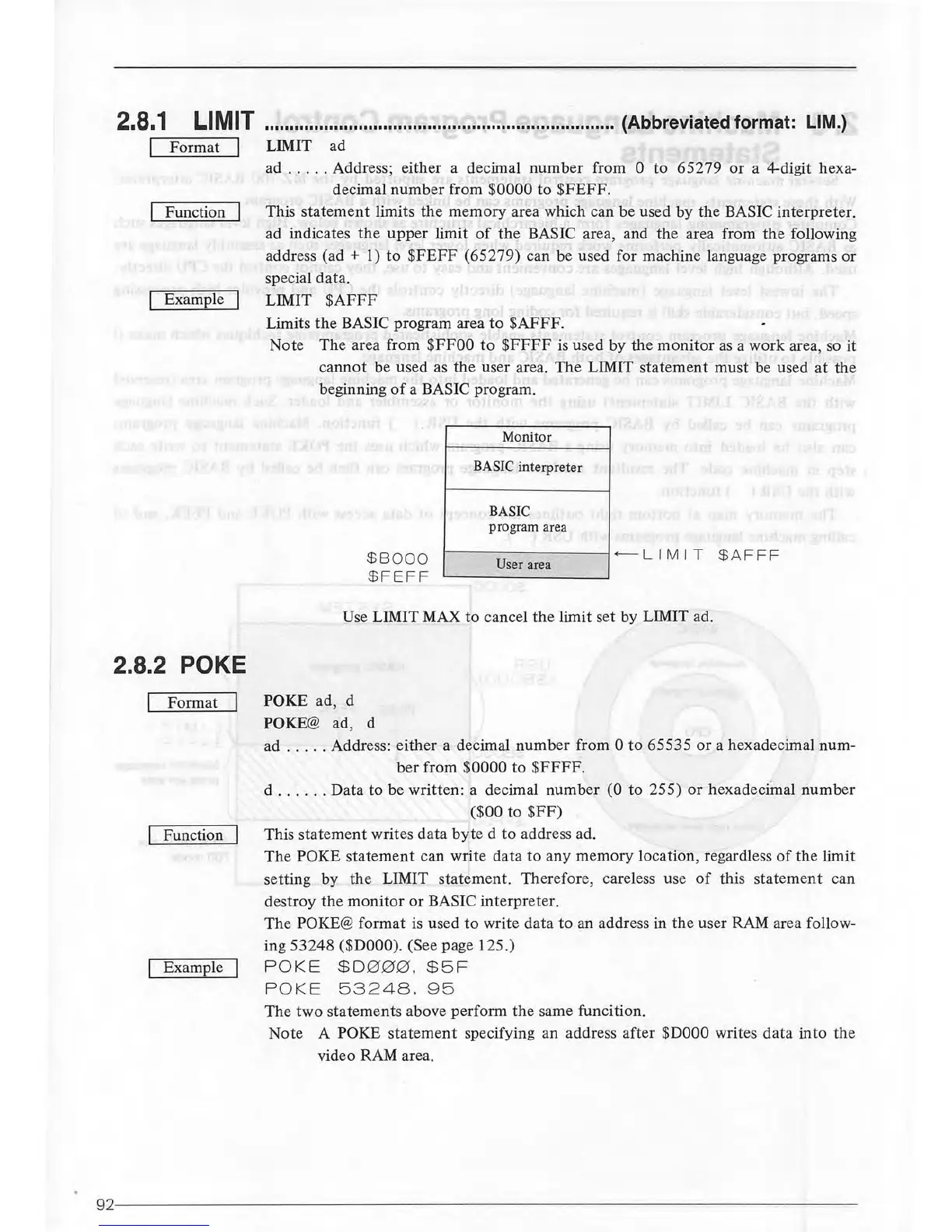
limits the memory area which can be used by the BASIC interpreter.
ad indicates
the
upper
limit
of
the
BASIC area, and the area from
the
following
address (ad
+ 1)
to
$FEFF
(65279) can be used for machine language programs or
special data.
LIMIT
$AFFF
Limits
the
BASIC program area
to
$AFFF.
Note The area from
$FFOO
to
$FFFF
is
used by the
monitor
as
a work area,
so
it
cannot
be used
as
the
user area. The LIMIT statement
must
be used
at
the
beginning
of
a BASIC program.
Monitor
BASIC interpreter
BASIC
program area
$8
000
$
FEFF
r----
- -
--
---1+--L
I M
IT
$A
FFF
User area
Use LIMIT MAX
to
cancel
the
limit set by LIMIT ad.
POKE
ad, d
POKE@
ad, d
ad
.....
Address: either a decimal
number
from 0
to
65535
or
a hexadecimal num-
ber
from $0000 to
$FFFF.
d
...
. . . Data to be written: a decimal number
(0
to 255)
or
hexadecimal
number
($00 to
$FF)
This statement writes data
byte
d
to
address ad.
The
POKE statement can write data
to
any memory location, regardless
of
the limit
setting
by
the
LIMIT statement. Therefore, careless use
of
this statement can
destroy
the
monitor
or
BASIC interpreter.
The
POKE@ format is used
to
write data
to
an address in
the
user
RAM
area follow-
ing 53248
($DOOO)
. (See page 125.)
POKE
$0000
.
$5F
PO
KE
53248.
95
The
two
statements above perform
the
same funcition.
Note A
POKE
statement
specifying an address after
$DOOO
writes data into the
video RAM area.
92---
--
-----
----
-
---
----
----
--
-------
--
-----------------



 To Next Page