7
Turning Power On/Off
Turning power on/off
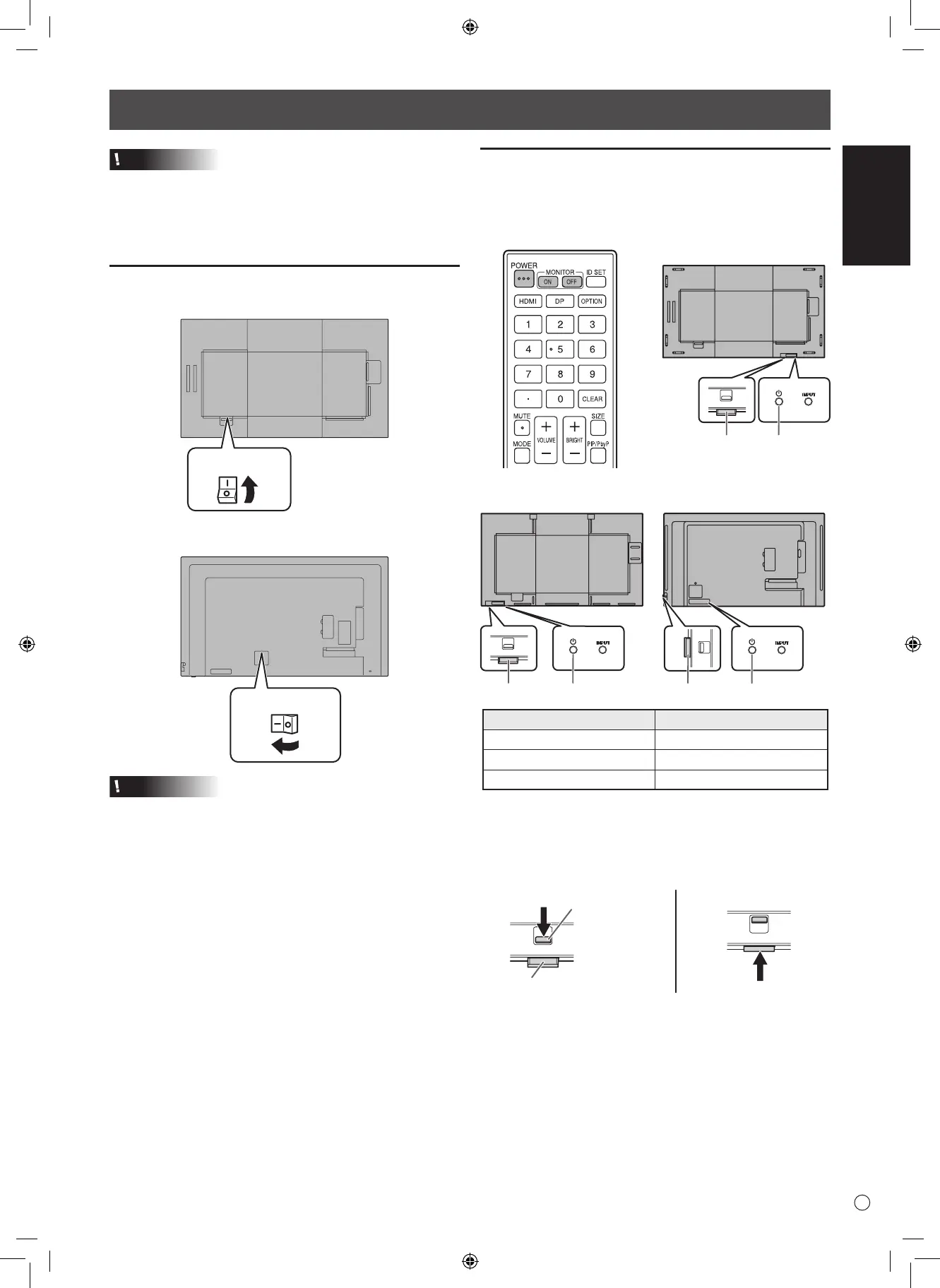
Press the POWER button to turn the power ON/OFF.
You can also turn the power ON/OFF by pressing the
MONITOR ON button/MONITOR OFF button on the remote
control unit.
Power LED
[PN-HW861]
POWER buttonPower LED
[PN-HW431]
POWER buttonPower LED
[PN-HW751/PN-HW651/
PN-HW551/PN-HW501
]
Status Status of the monitor
Green lit Power on
Orange lit Power off (Standby mode)
Green ashing Input signal waiting mode
• Setting the SCHEDULE ashes the power LED alternately
in red and orange in standby mode.
n
How to pull out the power LED/remote
control sensor
Lever
Power LED / Remote control sensor
Caution
• Turn on the monitor rst before turning on the computer or
playback device.
• When switching the main power switch or the POWER
button off and back on, always wait for at least 5 seconds.
A short interval may result in a malfunction.
Turning on the main power
Main power switch
Main power switch
[PN-HW861/PN-HW751/PN-HW651]
[PN-HW551/PN-HW501/PN-HW431]
Caution
• The main power must be turned on/off with the main power
switch. Do not connect/disconnect the power cord or turn
the breaker on/off while the main power switch is on.
•
For a complete electrical disconnection, pull out the main plug.



 To Next Page