15
OTHER CONVENIENT FEATURES
Multi Cook
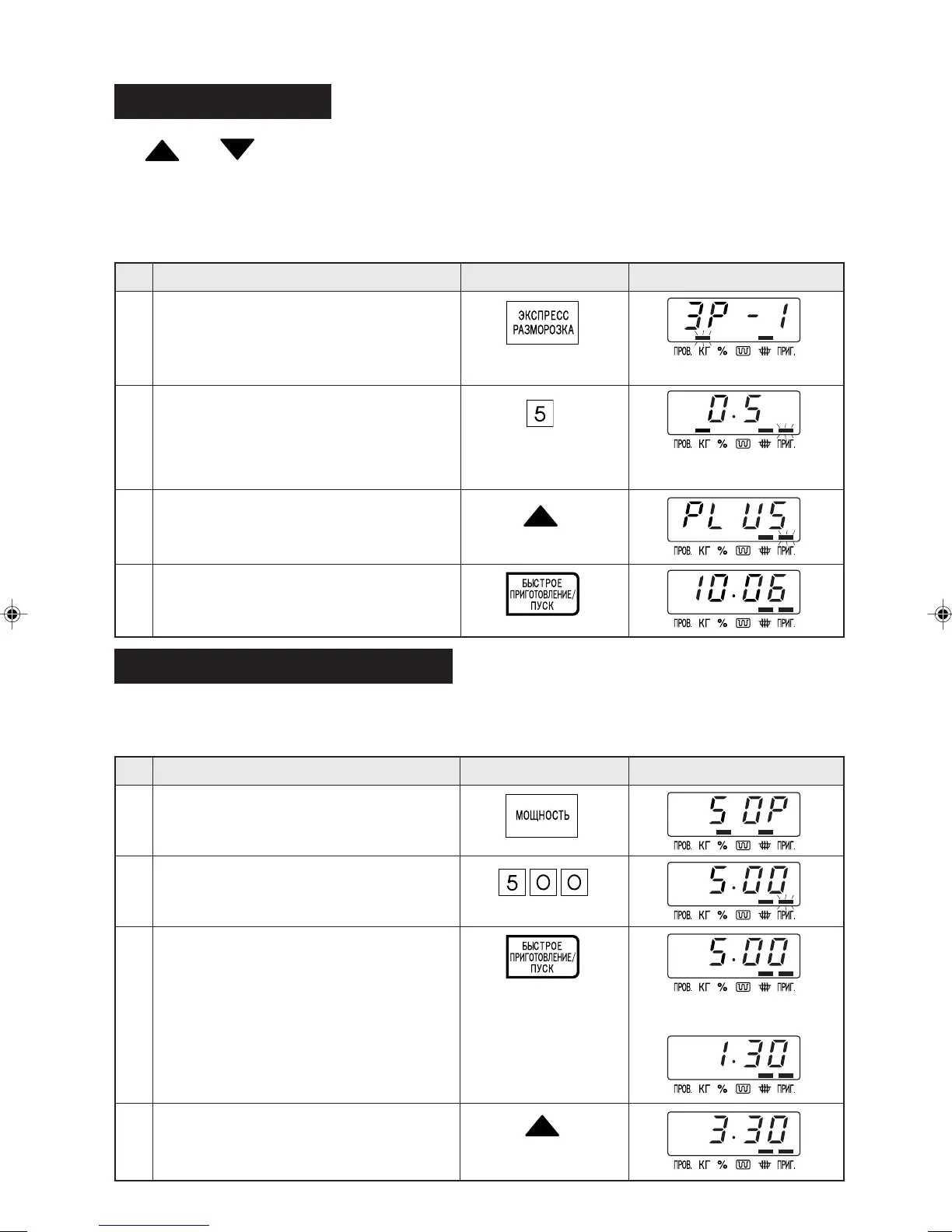
The LESS/MORE pads can be used to adjust the cooking time of the following features
– Russian Menu – Auto Cook – Express Defrost
To adjust cooking time, press the LESS or MORE pad prior to pressing the INSTANT COOK/START pad.
* Suppose you want to defrost 0.5 kg Stakes for a longer time.
Step
Procedure DisplayPad Order
Less/More Setting
Multi Cook
Adjust Time During Cooking
Cooking time can be added or decreased during a cooking programme using the "MORE" or "LESS"
pads. (Manual cooking only)
* Suppose you want to increase cooking time by 2 minutes during 5 minutes on MEDIUM cooking.
Step
Procedure DisplayPad Order
1
4
Select power level by pressing the POW-
ER LEVEL pad as required.
(for MEDIUM press three times)
Press the INSTANT COOK/ START pad.
Press the MORE pad twice to increase
time by two minutes.
3
To adjust the cooking time to your individual preference -use the "more" or
"less" feature to either add (more) or reduce (less) cooking time.
x 3
The timer starts to count
down.
x 2
Press the INSTANT COOK/ START pad.
1
KG flashes on and off.
KG stops flashing and
COOK will flash on and off.
3
2
4
2
Enter desired cooking time.
Press the EXPRESS DEFROST pad once.
Press number pads to enter weight.
Press the MORE pad.
x 1



 To Next Page