EasyManua.ls Logo

Sharp SDW6757ES - User Manual

Sharp SDW6757ES
20 pages
Print Icon
To Next Page IconTo Next Page
Loading...
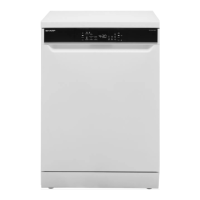
Dishwasher: Model SDW6757ES
OPERATION MANUAL
DISHWASHER
MODEL : SDW6757ES
CUSTOMER ASSISTANCE ................................... 2
CONSUMER LIMITED WARRANTY .......................... 3
IMPORTANT SAFETY INSTRUCTIONS ......................... 4
APPEARANCE OVERVIEW ................................... 5
CONTROL PANEL ................................................. 6
CONVENIENT FEATURES .................................... 9
GETTING STARTED .........................................11
DISHWASHER CYCLE OPTIONS ...........................14
CARE AND CLEANING ......................................16
TROUBLESHOOTING .......................................18
ERROR CODES .............................................20

Other manuals for Sharp SDW6757ES

Questions and Answers

  • C
    Christopher AllenAug 18, 2025
    Why won't my Sharp SDW6757ES Dishwasher start?
    • C
      Christopher YangAug 18, 2025
      Your Sharp Dishwasher might not start because the door isn't properly closed. Make sure it's firmly shut. Also, check that the power supply is correctly connected. If you've selected the Delay Start option, refer to the manual section on how to reset it. Finally, if your model has a child lock, consult the manual for deactivation instructions.
  • S
    steven90Aug 21, 2025
    How to fix a Sharp SDW6757ES Dishwasher that does not drain properly?
    • J
      Johnny RodriguezAug 21, 2025
      If your Sharp Dishwasher isn't draining properly, check for clogs in the drain. If installed, inspect the air gap. If connected to a disposer, make sure the disposer is empty. Also, ensure the drain hose is properly connected to the sink and not kinked.
  • N
    Nicholas ColonAug 23, 2025
    What to do if my Sharp Dishwasher is not cleaning dishes enough?
    • J
      Jesus JohnsonAug 23, 2025
      If your dishes aren't getting clean enough in your Sharp Dishwasher, it could be due to several reasons. First, check if the water pressure is temporarily low and use the dishwasher when the water pressure is normal. Also ensure that the inlet water is hot enough and avoid using the dishwasher when hot water is being used elsewhere. Make sure you are loading dishes properly, not too close together. Use fresh detergent in the correct amount, depending on water hardness and the cycle you chose. Select a more suitable cycle for the food soil condition. Finally, ensure that the spray arms are not blocked by items, allowing them to rotate fully.
  • M
    Martin PerkinsAug 25, 2025
    How to fix spots and filming on dishes in my Sharp SDW6757ES?
    • K
      Kevin RobertsonAug 26, 2025
      If you're seeing spots and filming on dishes from your Sharp Dishwasher, it could be due to several factors. If the water hardness is too high, consider installing a water softener. Ensure you're loading the dishes correctly. Try using fresh rinse aid if your current rinse aid is old or damp. Also, make sure the rinse aid dispenser is full.
  • T
    Thomas WalkerAug 27, 2025
    What to do if my Sharp Dishwasher is not drying dishes enough?
    • T
      Thomas BishopAug 27, 2025
      If your Sharp Dishwasher isn't drying dishes adequately, check if the detergent dispenser is empty and fill it or increase the amount of rinse aid. Ensure proper loading of dishes. Verify that the selected cycle includes a drying option.
  • J
    Jim MillerAug 30, 2025
    What causes suds in my Sharp SDW6757ES?
    • S
      Scott GarciaAug 30, 2025
      Suds in your Sharp Dishwasher are likely caused by using the wrong type of detergent. Ensure you are only using automatic dishwasher detergent.
  • M
    Misty HoffmanSep 1, 2025
    What causes etching on dishes in my Sharp SDW6757ES?
    • A
      Alison JohnsonSep 1, 2025
      Etching on dishes in your Sharp Dishwasher can be caused by using too much detergent, especially if you have soft water. Also, if the inlet water temperature exceeds 150?, it can cause etching. Lower the inlet water temperature.
  • J
    Jason Williams DDSSep 3, 2025
    Why does water remain in my Sharp SDW6757ES Dishwasher?
    • A
      Aaron WilsonSep 4, 2025
      If water remains in your Sharp Dishwasher, it's possible that the previous cycle hasn't finished or was interrupted. Select the proper cycle as indicated by the manual.
  • S
    stacybaxterSep 5, 2025
    What causes black or gray marks on dishes in my Sharp SDW6757ES?
    • J
      John ThompsonSep 5, 2025
      Black or gray marks on dishes from your Sharp Dishwasher can occur if aluminum utensils have rubbed against the dishes. Choose a higher cycle and ensure the inlet water temperature is no less than 120?.
  • A
    Alison GrahamSep 8, 2025
    What to do if my Sharp SDW6757ES Dishwasher operates too long?
    • A
      Ashley SmithSep 8, 2025
      If your Sharp Dishwasher is running for too long, it might be connected to cold water; ensure it's connected to the hot water supply. Also, the cycle time automatically increases on Auto and Normal cycles when heavy soil is detected. If you've selected the Sanitize option, the cycle time will also increase to meet the sanitize temperature requirement.

Summary

Customer Assistance and Support

Register Your Product

Guide to registering your new Sharp dishwasher for benefits and support.

Product Support Resources

Accessing setup, operation, and exclusive content for your dishwasher.

Contacting Sharp Customer Service

Methods to contact Sharp Customer Assistance for questions or comments.

Consumer Limited Warranty Information

Important Safety Instructions

Proper Dishwasher Installation Safety

Guidelines for correct dishwasher installation to ensure safety.

Basic Precautions Before Dishwasher Use

Essential safety precautions to follow before operating the dishwasher.

Dishwasher Appearance Overview

Dishwasher Specifications

Technical specifications including capacity, dimensions, weight, power, and pressure.

Control Panel Functions

Wash Cycle Selections Explained

Descriptions of available wash cycles like Auto, Heavy Duty, Normal, Delicate, Express, Rinse Only.

Available Dishwasher Options

Explanations of additional options like Half Load, Power Wash, Child Lock, Hi Temp, Sanitize, Heat Dry, Air Refresh.

Control Panel Details and Indicators

Control Panel Operation Controls

Details on controls like Delay, Display Window, and Start/Cancel buttons.

Control Panel Indicator Lights

Explanation of indicator lights for Rinse Aid, Sanitized, and Clean status.

Control Panel Status and Progress Indicators

Status Window and Cycle Light

Information on the status window, delay time, and cycle light behavior.

Error Indication and Cycle Progress

Understanding error codes and cycle progress indicators on the control panel.

Convenient Features Overview

Internal LED Lighting

Description of LED lights inside the dishwasher tub that activate when the door is open.

Adjustable Rack System

Details on adjusting upper and third racks for optimal dish placement and capacity.

Additional Convenient Features

Foldable Tines for Flexible Loading

Instructions on folding tines in racks to create more space for dishes.

Power Wash Spray Functionality

Information on the Power Wash spray for effectively cleaning heavily soiled pots and pans.

Smart Wash System Operation

Explanation of the system that determines the optimal wash cycle based on load soil level.

Dishwasher Filter System

Details on the multiple filter system that separates soiled and clean water.

Getting Started Guide

Dishwasher Cleaning Process Explained

Explanation of the dishwasher's cleaning mechanism and water flow.

Basic Dishwasher Operations

Step-by-step guide to operating the dishwasher, including loading and selecting cycles.

Preparing Dishes for Washing

Instructions on how to prepare dishes before loading them into the dishwasher.

Upper Rack Loading Techniques

Guidance on proper loading of the upper rack for best cleaning results.

Lower Rack Loading Techniques

Guidance on proper loading of the lower rack for plates and cookware.

Advanced Getting Started Procedures

Third Rack Loading Guidelines

Instructions for loading cutlery and accessories into the third rack.

Silverware Basket Loading

Guidance on loading silverware into the basket sections for optimal flexibility.

Adding Dishes After Cycle Start

Procedure for adding or removing items after the wash cycle has begun.

Dishwasher Maintenance Basics

Filling the Rinse Aid Dispenser

Instructions on how to properly fill the rinse aid dispenser for better drying.

Filling the Detergent Dispenser

Step-by-step guide to adding detergent to the main wash compartment.

Dishwasher Cycle Options

Wash Cycle Options Chart

Table detailing wash programs, detergent, water usage, and cycle times.

Cycle Time Variations with Options

Cycle Times with Options Table

Table showing cycle durations based on selected options like Half Load and Hi Temp Wash.

Care and Cleaning Procedures

Cleaning Exterior Door and Panel

Instructions for cleaning the stainless steel door, panel, and control panel.

Cleaning Stainless Steel Interior

Guide for cleaning the stainless steel inner door and tub.

Cleaning Cylinder Filter

Procedure for removing, cleaning, and replacing the cylinder filter.

Cleaning Fine Filter

Instructions on how to clean the fine filter located at the tub bottom.

Dishwasher Maintenance and Protection

Cleaning the Door Gasket

How to clean the dishwasher door gasket to remove food particles.

Air Gap Maintenance

Instructions for cleaning the air gap to ensure proper dishwasher drainage.

Protecting Against Freezing

Steps for disconnecting and protecting the dishwasher from freezing.

Dishwasher Troubleshooting Guide

Dishwasher Troubleshooting Solutions

Dishwasher Error Codes

Sharp SDW6757ES Specifications

General IconGeneral
Control TypeElectronic
Number of Wash Cycles6
Child LockYes
ProgramsAuto, Quick, Rinse
Delay StartYes

Related product manuals