EasyManua.ls Logo

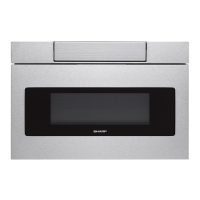
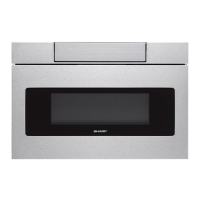
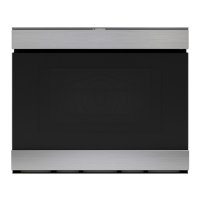
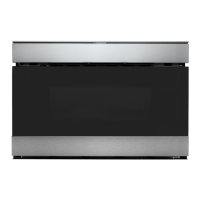
Sharp SMD2470AS - User Manual

Sharp SMD2470AS
24 pages
Print Icon
To Next Page IconTo Next Page
Loading...
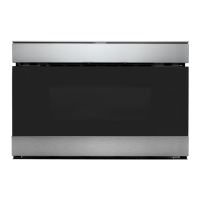
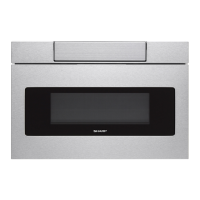
Microwave Drawer
SMD2470AS, SMD3070AS
OperatiOn Manual
MODELS
SMD2470AS, SMD3070AS
SMD2470AS
Customer AssistAnCe ......................................2
PreCAutions to Avoid Possible exPosure to
exCessive miCrowAve energy ............................2
Consumer limited wArrAnty.............................3
imPortAnt sAfety instruCtions .........................4
informAtion you need to know..... .................. 5-7
PArt nAmes..... ............................................ 8-9
before oPerAting .......................................... 10
miCrowAve drAwer
Cooking ...................... 11-16
other feAtures ........................................ 17-18
CleAning And CAre ........................................ 19
before you CAll for serviCe ........................... 20
Cookbook informAtion ................................... 21
Cookbook order form ................................... 21
Auto-touCh guide ..........................23-bACk Cover

Other manuals for Sharp SMD2470AS

Question and Answer IconNeed help?

Do you have a question about the Sharp SMD2470AS and is the answer not in the manual?

Summary

Customer Assistance and Support

Microwave Exposure Precautions

Safe Operation Guidelines

Essential rules to prevent microwave energy exposure and ensure safe operation.

Important Safety Instructions

General Appliance Safety Precautions

Comprehensive list of warnings and precautions for safe appliance use and operation.

Information You Need to Know

Grounding Instructions

Essential information on proper grounding for electrical safety.

Food Safety and Doneness Checks

Recommended temperatures for cooking foods and testing doneness.

Before Operating Your Microwave Drawer

Setting the Clock

Step-by-step guide to setting the 12-hour clock on the microwave drawer.

Microwave Drawer Cooking

Time Cooking and Power Levels

How to manually set cooking time and adjust power levels for various needs.

Sensor Cooking Features

Explanation of sensor technology and how to use it for automatic cooking.

Sensor Cooking Applications

Specific sensor cooking procedures for popcorn, reheat, and potatoes.

Defrosting Foods

Instructions for using preset defrost settings and manual defrosting.

Other Features

Control Lock Feature

How to lock and unlock the control panel to prevent accidental operation.

Cleaning and Care

Before You Call for Service

Troubleshooting Common Problems

Guide to identifying and resolving issues before contacting service.

Auto-Touch Guide

Quick Start Cooking Modes

Steps for setting clock, time cooking, sensor, beverages, defrost, and melt/soften.

Overview

This document is an operation manual for the SHARP SMD2470AS and SMD3070AS Microwave Drawer models. It provides comprehensive information on the device's functions, usage, and maintenance.

Function Description

The Microwave Drawer is designed for heating, cooking, and drying food. It operates at 1000 watts and features a semi-conductor sensor that detects vapor (moisture and humidity) emitted from food as it heats, automatically adjusting cooking times and power levels for various foods and quantities.

Cooking Modes:

  • Time Cooking: Allows users to program cooking times up to 99 minutes and 99 seconds. Power levels can be set from 10% to 100% (High), with eleven preset power levels available. Lower power levels are recommended for delicate foods like cheese and milk, and for long, slow cooking of meats.
  • Sensor Cooking: Simplifies cooking and reheating by eliminating the need to calculate cooking time or power level for specific foods. The sensor automatically detects when food is cooked. Available sensor settings include:
    • Popcorn: Optimized for microwave-packaged popcorn, with options for regular/regular light (2.85 - 3.5 oz) and mini/snack (1.2 - 1.75 oz) sizes.
    • Reheat: For reheating various foods (4 - 36 oz) in a dish or casserole, covered with a lid, plastic wrap, or wax paper.
    • Potatoes: For baking potatoes (1-6 medium), pierced and placed on a paper-towel-lined drawer. Options for Baked Potatoes and Sweet Potatoes.
    • Vegetables: For cooking fresh or frozen vegetables. Categories include:
      • Quick Fresh Vegetables (broccoli, brussels sprouts, cabbage, cauliflower, spinach, zucchini, baked apples)
      • Longer Fresh Vegetables (carrots, corn on the cob, green beans, winter squash)
      • Steamer Bag (6-17 oz)
      • Frozen Vegetables (.25 - 1.25 lb)
    • Cook: For specific food types:
      • Ground Meat (.25 - 2.0 lb): For patties or casserole, covered with wax paper or plastic wrap.
      • Fish/Seafood (.25 - 2.0 lb): Arranged in a ring in a shallow glass dish, covered with vented plastic wrap.
      • Frozen Entrees (6-17 oz): For convenience foods, following package directions.
      • White Rice (.5 - 2.0 cups) and Brown Rice (.5 - 2.0 cups): Cooked in a deep casserole with double quantity of water, covered with lid or plastic wrap.
  • Beverage: For reheating cooled beverages (0.5 - 2.0 cups), heating cold tap water (1-6 cups) for instant coffee/tea, or preparing hot cereal (1-6 servings).
  • Defrost: For defrosting various frozen foods based on weight. Categories include:
    • Ground Meat (.5 - 2.0 lb)
    • Steaks/Chops (.5 - 3.0 lb)
    • Boneless Poultry (.5 - 2.0 lb)
    • Bone-in Poultry (.5 - 3.0 lb)
    • Roast (2.0 - 4.0 lb)
    • Casserole and Soup (2-6 cups / 1-6 cups)
    • Manual Defrost: For foods not listed in the chart or outside the weight limits, using POWER LEVEL at 30% for approximately 4 minutes per pound.
  • Melt/Soften: Automatically computes heating time and power level for melting, softening, and warming foods. Categories include:
    • Melt: Butter (2 tbsp, .5 cup) and Chocolate (1 cup chips, 1 square).
    • Soften: Ice cream (1 pint, 1 1/2 qt) and Cream cheese (3 oz, 8 oz).
    • Warm: Syrup (1/4 cup, 1/2 cup) and Dessert Toppings (1/4 cup, 1/2 cup).
  • Keep Warm: Keeps food warm for up to 30 minutes. Can be used directly or programmed with manual cooking.

Usage Features

  • Control Panel: Hidden behind a door on the top front face of the unit. Pull the front top edge down to reveal the keysheet. Push the panel upward to close.
  • Opening/Closing: Always use the OPEN/CLOSE pad on the control panel. Avoid pushing or pulling the drawer manually, except in emergencies like power failure.
  • Clock Setting: A 12-hour clock can be set. If power is interrupted, the clock and any cooking programs are erased.
  • Timer: A separate timer function is available.
  • STOP/CLEAR Pad: Used to erase mistakes, cancel the timer, temporarily stop cooking, return to the time of day display, or cancel a program (twice for timed cooking).
  • +30 SEC Pad: Adds 30 seconds of cooking at 100% power. Can be repeatedly touched to extend manual cooking time in 30-second increments.
  • Multiple Sequence Cooking: Allows programming up to 4 automatic cooking sequences, switching power levels automatically.
  • More or Less Time Adjustment: For sensor settings (REHEAT, DEFROST), allows slight adjustments for more or less done food.
  • Audible Signal Elimination: The end-of-cook beeps can be turned off for quiet operation.
  • End of Cooking Reminder: Signals every 10 seconds for the first minute, then every 3 minutes for up to an hour, until STOP/CLEAR is touched. This reminder can be turned off.
  • Auto Start: Programs the Microwave Drawer to begin cooking automatically at a designated time.
  • Demonstration Mode: Allows users to explore features without heating.
  • Sleep Mode: The display backlight automatically turns off after 15 minutes of inactivity. Touching the control panel or opening/closing the door reactivates it. This feature can be deactivated.
  • Control Lock: Prevents unwanted drawer operation, such as by children, by deactivating the control panel and automatic door mechanism. The drawer can be locked in either the open or closed position.
  • HELP/SETTINGS: Provides cooking hints and information for various manual operations.

Maintenance Features

  • Exterior: Precoated metal and plastic surfaces should be cleaned with mild soap and water, rinsed, and dried with a soft cloth. Avoid abrasive cleaners.
  • Stainless Steel Surface: Wipe often with a soft damp cloth and polish with a soft dry cloth. Specialized stainless steel cleaners can be used, applied to a cloth, not sprayed directly.
  • Front Side of the Drawer: Wipe the window with a soft damp cloth to remove spills. Avoid harsh cleaners that may stain or dull the surface.
  • Touch Control Panel: Can be deactivated using the Control Lock feature before cleaning. Wipe with a cloth dampened with water only; dry with a soft cloth. Avoid scrubbing or chemical cleaners.
  • Interior: Easy to clean as no heat is generated to interior surfaces, preventing baking and setting of spills. Wipe with a soft damp cloth. DO NOT USE ABRASIVE OR HARSH CLEANERS OR SCOURING PADS. For heavier soil, use mild soap.
  • Microwave Drawer Guides: Remove food crumbs and wipe with a soft dry cloth for smooth opening and closing.
  • Waveguide Cover: Located on the inside top of the drawer, made from mica. Keep it clean by wiping food spatters immediately with a soft damp cloth to ensure good microwave performance and prevent overheating or fire. Do not remove the cover.
  • Odor Removal: To remove cooking odors, combine 1 cup water, grated lemon peel and juice, and several whole cloves in a 2-cup glass microwave-safe measuring cup. Boil for several minutes at 100% power, leave in the drawer until cool, then wipe the interior with a soft cloth.

Sharp SMD2470AS Specifications

General IconGeneral
Capacity1.2 cu. ft.
Power1000 Watts
Sensor CookYes
FinishStainless Steel
Voltage120 Volts
Width23 7/8 in
TypeBuilt-In Microwave Drawer

Related product manuals