EasyManua.ls Logo

Sharp SSC0586DS - User Manual

Sharp SSC0586DS
16 pages
Print Icon
To Next Page IconTo Next Page
Loading...
OPERATION MANUAL
CUSTOMER ASSISTANCE ......................................... 2
CONSUMER LIMITED WARRANTY ............................. 3
IMPORTANT SAFEGUARDS ....................................... 4
INFORMATION YOU NEED TO KNOW ......................... 5
PART NAMES .......................................................... 6
CONTROL PANEL ..................................................... 7
IMPORTANT INSTRUCTIONS ..................................... 8
BEFORE OPERATING ................................................ 9
CLEAN THE OVEN BEFORE FIRST USE ...................... 9
COOKING .......................................................... 10-11
OTHER FEATURES ................................................. 12
CLEANING AND CARE ............................................ 13
TROUBLESHOOTING ............................................... 14
SPECIFICATIONS ................................................... 15
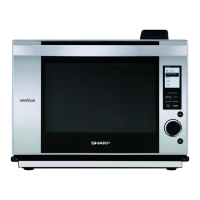
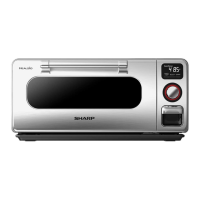
Superheated Steam Countertop Oven
MODEL
SSC0586DS
Superheated Steam Countertop Oven : Model SSC0586DS
(SSC0586DS)_ENG_MJV2.indd 1 2017/12/12 17:00:58

Other manuals for Sharp SSC0586DS

Questions and Answers

  • C
    Charles RobinsonAug 11, 2025
    What to do if my Sharp Oven is not heating food?
    • J
      Jennifer Smith DVMAug 11, 2025
      If your Sharp Oven isn't heating food, first ensure that the power plug is properly connected to a suitable wall outlet. Also, check if the display shows 'D', indicating that the oven is in demonstration mode. If it is, cancel demonstration mode by pressing and holding the CANCEL/OFF button until it beeps, and then press it 4 times.
  • J
    Jason HowellAug 18, 2025
    Why is my Sharp SSC0586DS Oven menu not producing good results?
    • D
      David BoyerAug 18, 2025
      If your Sharp Oven menu isn't producing good results, consider the following: * Ensure the water tank was filled with cold, filtered tap water to the MAX mark before cooking. * Confirm that you did not remove the water tank during cooking. It should remain in place throughout the process. * Verify you are using the appropriate accessory as indicated in the provided Cookbook. * Check that the broiling pan/crisper tray is positioned correctly, with the upper position generally recommended as per the provided Cookbook.
  • T
    Theresa MeyerAug 26, 2025
    How to fix a Sharp SSC0586DS when nothing appears on the display?
    • G
      gthompsonAug 27, 2025
      If nothing appears on the display of your Sharp Oven, try the following: * Turn the dial or install the water tank. * Check that the power plug is securely connected to a suitable wall outlet. * Verify that the fuse or circuit breaker is functioning correctly and correct it if necessary.
  • J
    Joseph Murray DVMSep 2, 2025
    What to do if the Sharp SSC0586DS Oven cooking time counts down rapidly and shows 'D'?
    • J
      John BakerSep 2, 2025
      If the cooking time on your Sharp Oven display is counting down rapidly and shows 'D', the appliance is likely in demonstration mode. To cancel this, press and hold the CANCEL/OFF button until it beeps, then press it 4 times.

Summary

Customer Assistance

Important Safeguards

Information You Need to Know

Additional Important Safeguards

Crucial safety advice beyond general warnings for appliance operation.

Grounding Instructions

Proper electrical grounding procedures to prevent shock hazards.

Electrical Requirements

Details on power supply, outlet type, and voltage for safe operation.

Control Panel

Important Instructions

Water Tank

Instructions for filling, using, and maintaining the appliance's water tank.

Drip Tray

Guidance on correctly positioning, removing, and cleaning the drip tray.

Before Operating

Cooking

Cleaning and Care

Interior

Guidelines for cleaning the inside of the oven cavity, including warnings.

Troubleshooting

Error Mode

Information on how to handle error codes, specifically mentioning 'C with any number'.

Sharp SSC0586DS Specifications

General IconGeneral
BrandSharp
ModelSSC0586DS
CategoryOven
LanguageEnglish

Related product manuals