EasyManua.ls Logo

Sharp SWA3052DS - User Manual

Sharp SWA3052DS
27 pages
Print Icon
To Next Page IconTo Next Page
Loading...
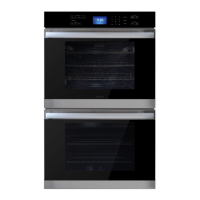
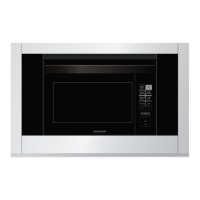
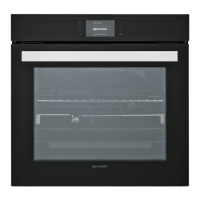
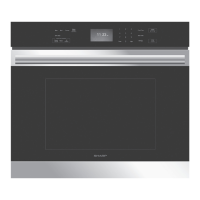
30" Single Convection Wall Oven: Model SWA3052DS
OPERATION MANUAL
30" SINGLE CONVECTION WALL OVEN
MODEL : SWA3052DS
CUSTOMER ASSISTANCE ............................................ 2
US CONSUMER LIMITED WARRANTY ............................. 3
CANADA LIMITED WARRANTY ...................................... 4
OVEN SAFETY ......................................................... 5
WARNINGS FOR ELECTRIC INSTALLATION .......................... 5
IMPORTANT SAFETY INSTRUCTIONS .............................. 6
PARTS AND FEATURES ............................................. 8
CONTROL PANEL. .................................................... 9
OVEN MODE CONTROLS ...................................................... 9
DISPLAY ................................................................................ 9
START/CONTROL LOCKOUT .................................................. 9
STOP/CLEAR ........................................................................... 9
LIGHT ...................................................................................... 9
TIMER ..................................................................................... 9
COOK TIME ........................................................................... 9
START TIME ........................................................................ 10
SETTINGS ........................................................................... 10
SELF-CLEAN ........................................................................ 11
OVEN USE ............................................................ 12
BEFORE USING THE OVEN .................................................. 12
GENERAL .............................................................................. 12
OVEN TEMPERATURE CONTROL ......................................... 13
OVEN MODES ..................................................................... 14
CONVECTION ...................................................................... 15
BAKE TIPS .......................................................................... 16
CONVECTION BAKE TIPS ..................................................... 17
CONVECTION ROAST TIPS ................................................... 18
CONVECTION BROIL TIPS .................................................... 19
DEHYDRATE TIPS ................................................................. 20
BROIL TIPS .......................................................................... 21
FOOD SERVICE TEMPERATURE GUIDELINES FROM FSIS .. 22
OVEN CARE ...........................................................22
GENERAL CLEANING ........................................................... 22
AUTOMATIC SELF-CLEANING .............................................. 23
OVEN DOOR REMOVAL ........................................................ 24
REPLACING AN OVEN LIGHT ................................................ 25
TROUBLESHOOTING ................................................26
BAKING AND ROASTING ...................................................... 26
OPERATION ......................................................................... 26
TINSKB261MRR1 E
IMPORTANT SAFETY INSTRUCTIONS
Carefully read the important information regarding installation, safety and maintenance.
Keep these instructions for future reference.

Other manuals for Sharp SWA3052DS

Questions and Answers

  • E
    emily52Aug 18, 2025
    Why is my Sharp Oven not heating?
    • C
      Carolyn HoffmanAug 18, 2025
      Your Sharp Oven might not be heating because there is no power going to it. Turn on the power at the main power supply (fuse or circuit breaker box). If the issue continues, contact a qualified electrician. Alternatively, the oven mode or temperature may not be selected. Press a cooking option on the keypad to select the oven mode and temperature.
  • S
    Stephanie WilliamsAug 20, 2025
    What to do if Sharp SWA3052DS Oven door is locked and will not release?
    • F
      Franklin MorrowAug 20, 2025
      If your Sharp Oven door is locked and won't release, turn the oven off at the circuit breaker and wait a few seconds. Then, turn the breaker back on. The oven should reset itself and become operable.
  • J
    Joann JohnsonAug 22, 2025
    How to fix Sharp SWA3052DS Oven not Self- Clean properly?
    • V
      Victoria HendersonAug 23, 2025
      If your Sharp Oven will not Self-Clean properly, ensure the oven has cooled down before starting the Self-Cleaning cycle. Also, wipe out any loose debris or heavy spills before running Self-Cleaning. If the oven is badly soiled, set the oven for a 4-hour Self-Cleaning cycle.
  • M
    Mary MartinezAug 26, 2025
    Why is my Sharp SWA3052DS not cooking evenly?
    • J
      Jerome WalshAug 26, 2025
      Uneven cooking in your Sharp Oven could be due to the oven rack not being in the correct position. Refer to the cook charts for the recommended rack position. If you are using Convection Bake mode, always reduce the recipe temperature by 25°F (15°C).
  • L
    Lisa FrazierAug 27, 2025
    Why does the cooling fan continue to run after my Sharp Oven is turned off?
    • J
      Jean GeorgeAug 27, 2025
      The cooling fan in your Sharp Oven continues to run after the oven is turned off because the oven components have not cooled sufficiently. The fan will turn off automatically once the electronic components have cooled.
  • T
    Theresa ShieldsAug 30, 2025
    How to fix F03 or F04 Error on Sharp SWA3052DS?
    • X
      xcarterAug 30, 2025
      If an F03 or F04 Error appears on your Sharp Oven display, it indicates a problem with the latch mechanism. Turn off the power at the main power supply (fuse or breaker box), wait a few seconds, and turn it back on. The oven should run a latch auto-test. If the condition persists, note the code number and call an authorized service center.
  • K
    Krystal PerezSep 1, 2025
    What to do if Sharp SWA3052DS light is not working properly?
    • R
      Rachel GainesSep 1, 2025
      If the Sharp Oven light is not working properly, the light bulb may be loose or burned out. Replace or reinsert the light bulb if it is loose or defective. Touching the bulb with your fingers may cause it to burn out.
  • J
    Joyce RomeroSep 3, 2025
    Why does the Sharp SWA3052DS Oven light stay on?
    • C
      connie58Sep 4, 2025
      If the Sharp Oven light stays on, it could be because the oven door does not close completely. Check for any obstructions in the oven door. Also, check to see if the hinge is bent or the door switch is broken.
  • S
    susan75Sep 6, 2025
    How to fix excessive moisture in Sharp Oven?
    • J
      James MaloneSep 6, 2025
      Excessive moisture in your Sharp Oven is due to improper preheating. When using bake mode, preheat the oven first. Convection Bake and Convection Roast modes will eliminate any moisture in the oven.
  • G
    Gina MccoySep 8, 2025
    What to do if Clock and timer are not working properly on Sharp SWA3052DS?
    • L
      Lisa DuffySep 8, 2025
      If the clock and timer are not working properly on your Sharp Oven, ensure there is power going to the oven by checking the main power supply. If the issue persists, contact an authorized service center. Also, ensure that the clock or timer is set correctly.

Summary

Customer Assistance

US Consumer Limited Warranty

Details the warranty terms, coverage, and exclusions for US consumers.

Canada Limited Warranty

Outlines the warranty terms, coverage, and exclusions for Canadian consumers.

Oven Safety

Warnings for Electric Installation

Crucial safety precautions and hazards related to electrical installation of the oven.

Important Safety Instructions

Proper Installation Guidelines

Instructions for correct installation to ensure safe and proper operation of the oven.

Fire Safety in Oven Cavity

Precautions to prevent fires within the oven, including material storage and fire response.

Personal Safety Precautions

Safety measures for users, including clothing, child supervision, and avoiding hot surfaces.

Parts and Features

Control Panel Operations

Oven Mode Selection

Guide on selecting various cooking modes like Bake, Broil, Convection, and Warm/Proof.

Display and Basic Controls

Explains the oven's display, Start, Stop/Clear buttons, and interior light function.

Time Setting Functions

Instructions for using the Timer, Cook Time, and Start Time features for precise cooking.

Advanced Settings and Modes

Details on accessing settings like Clock, Temperature Units, Sabbath, Demo, and Self-Clean modes.

Oven Usage and Modes

Initial Setup and General Use

Steps for first-time use, general operation, preheating, and recommended bakeware.

Oven Components and Care

Information on oven racks, door, vents, and condensation management for optimal performance.

Temperature and Probe Use

Guide on using the temperature probe and adjusting oven temperature calibration for accurate cooking.

Cooking Modes Overview

Introduction to various oven cooking modes including Bake, Broil, Warm/Proof, and Convection.

Convection Cooking Guide

Explains convection fan operation, advantages, and specific instructions for Convection Bake, Broil, and Roast.

Cooking Charts and Tips

Charts and tips for baking, convection baking, roasting, broiling, and dehydrating various foods.

Oven Care and Maintenance

Food Safety Guidelines

FSIS temperature guidelines for safely cooking various types of meat, poultry, and fish.

Routine Cleaning Procedures

General cleaning advice, using cleaning charts, and methods for different oven finishes.

Self-Cleaning Cycle Operation

Instructions for preparing and running the automatic self-cleaning cycle for oven interior.

Door and Light Maintenance

Procedures for removing, replacing, and maintaining the oven door and interior light bulb.

Troubleshooting Guide

Baking and Roasting Problems

Common issues in baking/roasting and their potential causes and solutions.

Error Codes and Display Issues

Troubleshooting steps for specific error codes and problems with the oven's display.

Functional Problem Solving

Solutions for common operational issues like fan, door lock, heating, and timer malfunctions.

Sharp SWA3052DS Specifications

General IconGeneral
BrandSharp
ModelSWA3052DS
CategoryOven
LanguageEnglish

Related product manuals