EasyManua.ls Logo

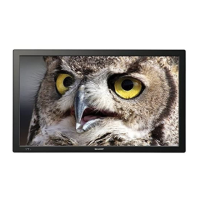
Sharp TL-M4600 - User Manual

Sharp TL-M4600
54 pages
Print Icon
To Next Page IconTo Next Page
Loading...
OPERATION MANUAL
LCD MONITOR
MODEL
TL-M5200
TL-M4600
Introduction Preparation
Appendix
Operation

Table of Contents

Questions and Answers

  • D
    Dawn MossSep 8, 2025
    How to fix a Sharp TL-M4600 with picture but no sound?
    • J
      Joshua ThomasSep 8, 2025
      If your Sharp Monitor displays a picture but has no sound, try these steps: First, check if the sound is muted and ensure the volume isn't set to the minimum. Next, verify that the audio cables and speaker cables are correctly connected. Also, confirm that the audio signal is properly input to the selected audio input terminal. Finally, check if “FAO” is selected for “Audio Output” in the “Option” menu.
  • M
    Marisa RussoSep 12, 2025
    Why isn't my Sharp TL-M4600 Monitor remote control working?
    • J
      John RileySep 12, 2025
      If the remote control for your Sharp Monitor isn't working, check that the batteries are inserted correctly, aligning the polarity (+,-). If they are, try replacing them with new batteries. Also, strong or fluorescent lighting can interfere with the remote's operation, so ensure a fluorescent light isn't shining directly on the remote control sensor.
  • C
    Charlene LawrenceSep 13, 2025
    Why does the TIMER indicator flash red and the Sharp Monitor turn off?
    • F
      floresmichaelSep 13, 2025
      If the TIMER indicator flashes red and your Sharp Monitor suddenly turns off, this indicates that the unit’s internal temperature has increased. Make sure the monitor is not in a location where the temperature rises quickly, especially if the vents are blocked. Dust accumulation inside the monitor or around the vents can also cause the internal temperature to rise. If possible, remove any dust. For internal dust removal, consult a Sharp Authorized Dealer.
  • J
    Jamie WilsonSep 14, 2025
    Why does my Sharp Monitor's power and picture change automatically?
    • J
      Jason LucasSep 14, 2025
      If your Sharp Monitor's power and picture settings change automatically, check if “Sleep Timer” and/or “Schedule” are enabled. Also, review the power control settings to ensure they are configured as desired.
  • T
    Theresa FarrellSep 17, 2025
    What causes an unstable picture on a Sharp Monitor?
    • L
      Linda EvansSep 17, 2025
      An unstable picture on your Sharp Monitor can be caused by a non-compatible signal being input. Try using the AUTO SYNC button on the remote control.

Sharp TL-M4600 Specifications

General IconGeneral
Screen Size46 inches
Aspect Ratio16:9
Panel TypeLCD
Viewing Angle176° (H) / 176° (V)
Input ConnectorsHDMI, Component, Composite, S-Video

Related product manuals