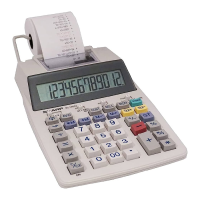
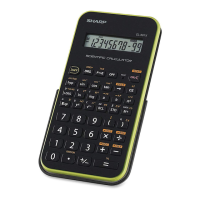
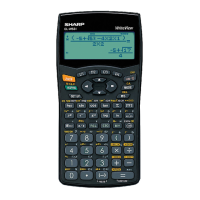
This document is an operation guide for the SHARP Scientific Calculator, specifically covering the EL-531R, EL-531V, EL-509V, EL-531VH, and EL-509VH models. It details the calculator's layout, display patterns, various functions, and statistical capabilities.
Function Description
The SHARP Scientific Calculator is designed for a wide range of mathematical and scientific calculations. It features an ADVANCED D.A.L. (Direct Algebraic Logic) system, which allows for inputting equations in a natural, algebraic order. The calculator operates in three main modes:
- Normal Mode (Mode 0): For performing standard arithmetic and function calculations.
- STAT-1 Mode (Mode 1): For 1-variable statistical calculations.
- STAT-2 Mode (Mode 2): For 2-variable statistical calculations.
Key functions include:
- Basic Arithmetic: Addition, subtraction, multiplication, division, and parentheses for order of operations.
- Percent Calculations: Four methods for calculating percentages, including increases, reductions, "percent of" values, and finding a base value.
- Power and Root Functions: Inverse (x⁻¹), square (x²), xth power of y (yˣ), square root (√), cube root (³√), and xth root of y (ˣ√).
- Logarithmic Functions: 10 to the power of x (10ˣ), common logarithm (log), e to the power of x (eˣ), and natural logarithm (ln).
- Factorials: n! for calculating the product of a positive integer and all lesser positive integers.
- Permutations and Combinations: nPr and nCr for calculating the number of possible orderings and selections of objects.
- Time Calculation: Conversion between sexagesimal (degrees, minutes, seconds) and decimal notation for angles.
- Fractional Calculations: Inputting fractions, converting between fractions and decimals, and converting between mixed numbers and improper fractions.
- Memory Calculations: Storing and recalling values in independent memory (M) and temporary memories (A~D, X, Y).
- Last Answer Memory (ANS): Automatically recalls the result of the previous calculation.
- Trigonometric Functions: Sine (sin), cosine (cos), and tangent (tan) for right triangles.
- Arc Trigonometric Functions: Inverse sine (sin⁻¹), inverse cosine (cos⁻¹), and inverse tangent (tan⁻¹) for determining angles from ratios.
- Hyperbolic Functions: Hyperbolic sine (sinh), cosine (cosh), tangent (tanh), and their inverses (arc sinh, arc cosh, arc tanh).
- Coordinate Conversion: Converting between rectangular (x,y) and polar (r,θ) coordinates.
- Statistics Function: Data input and erase, and various statistical calculations for 1-variable and 2-variable data.
Important Technical Specifications
While specific technical specifications like battery type or processing speed are not detailed in this operation guide, the document highlights several important features:
- Display: Features a multi-line playback display, allowing users to scroll through calculation steps. It also includes indicators for 2ndF, HYP, ALPHA, FIX, SCI, ENG, DEG, RAD, GRAD, STAT, and memory usage. The numeric display line shows mantissa and exponent, supporting up to 10 digits for the mantissa and 2 digits for the exponent.
- Display Formats: Supports Floating Decimal Point, Fixed Decimal Point (FIX), Scientific Notation (SCI), and Engineering Scientific Notation (ENG) for displaying results.
- Angular Units: Supports Degrees (DEG), Radians (RAD), and Grads (GRAD) for angular measurements, with easy conversion between them using the DRG key.
- Random Number Generation: Generates three-decimal-place random numbers between 0.000 and 0.999.
- Modify Function (MDF): Allows rounding calculation results to the displayed value, ensuring internal calculations use only the displayed precision.
Usage Features
The calculator is designed for user-friendly operation with several features:
- Key Layout: Clearly labeled keys for direct functions and secondary functions (accessed via the 2ndF key, indicated in yellow above the buttons).
- ON/OFF and Entry Correction: Dedicated ON/C, OFF, CA (Clear All), and DEL (Delete) keys for power management and correcting input errors. The arrow keys (◄, ►, ▲, ▼) are used for multi-line playback and editing equations.
- Data Entry: Numeric keys (0-9), decimal point (.), minus symbol/sign change (+/-), pi (π), and exponent (Exp) keys for efficient data input.
- Reset Switch: A physical reset switch on the back of the unit allows reinitialization of the calculator, returning display format and calculation mode to initial settings. This also erases all data stored in memory.
- Multi-Line Playback: Enables scrolling through previous calculation steps, useful for reviewing and editing.
- Exponent Display: Automatically displays very large or very small numbers in scientific notation (mantissa and exponent) to simplify input and calculation.
Maintenance Features
- Reset Functionality: The reset switch serves as a primary maintenance feature for resolving operational issues. If the calculator malfunctions, pressing this switch can restore it to normal operation.
- Memory Clearing: The CA key clears internal values, coefficients in statistical modes, and linear equations, but not independent memory in normal mode. The reset switch, however, erases all data stored in memory, which can be useful for a complete data refresh.
The guide emphasizes that key operations and display symbols may vary slightly between the different EL-531V, EL-509V, EL-531VH, and EL-509VH models, advising users to refer to the specific model's details if discrepancies are observed.

 Need help?
 General

 To Next Page