EasyManua.ls Logo

Sharp ROUVO V - User Manual

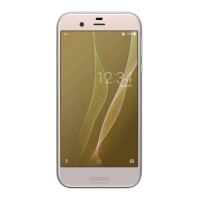
Sharp ROUVO V
280 pages
Print Icon
To Next Page IconTo Next Page
Loading...
User Guide
ROUVO V

Table of Contents

Other manuals for Sharp ROUVO V

Questions and Answers

  • B
    Breanna WatkinsAug 15, 2025
    Why does my Sharp ROUVO V Cell Phone battery drain so fast?
    • B
      briancoxAug 15, 2025
      Your Sharp Cell Phone battery may be draining quickly because applications are running in the background. To resolve this, tap on Recent to switch around running apps and select the ones to be removed, or swipe all the way to the left and tap CLEAR ALL. Also, turn off Location (GPS), Bluetooth, or Hotspot when not in use by swiping down twice from the top of your phone screen to show these icons and check if they are disabled.
  • A
    alexishughesAug 18, 2025
    What to do if my Sharp ROUVO V can’t connect to the network?
    • R
      rflemingAug 18, 2025
      If your Sharp Cell Phone can’t connect to the network, it could be due to disabled Wi-Fi or Mobile Data, or a weak signal. Check if the Wi-Fi or mobile data icon is on by swiping down twice from the top of your phone screen. Also, check the Status Bar on top of your phone screen to check the signal strength of your Wi-Fi or mobile data connection. If these steps don't work, contact your Wi-Fi network service provider, or consult your telecom customer service about your SIM card status.
  • J
    judygrantAug 21, 2025
    What to do if my Sharp ROUVO V doesn’t seem to be charging?
    • A
      allentheresaAug 22, 2025
      If your Sharp Cell Phone isn’t charging, it might be due to several reasons. If the phone has been left empty for a long time, wait several minutes for the phone to display signs of being charged. You might be using a non-functional cable or adapter, so try a different one that meets the specified standards. The power outlet you're using may have an issue, so try charging your phone through another power outlet.
  • D
    Dawn AndersonAug 25, 2025
    Why is my Sharp Cell Phone turning on and off frequently by itself?
    • J
      josephandersonAug 26, 2025
      If your Sharp Cell Phone is turning on and off frequently, try the following: Restart your phone by pressing and holding the Power Key and tapping Restart. Ensure your battery is fully charged. Release space in your phone's memory and storage by deleting unused files and uninstalling apps. Try to identify and uninstall any apps that may be causing the issue. Finally, install any necessary system updates using the phone manager app.
  • J
    Jennifer AndersonAug 28, 2025
    Why can’t my computer detect my Sharp Cell Phone when I connect them?
    • N
      Natasha StokesAug 28, 2025
      If your computer isn't detecting your Sharp Cell Phone, try another USB port. If that doesn't work, restart your computer. Use another USB cable to rule out a faulty cable. Check if a USB driver is installed on your computer. Also, double-check that your Windows computer supports MTP mode, or your Mac computer supports transfer with Android devices.
  • A
    andrew90Sep 1, 2025
    What to do if I can’t hear the other party over a call on my Sharp Cell Phone?
    • S
      ssteeleSep 1, 2025
      If you can’t hear the other party during a call on your Sharp Cell Phone, use the Volume Up/Down Keys on the side of your phone during the phone call to see if you can hear the sound of the other party. You might be in a place where the signal is blocked, like a basement, an elevator, or an indoor parking lot. There might be a temporary signal interruption, so try again later. If the problem remains, contact your telecom service provider immediately.
  • A
    alexisfreemanSep 4, 2025
    What to do if the touchscreen is abnormal on my Sharp ROUVO V?
    • I
      iwhiteSep 4, 2025
      If the touchscreen on your Sharp Cell Phone is acting abnormally, try restarting your phone by pressing and holding the Power Key, and then tap Restart. You might have unintentionally triggered the Accessibility feature, so press both Volume Up and Volume Down keys to exit Accessibility feature.
  • S
    scott10Sep 7, 2025
    Why does my Sharp ROUVO V Cell Phone become warmer and warmer?
    • L
      lewisjanetSep 7, 2025
      It's normal for your Sharp Cell Phone to get warm when playing games, talking on the phone, watching videos, running apps requiring large memory, or using your phone as a Wi-Fi hotspot for a long time. Exit these apps or services to allow the CPU to cool off, but be sure to save your progress first.
  • J
    John HuntSep 12, 2025
    What to do if I can’t receive text messages from my friend on my Sharp Cell Phone?
    • K
      Kimberly SullivanSep 12, 2025
      If you can’t receive text messages on your Sharp Cell Phone, your phone storage might be full. Clean up some files to free up storage space. There might be some problems in service availability, so contact your telecom service provider about service availability. It could be the case that their server is overloaded with data.

Summary

Getting Started

Charging Your Phone

Provides instructions on how to charge the device using various methods.

Starting Your Phone for The First Time

Guides users through the initial setup process of their new phone.

Making Calls

Contacts

Information on managing and interacting with phone contacts.

Settings

Network & internet

Configuring network connections like Wi-Fi and mobile data.

Apps

Managing installed applications, permissions, and storage.

Battery

Monitoring and managing battery usage and power saving features.

Security

Setting up screen locks, fingerprints, and other device security measures.

Privacy

Managing app permissions and personal data settings.

Safety and Compliance

Safety Precaution

Important safety warnings and precautions for device usage.

Preventing Hearing Loss

Advice on protecting hearing from high volume levels.

Sharp ROUVO V Specifications

General IconGeneral
BrandSharp
ModelROUVO V
CategoryCell Phone
LanguageEnglish

Related product manuals