EasyManua.ls Logo

Sharp VC-A105B - Page 17

Sharp VC-A105B
71 pages
Print Icon
To Next Page IconTo Next Page
To Previous Page IconTo Previous Page
Loading...
@
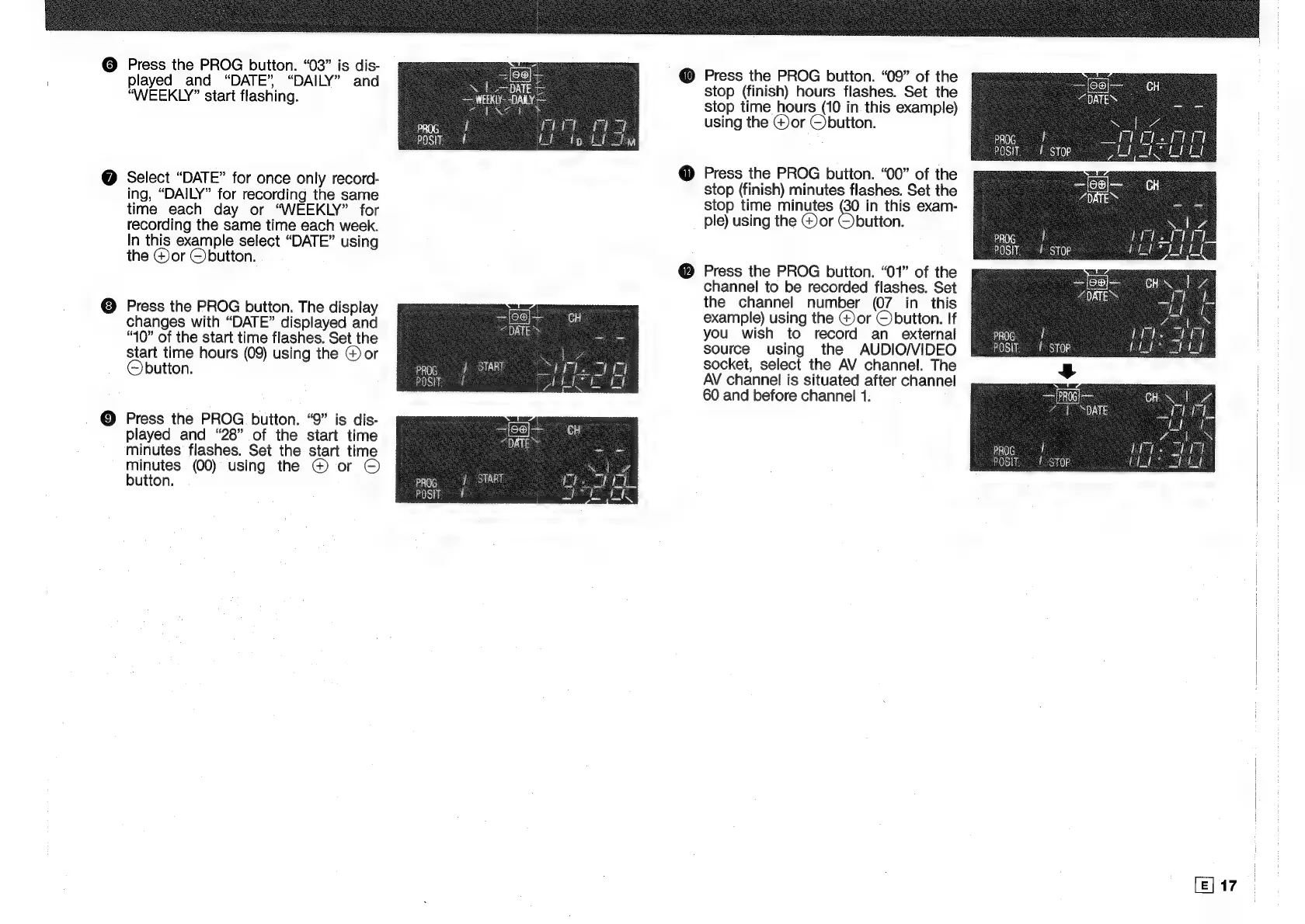
Press
the
PROG
button.
“03”
is
dis-
played
and
“DATE”,
“DAILY”
and
“WEEKLY”
start
flashing.
Select
“DATE”
for
once
only
record-
ing,
“DAILY”
for
recording
the
same
time
each
day
or
“WEEKLY”
for
recording
the
same
time
each
week.
In
this
example
select
“DATE”
using
the
@)or
O
button.
Press
the
PROG
button.
The
display
changes
with
“DATE”
displayed
and
“40”
of
the
start
time
flashes.
Set
the
start
time
hours
(09)
using
the
@)
or
©button.
Press
the
PROG
button.
“9”
is
dis-
played
and
“28”
of
the
start
time
minutes
flashes.
Set
the
start
time
minutes
(00)
using
the
@
or
©
button.
@
Press
the
PROG
button.
“09”
of
the
stop
(finish)
hours
flashes.
Set
the
stop
time
hours
(10
in
this
example)
using
the
@or
©)button.
Press
the
PROG
button.
“00”
of
the
stop
(finish)
minutes
flashes.
Set
the
stop
time
minutes
&
in
this
exam-
ple)
using
the
@)or
Obutton.
Press
the
PROG
button.
“01”
of
the
channel
to
be
recorded
flashes.
Set
the
channel
number
(07
in
this
example)
using
the
G)or
©
button.
If
you
wish
to
record
an
external
source
using
the
AUDIO/VIDEO
socket,
select
the
AV
channel.
The
AV
channel
is
situated
after
channel
60
and
before
channel
1.
[E]
17

Related product manuals