EasyManua.ls Logo

Sharp VC-A105B - Page 9

Sharp VC-A105B
71 pages
Print Icon
To Next Page IconTo Next Page
To Previous Page IconTo Previous Page
Loading...
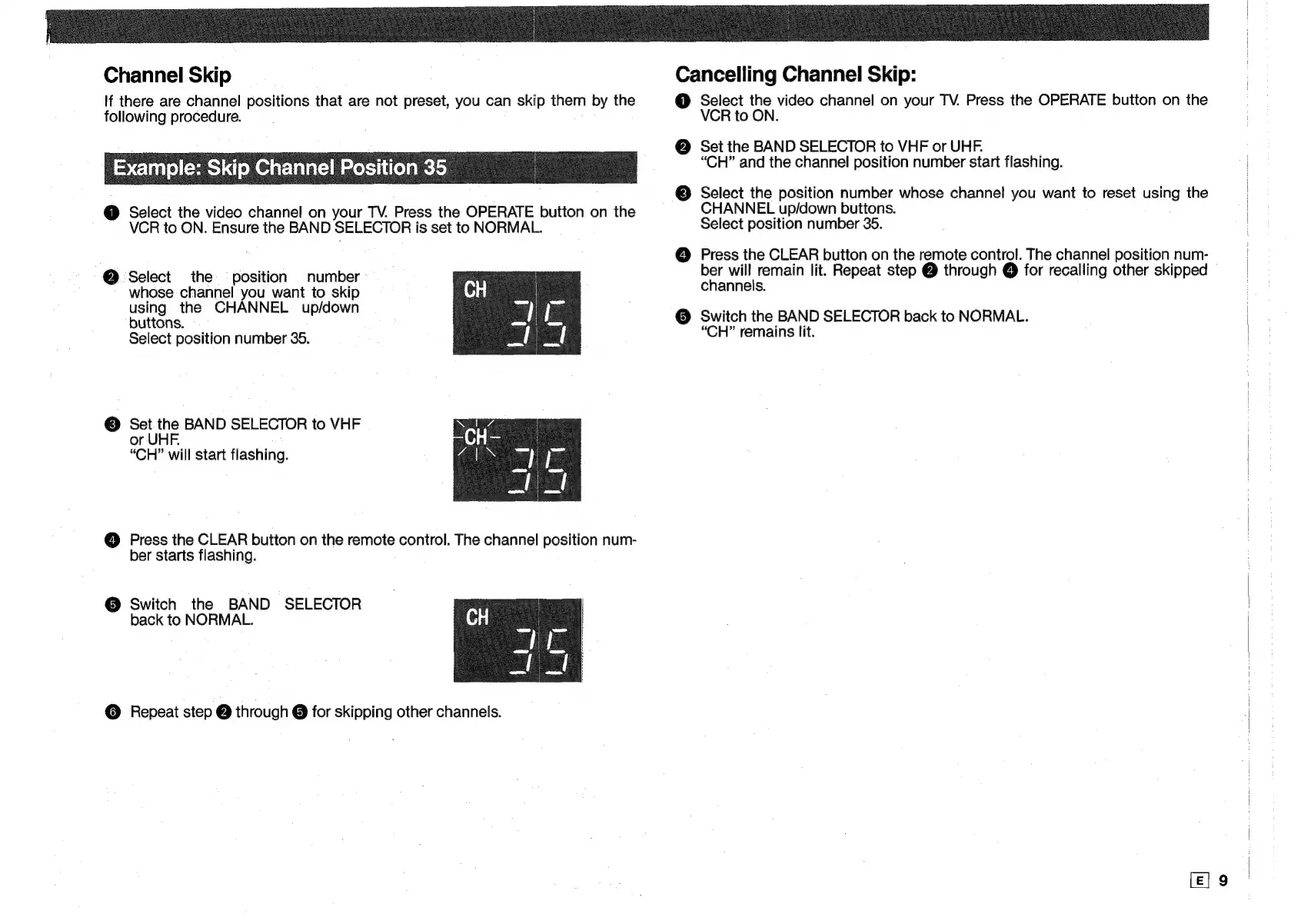
Channel
Skip
If
there
are
channel
positions
that
are
not
preset,
you
can
skip
them
by
the
following
procedure.
Example:
Skip
Channel
Position
35
@
Select
the
video
channel
on
your
TV.
Press
the
OPERATE
button
on
the
VCR
to
ON.
Ensure
the
BAND
SELECTOR
is
set
to
NORMAL.
@
Select
the
position
number
whose
channel
you
want
to
skip
using
the
CHANNEL
up/down
buttons.
Select
position
number
35.
©
Set
the
BAND
SELECTOR
to
VHF
or
UHF.
“CH”
will
start
flashing.
@
Press
the
CLEAR
button
on
the
remote
control.
The
channel
position
num-
ber
starts
flashing.
@
Switch
the
BAND
SELECTOR
back
to
NORMAL.
©
Repeat
step
@
through
@
for
skipping
other
channels.
Cancelling
Channel
Skip:
@
Select
the
video
channel
on
your
TV.
Press
the
OPERATE
button
on
the
VCR
to
ON.
@
Set
the
BAND
SELECTOR
to
VHF
or
UHF.
“CH”
and
the
channel
position
number
start
flashing.
©
Select
the
position
number
whose
channel
you
want
to
reset
using
the
CHANNEL
up/down
buttons.
Select
position
number
35.
@
Press
the
CLEAR
button
on
the
remote
control.
The
channel
position
num-
net
wl
remain
lit.
Repeat
step
@
through
@
for
recalling
other
skipped
channels.
@
Switch
the
BAND
SELECTOR
back
to
NORMAL.
“CH”
remains
lit.

Related product manuals