5-15
VL-E610S/VL-E610H
VL-E660S/VL-E96E
VL-E98E
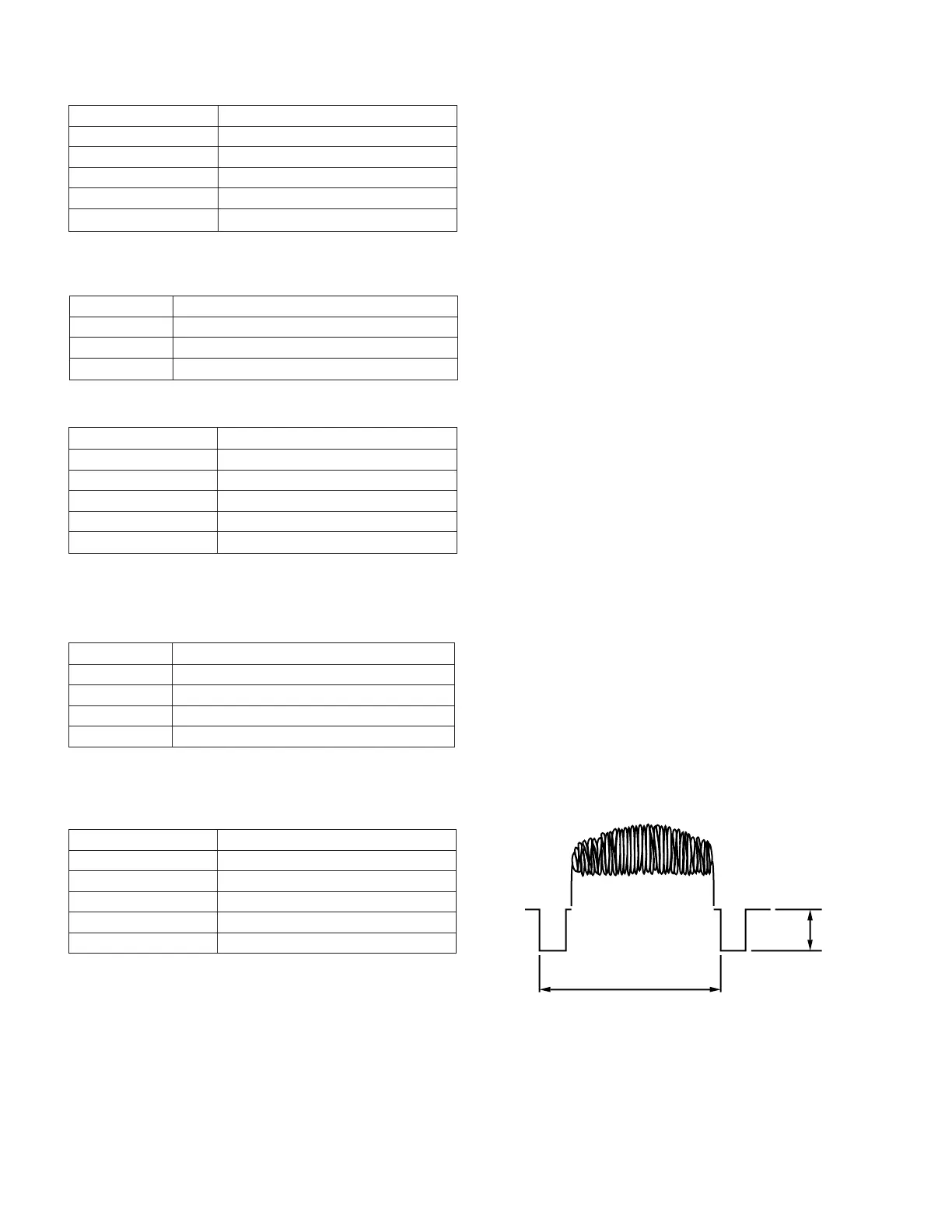
• Lens adjustment
Measuring instrument
Subject More than 50 m away
Tape —
Test point None
Adjustment address 1FF
Adjustment level 11, 12, 06, 08
None
1) Set up the auto focus adjustment mode.
(This is unnecessary after the above basic iris adjustment has been made.)
2) Write the adjustment data 11, 12, 06 and 08 one after the other to the address 1FF. The adjustments are as follows.
3) Write FF to the address 1FE to exit the auto focus adjustment mode.
11 Voltage adjustment
12 Optical wide-end adjustment
06 Wide-end focus ∞ position adjustment
08 Tele-end focus ∞ position adjustment
Data
Adjustment
5-2-2-3.
Before starting these adjustments, set up the auto focus adjustment mode.
• Sync level adjustment
Measuring instrument
Oscilloscope
Subject Anything
Tape —
Test point
VIDEO OUT (Terminated in 75Ω)
Adjustment address 1F8
Adjustment level 300mVp-p
1) Set up the camera signal line adjustment mode. (Write
00 to the address 1FE)
2) Connect the oscilloscope to the VIDEO-OUT. Adjust the
sync level to300mVp-p.
09 Hall offset
0A Iris offset
0B Iris close
Data Adjustment
Measuring instrument
None
Subject —
Tape —
Test point None
Adjustment address 1FF
Adjustment level 09, 0A, 0B
• Basic iris adjustment
5-2-2-2. Auto focus adjustment
1) Set up the auto focus adjustment mode. (Write 01 to the address 1FE)
2) Write the adjustment data 09, 0A and 0B one after the other to the address 1FF, the adjustment are as follows.
1H
Video
SYNC
300mVp-p



 To Next Page