EasyManua.ls Logo

Sharp XL-1500H - User Manual

Sharp XL-1500H
37 pages
Print Icon
To Next Page IconTo Next Page
Loading...
Thank you for purchasing this SHARP product.
To obtain the best performance from this product,
please read this
manual carefully. It will guide you in
operating your SHARP product.
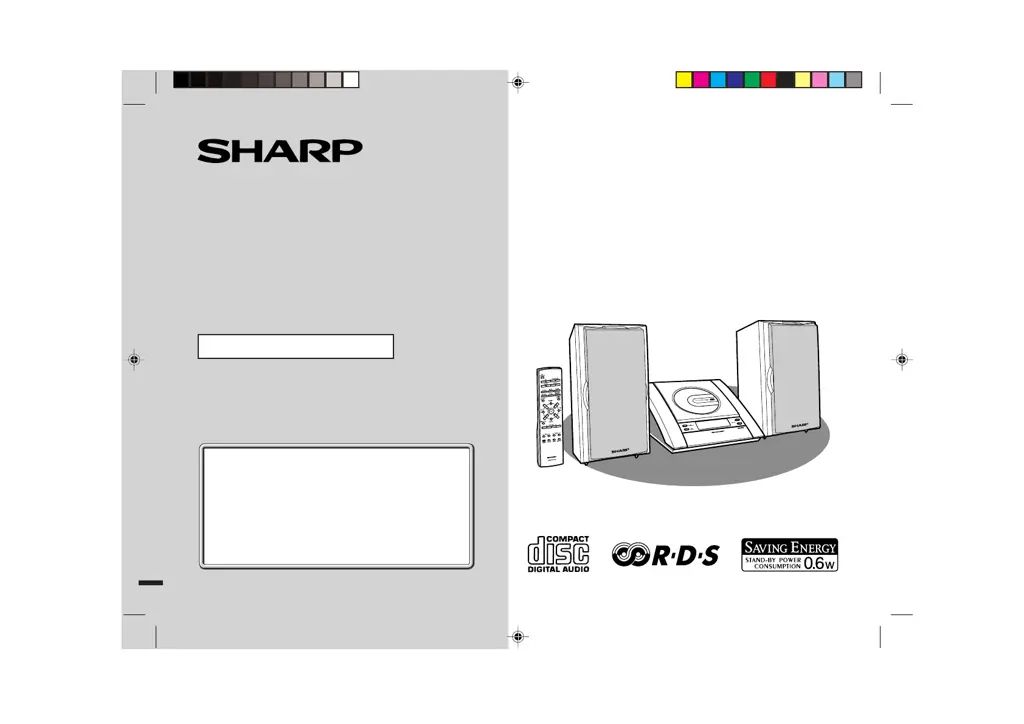
XL-1500H Compact Audio System consisting of XL-
1500H (main unit) and CP-XL1500H (speaker system).
COMPACT AUDIO SYSTEM
MODEL
XL-1500H
OPERATION MANUAL
If you require any advice or assistance re-
garding your Sharp product, please visit our
web-site www.sharp.co.uk/support.
Customers without internet access may
telephone 08705 274277 during office
hours (or (01) 676 0648 if telephoning from
Ireland).
XL_1500H_E(FRONT) 01.12.10, 01:46 PM1
Downloaded from: http://www.usersmanualguide.com/

Other manuals for Sharp XL-1500H

Questions and Answers

  • V
    vickiesmithAug 16, 2025
    Why is my Sharp XL-1500H Stereo System remote control not working?
    • S
      Stanley RodriguezAug 17, 2025
      There are several possible reasons why the remote control might not be working. Ensure the AC power lead of the unit is plugged in. Check that the battery polarity is correct and that the batteries are not dead. Also, make sure you are not too far from the unit and that the angle is correct. Strong light may also interfere with the remote control sensor.
  • T
    teresa35Aug 19, 2025
    What to do if a button is pressed, but the Sharp XL-1500H does not respond?
    • M
      michaelwagnerAug 19, 2025
      If your Sharp Stereo System isn't responding when you press a button, try setting the unit to power stand-by mode and then turning it back on. If that doesn't work, reset the unit.
  • C
    curtisjacobsonAug 21, 2025
    Why is there no sound coming from my Sharp XL-1500H?
    • J
      Jennifer MartinAug 21, 2025
      If you can't hear any sound from your Sharp Stereo System, check these things: 1. Make sure the volume isn't set to "0". 2. See if headphones are connected. 3. Ensure the speaker wires are properly connected.
  • P
    paulmillerAug 25, 2025
    How to fix the clock if it is not on time on Sharp XL-1500H?
    • I
      iparkerAug 26, 2025
      If the Sharp Stereo System clock is not on time, it might be due to a power failure. Reset the clock.
  • S
    Stephanie FloresAug 27, 2025
    What to do if playback stops in the middle on Sharp Stereo System?
    • L
      lynnwilliamAug 27, 2025
      If playback on your Sharp Stereo System stops in the middle or isn't working right, make sure the disc meets the required standards and isn't distorted or scratched.
  • C
    Christopher FarleyAug 30, 2025
    What to do if playback does not start on Sharp XL-1500H Stereo System?
    • C
      Carolyn WagnerAug 30, 2025
      If the Sharp Stereo System does not start playback, check if the disc is loaded upside down.
  • W
    William StoneSep 1, 2025
    Why does playback sound skip on my Sharp XL-1500H?
    • M
      michaelshawSep 1, 2025
      If the playback on your Sharp Stereo System skips or stops mid-track, it could be due to excessive vibrations near the unit, a dirty disc, or condensation inside the unit.
  • P
    petersenhollySep 4, 2025
    What to do if my Sharp Stereo System is not responding to button presses?
    • C
      cookpeterSep 4, 2025
      If the unit is not responding when a button is pressed, try setting it to power standby mode and then turning it back on. If that doesn't work, reset the unit.
  • J
    Jessica AverySep 7, 2025
    What to do if my Sharp XL-1500H is not starting playback or stops in the middle?
    • K
      Kevin JonesSep 7, 2025
      If playback doesn't start, stops in the middle, or isn't performed properly, check if the disc is loaded upside down. Ensure the disc meets the required standards and is not distorted or scratched.
  • M
    mercedesbrooksSep 10, 2025
    Why does my Sharp XL-1500H Stereo System radio make unusual noises?
    • J
      Jack CostaSep 10, 2025
      Unusual noises from the radio can occur if the unit is placed near a TV or computer. If the FM/AM loop aerial is near the AC power lead, move the AC power lead away from the aerial.

Sharp XL-1500H Specifications

General IconGeneral
BrandSharp
ModelXL-1500H
CategoryStereo System
LanguageEnglish

Related product manuals