X
L
-
D
A
B
2
2
7
Listening to a CD or MP3/WMA disc
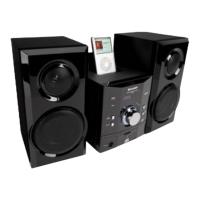
XL-DAB227
12 cm (5")
8 cm (3")
Listening to the DAB
XL-DAB227
1 Press the ON/STAND-BY button to turn the power on.
2 Press the DAB MENU button on the remote control to select
“AUTO TUNE”.
3 Within 20 seconds, press the DAB ENTER button.
4 Press the TUNING (
X X
X X
X
or
W W
W W
W
) button to select the mode.
AUTOTUNE UK? AUTOTUNE FULL?
5 Within 20 seconds press the DAB ENTER button.
1 Press the ON/STAND-BY button to turn the power on.
2 Press the iPod button to select iPod function.
3 Insert iPod unit in iPod dock of main unit.
“DOCK OK” will be displayed for 3 seconds
except for iPod mini and 4th Generation
iPod.
Note: The iPod label and iPod indicator
will displayed on display.
4 Press the iPod 0 / 6 button to start playback.
Listening to the iPod
3 Insert the iPod adaptor into the iPod dock and connect your iPod.
indicator will appear.
HH
HH
H To insert iPod adaptor
HH
HH
H To remove iPod adaptor
HH
HH
H iPod playback
iPod (bottom)
Dock connector
iPod
iPod dock
iPod
connector
iPod adaptor
pull up
X
L
-
D
A
B
2
2
7
X
L-DAB227
Note: For details, refer iPod
adaptor table on page 16 in
the operation manual.
2 Open the iPod docking station
by pushing the area marked
“
7 7
7 7
7 PUSH OPEN”.
1 Press the ON/STAND-BY button to turn the power on.
Caution:
Do not place the iPod docking base without any support from below when
inserting the iPod unit, otherwise it may damage the iPod docking station.
iPod adaptor
iPod
HH
HH
H To remove iPod unit
Press and hold the iPod docking base when removing
the iPod unit.
indicator will disappear.
1 Adaptor with tip.
Hold this tip and pull as direction shown to remove adaptor.
2 Adaptor without tip.
Insert the tip of a screwdriver (“–” type, small) into
the iPod adaptor hole as shown and lift upward to
remove.
1 Press the ON/STAND-BY button to turn the power on.
2 Press the CD button.
3 Press the OPEN/CLOSE button to open the disc tray.
4 Place the disc on the disc tray, label side up.
Be sure to place 8 cm (3") disc in the middle of the disc tray.
5 Press the OPEN/CLOSE button to close the disc tray.
6 Press the
00
00
0
/
66
66
6
button to start playback.
XL-DAB227&257NH_QG 7/25/08, 8:45 AM2



 To Previous Page