EasyManua.ls Logo

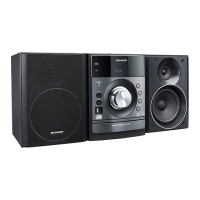
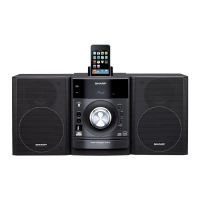
Sharp XL-DH20NH - User Manual

Sharp XL-DH20NH
32 pages
Print Icon
To Next Page IconTo Next Page
Loading...
XL-DH10N 20H_EN ES
2009August10
Se reporter aux pages i à viii et F-1 à F-22.
FRANÇAIS
Consulte las páginas i a viii y S-1 a S-22.
ESPAÑOL
Please refer to pages i to viii and E-1 to E-22.
ENGLISH
XL-DH10NH XL-DH20NH
C
D
U
S
B
M
U
T
E
M
U
T
E
C
L
O
C
K
/
T
I
M
E
R
C
L
O
C
K
/
T
I
M
E
R
T
U
N
I
N
G
/
F
OL
D
E
R
A
U
X
A
U
X
P
T
Y
P
T
Y
R
D
S
R
D
S
C
D
U
S
B
M
U
T
E
M
U
T
E
C
L
O
C
K
/
T
I
M
E
R
C
L
O
C
K
/
T
I
M
E
R
T
U
N
I
N
G/
F
OL
D
E
R
A
U
X
A
U
X
P
T
Y
P
T
Y
R
D
S
R
D
S
iPod is a trademark of Apple Inc., registered in the
U.S. and other countries.
MODEL
MODELO
MODÈLE
XL-DH10NH
XL-DH20NH
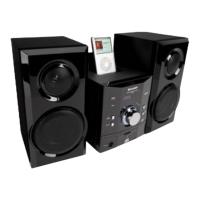
MICRO COMPONENT SYSTEM
SISTEMA MICRO
MICRO-CHAÎNE
OPERATION MANUAL
MANUAL DE MANEJO
MODE D’EMPLOI

Other manuals for Sharp XL-DH20NH

Questions and Answers

  • J
    James LeeAug 10, 2025
    Why is there no sound coming from my Sharp Stereo System?
    • C
      Chloe HughesAug 10, 2025
      If your Sharp Stereo System produces no sound, check a few things: * Ensure the volume isn't set to “0”. * Make sure headphones are not connected. * Verify that the speaker wires are properly connected.
  • R
    randallhensonAug 16, 2025
    What to do if playback stops in the middle on Sharp XL-DH20NH?
    • C
      Cory WhiteAug 16, 2025
      If playback stops unexpectedly or isn't working right on your Sharp Stereo System, check the following: Ensure the disc is loaded correctly (not upside down), meets the required standards, and isn't damaged (distorted or scratched). Also, make sure the unit isn't near excessive vibrations, the disc is clean, and there's no condensation inside the unit.
  • J
    Jim SmithAug 22, 2025
    What to do if Sharp XL-DH20NH playback does not start?
    • N
      Nicholas Dixon MDAug 22, 2025
      If playback doesn't start on your Sharp Stereo System, make sure the disc isn't loaded upside down, meets the required standards, and isn't distorted or scratched.
  • A
    Anthony JohnsonAug 27, 2025
    What to do if Sharp XL-DH20NH does not respond when a button is pressed?
    • S
      Stephen RiveraAug 27, 2025
      If your Sharp Stereo System isn't responding when you press a button, try setting the unit to power stand-by mode and then turning it back on. If it still doesn't work, reset the unit. Refer to page 21 for instructions on resetting.
  • A
    Amanda ParkSep 3, 2025
    How to clean the laser pickup lens on my Sharp Stereo System when the CD does not function?
    • J
      Jason JonesSep 3, 2025
      If the CD on your Sharp Stereo System isn't working, dust or foreign matter may have built up on the laser pickup lens. Ensure the lens is clean. If it isn't, gently clean it using a lens cleaning tissue and a small amount of isopropyl alcohol.

Summary

General Information and Precautions

Precautions

General safety and operational guidelines for equipment placement and handling.

Preparation for Use

System Connections

Instructions for connecting aerials, speakers, iPod, and power sources correctly.

iPod Operation

Listening to the iPod

Details on connecting and playing music from compatible iPod models.

CD and Media Playback

CD and MP3;WMA Disc Playback

Guide to playing audio CDs and MP3/WMA discs, including file format details.

USB Operation

USB Mass Storage Playback

How to play music from USB devices with and without folder mode.

Radio and RDS

Listening to the Radio

Guide to tuning into AM/FM stations and memorizing presets.

Advanced Features

Specifications

Sharp XL-DH20NH Specifications

General IconGeneral
BrandSharp
ModelXL-DH20NH
CategoryStereo System
LanguageEnglish

Related product manuals