EasyManua.ls Logo

Sharp XL-DH259P - User Manual

Sharp XL-DH259P
16 pages
Print Icon
To Next Page IconTo Next Page
Loading...
R
R
M
C
G
A
2
3
2
A
W
S
A
iPhone
®
adaptor x 2
(GCOVAA238AWSA - No 12)
(GCOVAA239AWSA - No 15)
Remote control x 1
(RRMCGA246AWSA)
AM loop antenna x 1
(QANTLA004AWZZ)
FM antenna x 1
(92LFANT1535A)
iPhone, iPod, iPod classic, iPod nano, and
iPod touch
are trademarks of Apple Inc.,
registered in the U.S. and other countries.
MI
C
R
O
C
O
M
P
O
N
E
N
T
S
Y
S
T
E
M
X
L
-D
H
2
5
9
TINSZA891AWZZ
ENGLISH
MODEL
XL-DH259P
MICRO COMPONENT SYSTEM
OPERATION MANUAL
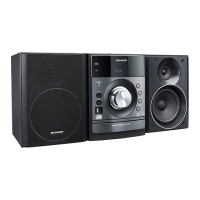
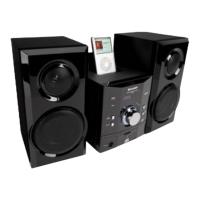
XL-DH259P Micro Component System consisting of XL-DH259P (main unit) and CP-DH259P (speaker system).
Accessories
Please confi rm that the following accessories are included.
Special Note
Supply of this product does not convey a license nor imply any right to distribute content created with this product in
revenue-generating broadcast systems (terrestrial, satellite, cable and/or other distribution channels), revenue generating
streaming applications (via Internet, intranets and/or other networks), other revenue-generating content distribution
systems (pay-audio or audio-on-demand applications and the like) or on revenue-generating physical media (compact
discs, digital versatile discs, semiconductor chips, hard drives, memory cards and the like). An independent license for
such use is required. For details, please visit http://mp3licensing.com
MPEG Layer-3 audio coding technology licensed from Fraunhofer IIS and Thomson.
Printed in Malaysia
11A R AS
1
“Made for iPod” and “Made for iPhone” mean that an electronic accessory has been designed to connect specifi cally
to iPod or iPhone, respectively, and has been certifi ed by the developer to meet Apple performance standards. Apple
is not responsible for the operation of this device or its compliance with safety and regulatory standards.
XL-DH259P_USA_EN_cover.indd 1XL-DH259P_USA_EN_cover.indd 1 12/29/2010 10:47:34 AM12/29/2010 10:47:34 AM

Other manuals for Sharp XL-DH259P

Questions and Answers

Summary

Important Safety Instructions

Graphical Symbols and Warnings

Explains the meaning of graphical symbols like lightning flash and exclamation point for user safety.

Important Safety Instructions (Continued)

Additional Safety Information

Provides further safety guidelines regarding power sources, overloading, and liquid entry.

Consumer Limited Warranty

System Connection Precautions

Advises on proper ventilation, surface placement, and environmental considerations for system setup.

Listening to iPod or iPhone

iPod;iPhone Operations and Setup

Lists compatible iPod/iPhone models and initial setup procedures.

iPod;iPhone Playback

Instructions for starting, pausing, and managing playback of iPod or iPhone content.

Listening to CD or MP3;WMA Disc

Disc Playback Basics

Guide on inserting discs, starting playback, and basic controls for CDs and MP3/WMA discs.

Advanced CD;MP3;WMA Playback

Programed Play (MP3;WMA)

Steps to create custom playback sequences for MP3/WMA files from discs.

Playback with Folder Mode

Guide on how to play MP3/WMA files organized in folders on a disc.

Listening to USB Mass Storage Device;MP3 Player

USB Playback Basics

How to connect and play MP3/WMA files from USB devices.

Listening to USB Mass Storage Device;MP3 Player (Continued)

USB Playback with Folder Mode

Instructions for playing USB files organized into folders.

Listening to the Radio

Troubleshooting Chart

General Troubleshooting

Basic checks for common issues like clock setting, unit response, and no sound.

Troubleshooting Chart (Continued)

Specifications Overview

Comprehensive list of technical specifications for the system's components.

Overview

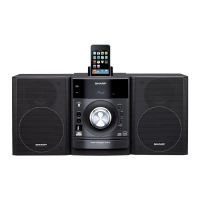
The SHARP XL-DH259P is a Micro Component System designed for audio playback from various sources, including CDs, MP3/WMA discs, USB mass storage devices, iPods, and iPhones, as well as FM/AM radio. The system consists of a main unit (XL-DH259P) and a speaker system (CP-DH259P).

Function Description:

The XL-DH259P serves as a versatile audio system, offering playback from a single disc multi-play compact disc player, which supports CD, MP3, and WMA formats. It features a USB host interface for connecting USB mass storage devices and MP3 players, allowing playback of MP3 and WMA files. The system is "Made for iPod" and "Made for iPhone," providing a dedicated dock for direct connection and playback from compatible Apple devices, including various generations of iPhone, iPod touch, iPod classic, and iPod nano. It also includes an FM/AM tuner for radio reception. An AUDIO IN jack allows connection of external portable audio players or other audio equipment. The system provides video output for displaying iPod/iPhone video content on a connected TV/monitor.

Important Technical Specifications:

  • Amplifier:
    • Output power (RMS): Total 160 watts (80 W per channel into 4 ohms at 1 kHz, 10% Total Harmonic Distortion).
    • Output power (FTC): 60 watts minimum RMS per channel into 4 ohms from 100 Hz to 20 kHz, 10% Total Harmonic Distortion.
    • Output terminals: Speakers (4 ohms, 20Hz - 20kHz), Video output (1 Vp-p), Headphones (16-50 ohms, recommended: 32 ohms).
    • Input terminals: Audio In (audio signal: 250 mV/47 k ohms).
  • General:
    • Power source: AC 120 V ~ 60 Hz.
    • Power consumption: 52 W.
    • Dimensions (Main unit): Width: 6-1/2" (165 mm), Height: 8-2/3" (220 mm), Depth: 9-1/4" (235 mm).
    • Weight (Main unit): 8.6 lbs. (3.9 kg).
  • CD Player:
    • Type: Single disc multi-play compact disc player.
    • Signal readout: Non-contact, 3-beam semiconductor laser pickup.
    • D/A converter: Multi bit D/A converter.
    • Frequency response: 20 - 20,000 Hz.
    • Dynamic range: 90 dB (1 kHz).
  • USB:
    • USB host interface: Complies with USB 1.1 (Full Speed)/2.0 Mass Storage Class. Supports Bulk only and CBI protocol.
    • Support file: MPEG 1 Layer 3, WMA (Non DRM).
    • Bitrate support: MP3 (32 ~ 320 kbps), WMA (64 ~ 160 kbps).
    • File system support: USB devices with Microsoft Windows/DOS/FAT 12/FAT 16/FAT 32. 2 kbyte block length for sector.
    • Other: Maximum total number of MP3/WMA files is 1024. Maximum total number of folders is 255 (inclusive of root directory). ID3TAG information supported are TITLE, ARTIST, and ALBUM only. Supports ID3TAG version 1 and version 2. Not compatible with MTP and AAC file systems. USB cable is not recommended for use.
  • Tuner:
    • Frequency range: FM: 87.5-108 MHz, AM: 530 - 1,710 kHz.
    • Preset: 40 (FM and AM station).
  • Speaker:
    • Type: 2-way type speaker system (2" (5 cm) tweeter, 4-3/4" (12 cm) woofer).
    • Maximum input power: 160 W.
    • Rated input power: 80 W.
    • Impedance: 4 ohms.
    • Dimensions: Width: 5-13/16" (148 mm), Height: 8-11/16" (220 mm), Depth: 7-9/16" (192 mm).
    • Weight: 4.6 lbs (2.1 kg)/each.

Usage Features:

  • Auto Power On/Off: The unit can automatically turn on when certain buttons (iPod/iPhone, CD, USB, AUDIO IN, TUNER, or Play button) are pressed. It enters stand-by mode after 15 minutes of inactivity during iPod/iPhone (no connection), AUDIO IN (no signal), TUNER (no reception), or CD/USB (stop mode). If an iPod/iPhone is docked, it will begin charging and display "CHARGE MODE."
  • Volume Control: Adjustable via a knob on the main unit or buttons on the remote control. Features a volume auto fade-in function when turning the unit on with a high volume setting.
  • Muting: Temporarily mutes volume with a dedicated button on the remote.
  • X-Bass Control: Emphasizes bass frequencies, indicated by "X-BASS" on display. Can be toggled on/off.
  • Bass/Treble Control: Allows adjustment of bass and treble levels within 5 seconds of selecting the respective option.
  • Equalizer Modes: Provides several preset sound modes: FLAT (Equalizer off), GAME, CLASSIC, POPS, VOCAL (vocals enhanced), and JAZZ.
  • Function Selection: Easily switch between CD, FM STEREO, FM MONO, AM, AUDIO IN, iPod, and USB functions using the FUNCTION button on the main unit or dedicated buttons on the remote.
  • Display Brightness Control: Dim the display brightness using the DEMO/DIMMER button on the remote.
  • iPod/iPhone Playback: Direct docking for playback, with adaptors provided for various models. Sound switches from iPhone to the main unit after a 10-second authentication process. Incoming calls pause playback, and ringtones are heard through the main unit speakers. Conversation is heard through the iPhone speaker unless the iPhone speaker is turned on or the iPhone is undocked. Video output to a TV/monitor is supported.
  • CD/MP3/WMA Disc Playback: Supports repeat play (one track, all tracks, or programmed sequence), random play, and programmed play (up to 32 selections). Direct track search using numeric buttons on the remote control. Folder mode for MP3/WMA discs allows navigation and selection of desired folders and files.
  • USB Playback: Supports MP3/WMA files from USB mass storage devices. Features include folder mode, repeat play, random play, and programmed play, similar to CD operations. Displays Title, Artist, and Album name if available in ID3TAG information.
  • Tuner Functions: Manual and auto tuning for FM/AM stations. Stores up to 40 preset stations. Preset memory scan. FM stereo reception with "ST" indicator; can switch to monaural for weak signals.
  • Clock Setting: Set 12-hour or 24-hour display. Adjust hour and minutes.
  • Timer and Sleep Operations:
    • Once Timer: Plays for one time at a preset time.
    • Daily Timer: Plays at the same preset time every day (e.g., wake-up call).
    • Sleep Timer: Automatically turns off the unit after a preset time (10, 20, 30, 80, 90 minutes). Volume gradually decreases before turning off.
    • Timers can be set to play from CD, TUNER, USB, iPod, or AUDIO IN.
  • Headphone Output: Standard 1/8" (3.5 mm) jack. Automatically disconnects speakers when headphones are plugged in. Recommended impedance is 32 ohms.

Maintenance Features:

  • CD Care: Handle discs by edges, keep away from direct sunlight, heat, and moisture. Clean with a soft, dry cloth, wiping straight from the center.
  • CD Pickup Lens Cleaning: Periodically clean the laser pickup lens using commercially available lens cleaners.
  • Cabinet Cleaning: Wipe with a soft cloth and diluted soap solution. Avoid chemicals like gasoline or paint thinner.
  • Remote Control Maintenance: Replace batteries when operating distance is reduced. Periodically clean the transmitter and sensor with a soft cloth.
  • Factory Reset: Clears all stored data, including clock, timer settings, tuner presets, and CD program.
  • Transportation: Remove iPod/iPhone, USB device, and disc from the unit before transporting.

Sharp XL-DH259P Specifications

General IconGeneral
BrandSharp
ModelXL-DH259P
CategoryStereo System
LanguageEnglish

Related product manuals