EasyManua.ls Logo

Sharp XL-DH320NH - User Manual

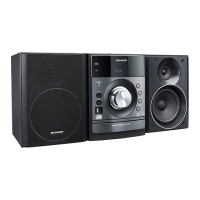
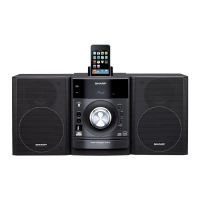
Sharp XL-DH320NH
33 pages
Print Icon
To Next Page IconTo Next Page
Loading...
04/1/28 XL-DH320N 350NH EN_Front
M
IC
R
O
C
O
M
P
O
N
E
N
T
SY
S
T
E
M
XL
-
D
H
3
2
0
M
I
C
R
O
C
O
M
P
O
N
E
N
T
S
Y
S
T
E
M
X
L-
D
H
3
5
0
XL-DH320NH XL-DH350NH
C
D
U
S
B
C
D
U
S
B
iPod is a trademark of Apple Inc., registered in the
U.S. and other countries.
MODELL
MODÈLE
MODELO
MODELL
MODELLO
XL-DH320NH
XL-DH350NH
MIKRO KOMPONENTEN SYSTEM
MICRO-CHAÎNE
SISTEMA MICRO
MIKRO KOMPONENT SYSTEM
MICRO SISTEMI
MICRO SYSTEEM
SISTEMA DE MICRO COMPONENTE
MIKROKOMPONENTTIJÄRJESTELMÄ
MICRO COMPONENT SYSTEM
MODEL
MODELO
MALLI
MODEL
BEDIENUNGSANLEITUNG
MODE D’EMPLOI
MANUAL DE MANEJO
BRUKSANVISNING
MANUALE DI ISTRUZIONI
GEBRUIKSAANWIJZING
MANUAL DE OPERAÇÃO
KÄYTTÖOHJE
OPERATION MANUAL
DEUTSCH
PORTUGUÊS
FRANÇAIS
ESPAÑOL
SVENSKA
ITALIANO
NEDERLANDS
SUOMI
ENGLISH
Siehe Seiten i bis viii und D-1 bis D-22.
Se reporter aux pages i à viii et F-1 à F-22.
Consulte las páginas i a viii y S-1 a S-22.
Hänvisa till sidorna i till viii och V-1 till V-22.
Leggere le pagine i a viii e I-1 a I-22.
Raadpleeg de bladzijden i t/m viii en N-1 t/m N-22.
Favor consultar as páginas i a viii e P-1 a P-22.
Sivut i - viii sekä SU-1 - SU-22.
Please refer to pages i to viii and E-1 to E-22.


Questions and Answers

  • K
    Kathleen HuynhAug 10, 2025
    What to do if the Sharp XL-DH320NH Stereo System remote control does not operate?
    • Q
      qhollandAug 10, 2025
      If the remote control for your Sharp Stereo System isn't working, consider these potential causes: * Check if the unit's AC power lead is plugged in. * Ensure the battery polarity is correct. * Replace the batteries if they are dead. * Make sure you are within the correct distance and angle. * Verify the remote control sensor isn't receiving strong light.
  • M
    Michelle BullockAug 14, 2025
    Why is there no sound coming from my Sharp XL-DH320NH Stereo System?
    • N
      Nancy AguilarAug 14, 2025
      If you can't hear any sound from your Sharp Stereo System, check the following: * Ensure the volume isn't set to “0”. * Make sure headphones aren't connected. * Verify the speaker wires are properly connected.
  • B
    Brandon PhillipsAug 25, 2025
    What to do if the Sharp XL-DH320NH does not respond when a button is pressed?
    • M
      Matthew GregoryAug 25, 2025
      If your Sharp Stereo System doesn't respond when a button is pressed, set the unit to the power stand-by mode and then turn it back on. If the unit still malfunctions, reset it. (Refer page 21)
  • K
    Kristina GibbsAug 29, 2025
    Why does my Sharp Stereo System radio make unusual noises continuously?
    • S
      shawn63Aug 29, 2025
      If your Sharp Stereo System radio is making unusual noises, it could be due to its placement near a TV or computer. Also, ensure the FM aerial or AM loop aerial is placed properly, and move the aerial away from the AC power lead if it is located nearby.
  • R
    Robert AllenSep 3, 2025
    Why does Sharp XL-DH320NH skip or stop during playback?
    • J
      jennifer04Sep 4, 2025
      Skipping or stopping during playback on your Sharp Stereo System can be caused by the unit being located near excessive vibrations, a very dirty disc, or condensation inside the unit.
  • J
    James DavisSep 10, 2025
    What to do if Sharp Stereo System playback does not start?
    • P
      Paul ReevesSep 12, 2025
      If playback won't start on your Sharp Stereo System, check if the disc is loaded upside down, ensure the disc meets the standards, and verify that the disc isn't distorted or scratched.

Sharp XL-DH320NH Specifications

General IconGeneral
CD PlayerYes
FM RadioYes
BluetoothYes
USB PortYes
Power Output40W
Playable MediaCD, CD-R/RW, MP3
Speakers2 speakers

Related product manuals