EasyManua.ls Logo

Sharp XL-DH330PH - User Manual

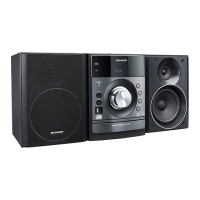
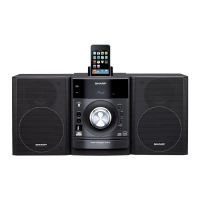
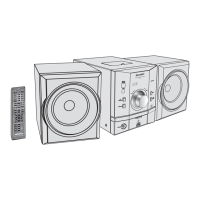
Sharp XL-DH330PH
33 pages
Print Icon
To Next Page IconTo Next Page
Loading...
20/07/10 XL-DH330PH_Front.fm
M
IC
R
O
C
O
M
P
O
N
E
N
T
S
Y
S
T
E
M
X
L
-
D
H
3
3
0
M
I
C
R
O
C
O
M
P
O
N
E
N
T
S
Y
S
T
E
M
X
L
-
D
H
3
6
0
XL-DH330PH XL-DH360PH
iPhone, iPod, iPod classic, iPod nano, and
iPod touch
are trademarks of Apple Inc.,
registered in the U.S. and other countries.
MODELL
MODÈLE
MODELO
MODELL
MODELLO
XL-DH330PH
XL-DH360PH
MIKRO KOMPONENTEN SYSTEM
MICRO-CHAÎNE
SISTEMA MICRO
MIKRO KOMPONENT SYSTEM
MICRO SISTEMI
MICRO SYSTEEM
SISTEMA DE MICRO COMPONENTE
MIKROKOMPONENTTIJÄRJESTELMÄ
MICRO COMPONENT SYSTEM
MODEL
MODELO
MALLI
MODEL
BEDIENUNGSANLEITUNG
MODE D’EMPLOI
MANUAL DE MANEJO
BRUKSANVISNING
MANUALE DI ISTRUZIONI
GEBRUIKSAANWIJZING
MANUAL DE OPERAÇÃO
KÄYTTÖOHJE
OPERATION MANUAL
DEUTSCH
PORTUGUÊS
FRANÇAIS
ESPAÑOL
SVENSKA
ITALIANO
NEDERLANDS
SUOMI
ENGLISH
Siehe Seiten i bis viii und D-1 bis D-22.
Se reporter aux pages i à viii et F-1 à F-22.
Consulte las páginas i a viii y S-1 a S-22.
Hänvisa till sidorna i till viii och V-1 till V-22.
Leggere le pagine i a viii e I-1 a I-22.
Raadpleeg de bladzijden i t/m viii en N-1 t/m N-22.
Favor consultar as páginas i a viii e P-1 a P-22.
Sivut i - viii sekä SU-1 - SU-22.
Please refer to pages i to viii and E-1 to E-22.


Questions and Answers

  • B
    Brian SmithAug 10, 2025
    What to do if no sound is produced or no image appears on my Sharp XL-DH330PH?
    • F
      freemannancyAug 10, 2025
      If your Sharp Stereo System isn't producing sound or displaying images on your TV/monitor, ensure that your iPod or iPhone is playing and properly connected to the unit. Check that the unit's AC power cord is plugged in and that the video cable is correctly connected. Also, verify that your TV/monitor's input selection is correctly set and that the iPod's TV out feature is set to output video.
  • W
    Wendy WrightAug 16, 2025
    Why does my Sharp XL-DH330PH Stereo System say 'This accessory is not made to work with iPhone'?
    • R
      Robert PerkinsAug 16, 2025
      If your Sharp Stereo System displays the message "This accessory is not made to work with iPhone" or “This accessory is not supported by iPhone”, first, ensure that your iPhone is sufficiently charged. If the battery is low, charge the iPhone. If the battery is not low, make sure that the iPhone is properly docked.
  • J
    johnsonterriAug 23, 2025
    How to fix an iPod or iPhone that won't charge on a Sharp Stereo System?
    • M
      Monica MooreAug 23, 2025
      If your iPod or iPhone won't charge with the Sharp Stereo System, ensure it's making full contact with the connector. Note that using an iPod 3rd generation may cause issues. Also, verify that your specific iPod or iPhone model is supported. Refer to page 6 for compatible models.
  • S
    Shannon WileyAug 28, 2025
    How to troubleshoot a Sharp XL-DH330PH when the device cannot be detected?
    • J
      Jennifer JonesAug 28, 2025
      To resolve detection issues with your Sharp Stereo System, first, check if there are any MP3/WMA files available on the device. Ensure the device is properly connected to the stereo system and that it is an MTP device. Finally, confirm whether the device contains only AAC files.
  • D
    Daniel RandolphSep 3, 2025
    Why is my Sharp XL-DH330PH showing the wrong time or file name?
    • M
      Matthew RodriguezSep 3, 2025
      If your Sharp Stereo System displays the wrong time or file name, determine if a Variable Bitrate file is being played back. Also, check if the file name is written in Chinese or Japanese characters.

Sharp XL-DH330PH Specifications

General IconGeneral
BrandSharp
ModelXL-DH330PH
CategoryStereo System
LanguageEnglish

Related product manuals