11/8/24 08_XL-E171DVH_EN.fm
E-10
8
7
6
5
4
3
2
1
Changing the setup menu (continued)
Setup
menu
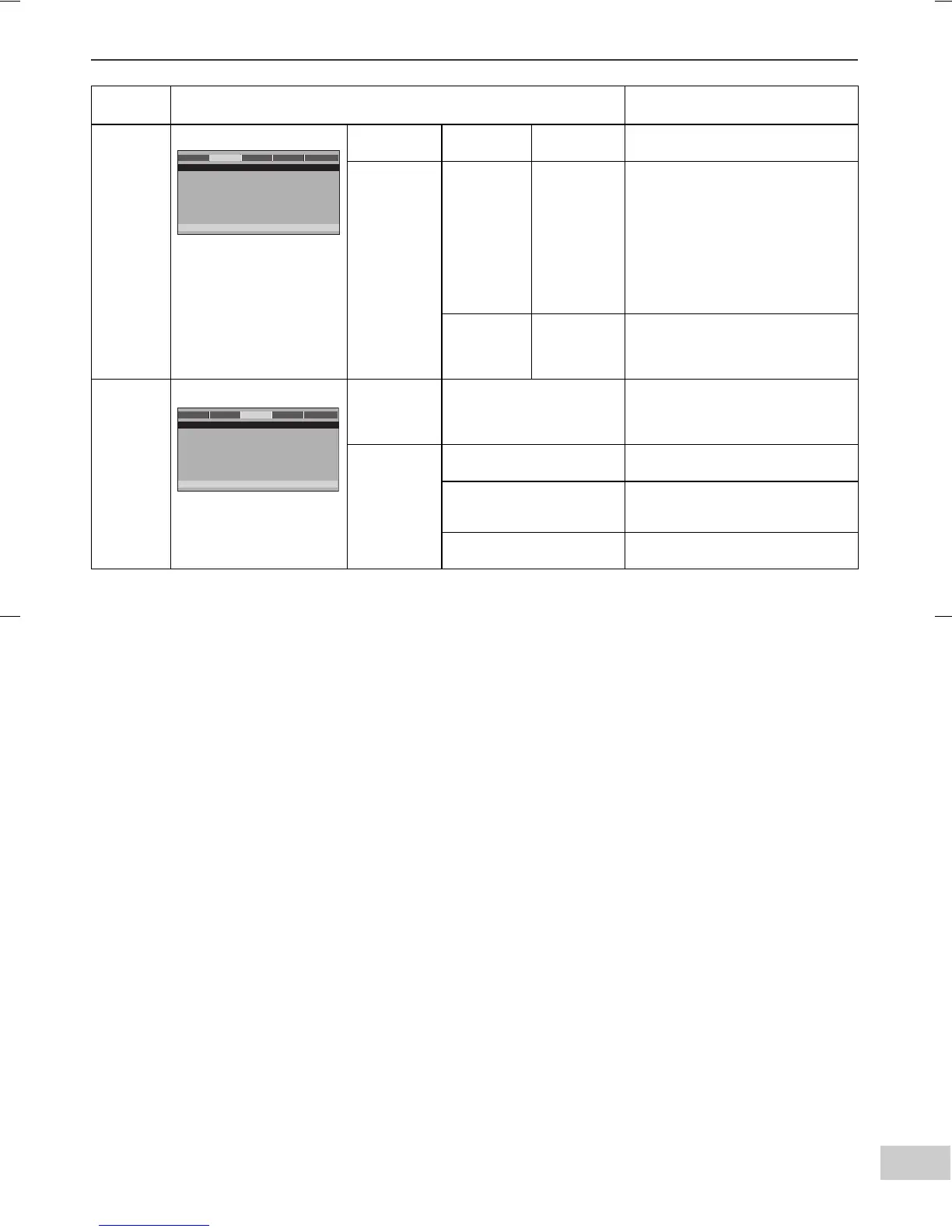
Selectable parameters (* indicates default setting) Description
AUDIO
SETUP
PAGE
ANALOG
AUDIO
DOWNMIX LT/RT
STEREO*
DIGITAL
AUDIO
DIGITAL
OUT
SPDIF OFF
SPDIF/RAW*
SPDIF/PCM
When playing a disc recorded with
Dolby Digital or DTS, the
corresponding digital signals will be
output.
● PCM : Choose this setting if the
decorder cannot support Dolby
Digital or DTS.
● RAW : Choose this setting if the
decorder can support Dolby
Digital or DTS.
LPCM OUT 48KHZ*
96KHZ
Select the sampling frequency at
48 kHz/16 bit or 96 kHz/24 bit
capability after you select SPDIF/
PCM at SPDIF SETUP.
DOLBY
DIGITAL
SETUP
DUAL MONO STEREO*
L-MONO
R-MONO
MIX-MONO
DYNAMIC
(*1)
FULL Audio with fully compressed
dynamic range.
3/4
1/2
1/4
Audio with partially compressed
dynamic range.
OFF* Audio with uncompressed dynamic
range.
ANALOG AUDIO
DIGITAL AUDIO
GO TO AUDIO SETUP PAGE
- - AUDIO SETUP PAGE - -
DOLBY VIDEO
GENERAL AUDIO
PREFEREN.
DUA
L MO
NO
DY
N
AMIC
GO TO DOLBY DIGITAL SETUP
- - DOLBY DIGITAL SETUP - -
VIDEO
GENERAL AUDIO DOLBY
PREFEREN.


 To Next Page