EasyManua.ls Logo

Sharp XL-E1H - User Manual

Sharp XL-E1H
16 pages
Print Icon
To Next Page IconTo Next Page
Loading...
ENGLISH
ENGLISH
MODEL
XL-E1H
XL-UH05H
MICRO COMPONENT SYSTEM
OPERATION MANUAL
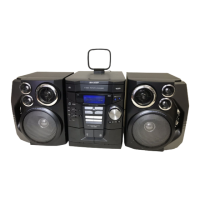
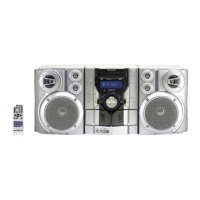
XL-E1H Micro Component System consisting of XL-E1H (main unit) and CP-E1H (speaker system).
XL-UH05H Micro Component System consisting of XL-UH05H (main unit) and CP-UH05H (speaker system).
Accessory
Remote control x 1
Please conrm that only the following accessory is
included..
Special note
Supply of this product does not convey a license nor imply any right to distribute content created with this product in
revenue-generating broadcast systems (terrestrial, satellite, cable and/or other distribution channels), revenue generating
streaming applications (via Internet, intranets and/or other networks), other revenue-generating content distribution
systems (pay-audio or audio-on-demand applications and the like) or on revenue-generating physical media (compact
discs, digital versatile discs, semiconductor chips, hard drives, memory cards and the like). An independent license for
such use is required. For details, please visit http://mp3licensing.com
MPEG Layer-3 audio coding technology licensed from Fraunhofer IIS and Thomson.
SHARP ELECTRONICS (Europe) GmbH
Sonninstraße 3, D-20097 Hamburg
Volume control
The sound level at a given volume setting depends on
speaker efciency, location and various other factors.
It is advisable to avoid exposure to high volume levels.
Do not turn the volume on to full at switch on. Listen to
music at moderate levels. Excessive sound pressure from
earphones and headphones can cause hearing loss.
The illustration printed
in this operation
manual are for the
model XL-E1H.
(XL-E1H only)

1
0F R MW 1
Point Size 10 :
*92L87500016301Z$*|
92L87500016301

Questions and Answers

  • S
    Shannon BeckAug 6, 2025
    Why Sharp XL-E1H remote control does not operate?
    • C
      Cynthia AbbottAug 6, 2025
      If your Sharp Stereo System remote control isn't working, consider these possible causes: Ensure the unit's AC power lead is plugged in, verify the battery polarity is correct, check if the battery is dead, confirm the distance and angle are correct, and ensure the remote control sensor isn't exposed to strong light.
  • O
    osmithAug 10, 2025
    How to listen to the playback sounds of portable audio player on Sharp XL-E1H?
    • A
      alexanderdavidAug 10, 2025
      To listen to playback sounds from a portable audio player on your Sharp Stereo System: * Connect the player to the AUDIO IN socket using a connection lead. * Turn the power on by pressing the ON/STAND-BY button. * Select the AUDIO IN function by pressing the AUDIO IN button on the remote or the FUNCTION button on the main unit. Also, if sound distortion occurs, lower the volume on the connected device. If the volume level is too low, increase the volume on the connected device.
  • K
    Kelsey HaynesAug 14, 2025
    Why does Sharp XL-E1H radio make unusual noises continuously?
    • K
      Kristen GonzalezAug 15, 2025
      If your Sharp Stereo System is making unusual noises continuously, especially when the radio is on, consider these potential causes: check if the unit is placed near a TV or computer, and ensure the FM aerial is properly placed, moving it away from the AC power lead if it's nearby.
  • K
    Kenneth RossAug 19, 2025
    What to do if Sharp XL-E1H no sound is heard?
    • K
      Kellie ThompsonAug 19, 2025
      If your Sharp Stereo System isn't producing sound, check if the volume level is set to 'MIN', ensure headphones are not connected, and verify that the speaker wires are properly connected.
  • J
    jonathanmooreAug 25, 2025
    What to do if Sharp XL-E1H has condensation?
    • J
      Jill MillerAug 25, 2025
      If condensation occurs in your Sharp Stereo System due to sudden temperature changes or high humidity, leave the power on with no hour. Also, wipe off any condensation on the transmitter with a soft cloth before operating the unit.
  • S
    Stacey CooperAug 28, 2025
    What to do if when a button is pressed, the Sharp XL-E1H unit does not respond?
    • J
      Jermaine ClarkAug 28, 2025
      If a button press on your Sharp Stereo System doesn't elicit a response, set the unit to power stand-by mode and then turn it back on. If the unit still malfunctions, reset it. (Refer page 14)
  • A
    Anne WeberAug 31, 2025
    Where to get connection cord for Sharp Stereo System?
    • R
      Robert WebbSep 1, 2025
      To address the issue of the connection cord not being included with your Sharp Stereo System, purchase a commercially available cord as shown below.

Summary

System Connections

Precautions

General safety and placement guidelines for system setup and operation.

Speaker Connection

Instructions for correctly connecting speakers to the main unit.

General Control

To Turn the Power On

How to power the unit on and switch to standby mode.

Volume Control

Adjusting the sound level using the volume buttons.

Listening to a CD or MP3;WMA Disc

Listening to USB Mass Storage Device;MP3 Player

Listening to the Radio

Tuning

How to manually and automatically search for radio stations.

Setting the Clock

Timer and Sleep Operation

Troubleshooting Chart

General Troubleshooting

Common issues and their possible causes and solutions.

CD Player Troubleshooting

Specific problems related to CD playback and their fixes.

Remote Control Troubleshooting

Issues with the remote control's operation and potential causes.

Tuner Troubleshooting

Problems related to radio reception and sound quality.

USB Troubleshooting

Issues with USB device detection and playback.

Sharp XL-E1H Specifications

General IconGeneral
TypeMicro Component System
CD PlayerYes
FM/AM TunerYes
BluetoothNo
USB PortYes
Cassette DeckNo
Power Output10W per channel
Playable MediaCD, CD-R/RW, MP3
SpeakersYes

Related product manuals