EasyManua.ls Logo

Sharp CD-ES111H - User Manual

Sharp CD-ES111H
37 pages
Print Icon
To Next Page IconTo Next Page
Loading...
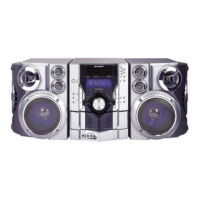
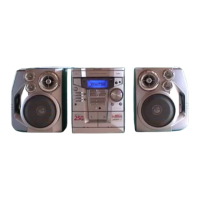
MINI KOMPONENTEN SYSTEM
MINI-CHAÎNE
SISTEMA MINI
MINI KOMPONENT SYSTEM
MINI SISTEMI
MINI SYSTEEM
MINI SISTEMA DE COMPONENTES
MINI COMPONENT SYSTEM
MODELL MODELLO
MODÈLE MODEL
MODELO MODELO
MODELL MODEL
CD-ES111H
BEDIENUNGSANLEITUNG MANUALE DI ISTRUZIONI
MODE D’EMPLOI GEBRUIKSAANWIJZING
MANUAL DE MANEJO MANUAL DE OPERAÇÃO
BRUKSANVISNING OPERATION MANUAL
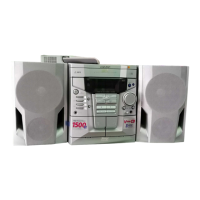
Mini Komponenten System CD-ES111H besteht aus CD-ES111H (Hauptgerät)
und CP-ES111H (Lautsprecher-System).
Mini-chaîne CD-ES111H composée de CD-ES111H (appareil principal) et de CP-
ES111H (enceintes acoustiques).
Sistema mini CD-ES111H que consta de CD-ES111H (aparato principal) y CP-
ES111H (sistema de altavoces).
CD-ES111H mini komponent system bestående av CD-ES111H (huvudenhet) och
CP-ES111H (högtalarsystem).
Mini sistemi CD-ES111H composto da CD-ES111H (apparecchio principale) e
CP-ES111H (sistema di diffusori).
CD-ES111H mini systeem bestaande uit CD-ES111H (hoofdtoestel) en CP-ES111H
(luidsprekersysteem).
CD-ES111H Mini Sistema de Componentes composto de CD-ES111H (unidade
principal) e CP-ES111H (sistema de alto-falante).
CD-ES111H Mini Component System consisting of CD-ES111H (main unit) and
CP-ES111H (speaker system).
Siehe Seiten i bis vi und D-1 bis D-28.
Se reporter aux pages i à vi et F-1 à F-28.
Consulte las páginas i a vi y S-1 a S-28.
DEUTSCH
Favor consultar as páginas i a vi e P-1 a P-28.
PORTUGUÊS
FRANÇAIS
ESPAÑOL
Hänvisa till sidorna i till vi och V-1 till V-28.
Leggere le pagine i a vi e I-1 a I-28.
Raadpleeg de bladzijden i t/m vi en N-1 t/m N-28.
SVENSKA
ITALIANO
NEDERLANDS
Please refer to pages i to vi and E-1 to E-28.
ENGLISH
CD-ES111H(SEEG) TINSZA004SJZZ

Downloaded From DvDPlayer-Manual.com Sharp Manuals

Other manuals for Sharp CD-ES111H

Questions and Answers

  • C
    Carl KingAug 18, 2025
    Why is my Sharp Stereo System remote control not working?
    • M
      Mark BraunAug 18, 2025
      Several factors can cause the remote control to malfunction. First, ensure the AC power lead of the unit is properly plugged in. Then, check that the batteries are correctly inserted with the right polarity and that they are not dead. Also, make sure that you are not too far from the unit or at an extreme angle. Finally, strong light may interfere with the remote control sensor.
  • P
    Paul WoodardAug 20, 2025
    What to do if the Sharp Stereo System remote control does not operate?
    • K
      katrina26Aug 20, 2025
      If your Sharp Stereo System's remote control isn't working, make sure the unit's AC power cord is plugged in. Check that the batteries are correctly inserted with the right polarity and are not dead. Ensure you're within the correct distance and angle for the remote to work, and that the remote control sensor isn't exposed to strong light.
  • A
    Andrea FletcherAug 23, 2025
    What to do if my Sharp CD-ES111H has no sound?
    • S
      susan00Aug 23, 2025
      If you are not hearing any sound, there are a few things you can check. First, make sure the volume level is not set to "0". Also, verify that headphones are not connected, as this will mute the speakers. Finally, ensure that the speaker wires are properly connected.
  • G
    gsmithAug 26, 2025
    Why does my Sharp CD-ES111H skip or stop during playback?
    • M
      martinandrewAug 26, 2025
      Skipping or stopping during playback can occur due to several reasons. Check if the unit is near excessive vibrations. Also, a very dirty disc can cause playback issues. Finally, condensation inside the unit might also be the reason.
  • A
    Alyssa EstradaAug 28, 2025
    What to do if my Sharp CD-ES111H Stereo System playback does not start or stops?
    • L
      lindaeatonAug 28, 2025
      If playback doesn't start, stops in the middle, or isn't performed properly, check these things: ensure the disc is loaded correctly (not upside down). Also, verify that the disc meets the appropriate standards and isn't distorted or scratched.
  • J
    jeremy57Aug 30, 2025
    What to do if my Sharp Stereo System does not respond when a button is pressed?
    • R
      Robin MoonAug 30, 2025
      If the unit does not respond when a button is pressed, try setting the unit to the power stand-by mode and then turning it back on. If the unit still malfunctions, reset it.
  • M
    mary32Sep 2, 2025
    What to do if condensation appears in my Sharp CD-ES111H?
    • H
      hcarterSep 2, 2025
      If condensation appears, set the unit to the stand-by mode and turn the power on again. If the unit is not restored in the previous operation, unplug and plug in the unit, and then turn the power on.
  • L
    Lindsay CunninghamSep 4, 2025
    Why is there no sound coming from my Sharp Stereo System?
    • J
      Julie PhillipsSep 5, 2025
      If you're not hearing any sound from your Sharp Stereo System, first check whether the volume level is set to "0". Also, ensure that headphones are not connected. Finally, verify that the speaker wires are properly connected.
  • J
    Jennifer LiSep 7, 2025
    How to fix a Sharp CD-ES111H Stereo System that does not respond to button presses?
    • D
      Derrick CampbellSep 7, 2025
      If your Sharp Stereo System isn't responding when you press a button, try setting the unit to power stand-by mode and then turn it back on. If it still malfunctions, reset the unit.
  • M
    Melissa NewtonSep 9, 2025
    Why is the clock on my Sharp CD-ES111H showing the wrong time?
    • J
      John FrazierSep 9, 2025
      If the clock on your Sharp Stereo System is not showing the correct time, it might be due to a power failure. Reset the clock to the correct time.

Sharp CD-ES111H Specifications

General IconGeneral
CD PlayerYes
FM RadioYes
BluetoothYes
USB PlaybackYes
TunerFM
TypeMicro System
Speakers2

Related product manuals