EasyManua.ls Logo

Sharp XL-HF201P - User Manual

Sharp XL-HF201P
22 pages
Print Icon
To Next Page IconTo Next Page
Loading...
E-1
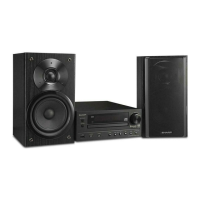
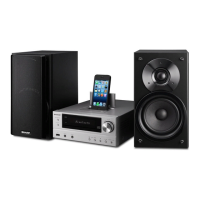
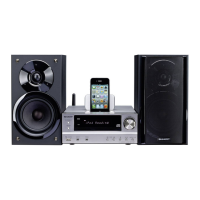
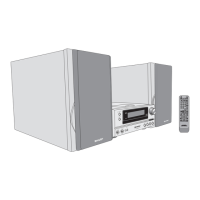
XL-HF201PH(S) Hi Fi Component System consisting of XL-HF201PH(S) (main unit) and CP-HF200H (speaker
system).
XL-HF201PH(BK) Hi Fi Component System consisting of XL-HF201PH(BK) (main unit) and CP-HF200H (speaker
system).
XL-HF301PH(S) Hi Fi Component System consisting of XL-HF301PH(S) (main unit) and CP-HF301H (speaker
system).
Introduction
Thank you for purchasing this SHARP product. To obtain the best performance from this product, please read this manual
carefully. It will guide you in operating your SHARP product.
Special Note
Supply of this product does not convey a license nor imply any right to distribute content created with this product in
revenue-generating broadcast systems (terrestrial, satellite, cable and/or other distribution channels), revenue-generating
streaming applications (via Internet, intranets and/or other networks), other revenue-generating content distribution
systems (pay-audio or audio-on-demand applications and the like) or on revenue-generating physical media (compact
discs, digital versatile discs, semiconductor chips, hard drives, memory cards and the like). An independent license for
such use is required. For details, please visit http://mp3licensing.com
MPEG Layer-3 audio coding technology licensed from Fraunhofer IIS and Thomson.
Accessories
The following accessories are included.
The illustrations printed in this operation manual are for the model XL-HF301PH(S).
Page
General Information
Precautions . . . . . . . . . . . . . . . . . . . . . . . . . . . . . . . . . . . 2
Controls and indicators . . . . . . . . . . . . . . . . . . . . . . . 2 - 3
Preparation for Use
System connections . . . . . . . . . . . . . . . . . . . . . . . . . 4 - 5
Remote control . . . . . . . . . . . . . . . . . . . . . . . . . . . . . . . . 5
Basic Operation
General control . . . . . . . . . . . . . . . . . . . . . . . . . . . . . . . . 6
Setting the clock (Remote control only) . . . . . . . . . . . 6 - 7
iPod, iPhone and iPad
Listening to the iPod, iPhone or iPad. . . . . . . . . . . . . 7 - 9
CD or MP3/WMA disc Playback
Listening to a CD or MP3/WMA disc . . . . . . . . . . . 9 - 10
Advanced CD or MP3/WMA disc playback . . . . . . 10 - 11
MP3/WMA folder mode (only for MP3/WMA files). . . . . 12
Page
USB
Listening to USB mass storage
device/MP3 player . . . . . . . . . . . . . . . . . . . . . . . . . . . . 13
Advanced USB playback . . . . . . . . . . . . . . . . . . . . . . . 14
Radio
Listening to the radio . . . . . . . . . . . . . . . . . . . . . . . 14 - 15
Advanced Features
Using the Radio Data System (RDS) . . . . . . . . . 15 - 17
Timer and sleep operation
(Remote control only) . . . . . . . . . . . . . . . . . . . . . 18 - 19
Enhancing your system . . . . . . . . . . . . . . . . . . . . . . . . 20
References
Troubleshooting chart . . . . . . . . . . . . . . . . . . . . . .20 - 21
Maintenance . . . . . . . . . . . . . . . . . . . . . . . . . . . . . . . . 21
Specifications . . . . . . . . . . . . . . . . . . . . . . . . . . . . . . . 22
Adaptors for iPhone x 3 Remote control x 1
RRMCGA263AWSA
“AA” size battery
(UM/SUM-3, R6, HP-7 or
similar) x 1
Stand for iPad x 1
Speaker wires x 2
(for XL-HF-201PH(S)/(BK))
Speaker wires x 2
(for XL-HF-301PH(S))
FM aerial x 1
CD/U
SB
RDS
CONTENTS
ENGLISH

Table of Contents

Other manuals for Sharp XL-HF201P

Questions and Answers

  • S
    Sean ReeseAug 18, 2025
    Why is my Sharp XL-HF201P remote control not working?
    • J
      jthorntonAug 18, 2025
      If the Sharp Stereo System's remote control isn't working, several factors could be the cause. Ensure the unit's AC power lead is plugged in. Check that the battery polarity is correct and that the batteries aren't dead. Make sure the distance and angle to the unit are correct, and confirm that the remote control sensor isn't exposed to strong light.
  • T
    Tyler OwensAug 20, 2025
    What to do if my Sharp XL-HF201P Stereo System has no sound?
    • M
      Madeline FarrellAug 21, 2025
      If you're not getting any sound from your Sharp Stereo System, check a few things: First, make sure the volume isn't set to “Min”. Also, ensure that headphones are not connected, as this will mute the speakers. Finally, verify that the speaker wires are properly connected.
  • W
    William MccoyAug 23, 2025
    Why does my Sharp XL-HF201P Stereo System radio make unusual noises?
    • M
      Madeline EvansAug 23, 2025
      If your Sharp Stereo System's radio is making unusual noises, it could be due to its placement near a TV or computer. Additionally, check the FM aerial; if it's near the AC power lead, move it away.
  • D
    Donald RojasAug 26, 2025
    What to do if Sharp XL-HF201P Stereo System playback stops or won't start?
    • A
      Andrew ArmstrongAug 26, 2025
      If playback on your Sharp Stereo System either doesn't start or stops unexpectedly, consider these points: Check if the disc is loaded upside down. Ensure the disc meets the required standards. Also, verify that the disc isn't distorted or scratched.
  • J
    Jason TaylorAug 28, 2025
    Why is my Sharp Stereo System not detecting my device?
    • G
      Glenn YoungAug 28, 2025
      If your Sharp Stereo System isn't detecting a device, consider the following: Ensure the device contains MP3/WMA files. Verify the device is properly connected. Note whether the device is an MTP device, and check if the device contains only AAC files.
  • A
    Anthony OsborneAug 30, 2025
    Why does my Sharp XL-HF201P Stereo System skip during playback?
    • S
      Shelley TorresAug 30, 2025
      If the Sharp Stereo System skips or stops during track playback, several factors could be responsible: Check if the unit is near excessive vibrations. See if the disc is very dirty. Also, consider whether condensation has formed inside the unit.
  • K
    Kelly MillerSep 2, 2025
    What to do if my Sharp Stereo System malfunctions when pressing a button?
    • D
      David FaulknerSep 2, 2025
      If your Sharp Stereo System malfunctions when a button is pressed, set the unit to the power stand-by mode and then turn it back on. If the unit still malfunctions, reset it.
  • D
    Devin RodriguezSep 4, 2025
    Why is there no sound from my iPod with Sharp XL-HF201P?
    • M
      Mason Wright IISep 5, 2025
      If no sound is coming from your iPod, iPhone, or iPad when connected to the Sharp Stereo System, consider these possibilities: Ensure the Apple device is playing and properly connected to the unit. Check that the unit's AC power lead is plugged in and the video cable is correctly connected. Confirm that the TV/monitor’s input selection is properly set, the iPod TV out feature is set to output video, and that the USB terminal supports video.
  • J
    Jeffrey GibsonSep 7, 2025
    Why won't my Sharp XL-HF201P play from USB?
    • S
      sharon26Sep 7, 2025
      If playback doesn't start from USB on your Sharp Stereo System, it could be due to a copyright-protected WMA file or a false MP3 file.
  • S
    shawncoleSep 9, 2025
    Why isn't my iPod charging on my Sharp Stereo System?
    • J
      Joseph CarrilloSep 10, 2025
      If your iPod, iPhone, or iPad isn't charging when connected to the Sharp Stereo System, it might not be making full contact with the connector. This could also be due to using an unsupported iPod model (such as the 3rd generation) or an unsupported iPod or iPhone model.

Summary

Precautions

General Precautions

General safety and placement guidelines for the equipment.

Controls and Indicators

Front Panel Controls

Identifies and describes the controls and indicators on the front of the main unit.

Remote Control Functions

Details the buttons and functions of the remote control transmitter.

Display Indicators

Explains the various indicators and their meanings on the unit's display.

System Connections

AC Power Connection

Instructions for connecting the unit to the AC power outlet for operation.

Remote Control Setup

General Control Operations

Power On;Off

How to turn the unit on and put it into standby mode.

Volume Control

How to adjust the volume using the unit or remote.

Setting the Clock

Step-by-step guide to setting the unit's clock.

Listening to iPod, iPhone, or iPad

USB Connection and Playback

Instructions for connecting and playing audio from iPod/iPhone/iPad via USB.

Dock Connection and Playback

Connecting and playing audio from iPod/iPhone using the docking station.

Listening to CD or MP3;WMA Discs

Disc Playback

Steps for playing audio CDs and MP3/WMA discs.

Advanced CD or MP3;WMA Playback

MP3;WMA Folder Mode

Playback Procedure with Folder Mode

Step-by-step guide to playing discs using folder mode.

Listening to USB Mass Storage Device;MP3 Player

Playback without Folder Mode

How to play files from USB without using folder mode.

Playback with Folder Mode

How to play files from USB using folder mode.

Listening to the Radio

Tuning Radio Stations

Instructions for tuning into FM radio stations manually or automatically.

Memorizing and Recalling Stations

How to store and recall up to 40 FM radio stations.

Using Radio Data System (RDS)

Auto Station Programme Memory (ASPM)

Automatically searching and storing RDS stations up to 40.

PTY Search for Stations

Searching for radio stations based on programme type (PTY).

Timer and Sleep Operation

Timer Playback Setup

Setting the unit to turn on and play a source at a specific time.

Troubleshooting Chart

Specifications

Sharp XL-HF201P Specifications

General IconGeneral
BrandSharp
ModelXL-HF201P
CategoryStereo System
LanguageEnglish

Related product manuals