EasyManua.ls Logo

Sharp XL-HP500W - User Manual

Sharp XL-HP500W
36 pages
Print Icon
To Next Page IconTo Next Page
Loading...
Thank you for purchasing this SHARP product.
To obtain the best performance from this product, please
read this manual carefully. It will guide you in operating
your SHARP product.
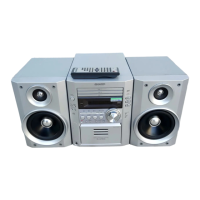
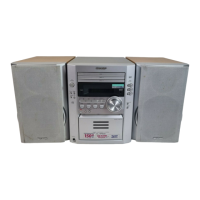
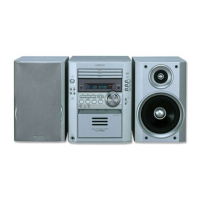
XL-HP500W Micro Component System consisting of XL-
HP500W (main unit) and CP-HP500W (speaker system).
MICRO COMPONENT SYSTEM
MODEL
XL-HP500W
OPERATION MANUAL
XLHP500WA_FRONT 02.8.7, 9:54 AM1

Questions and Answers

  • D
    Deborah EsparzaJul 30, 2025
    What to do if the Sharp XL-HP500W remote control is not working?
    • D
      Dale MillerJul 30, 2025
      If the remote control is not operating, check a few things. Ensure the unit's AC power lead is plugged in. Verify the battery polarity in the remote and make sure the batteries aren't dead. Confirm you're within the correct distance and angle for the remote to function. Also, check if the remote control sensor is exposed to strong light.
  • A
    Alexander MillerAug 4, 2025
    Why is there no sound coming from my Sharp XL-HP500W?
    • M
      Matthew KimAug 4, 2025
      There might be several reasons why you are not hearing any sound. First, check if the volume level is set to "0". Also, make sure that headphones are not connected. Finally, verify that the speaker wires are properly connected.
  • A
    alyssa03Aug 9, 2025
    What to do if playback on my Sharp XL-HP500W doesn't start or stops?
    • M
      Maria DonovanAug 9, 2025
      If playback doesn't start, stops in the middle, or isn't performed properly, check the following: Ensure the disc is loaded correctly (not upside down). Verify that the disc meets the required standards. Inspect the disc for any distortions or scratches.
  • P
    Pamela AlvarezAug 14, 2025
    Why does my Sharp XL-HP500W skip or stop during playback?
    • S
      Sarah HensleyAug 14, 2025
      If playback skips or stops, it could be due to a few reasons: excessive vibrations near the unit, a very dirty disc, or condensation inside the unit.
  • V
    Valerie HaynesAug 19, 2025
    What to do if my Sharp XL-HP500W Stereo System does not respond when a button is pressed?
    • L
      Linda SmithAug 19, 2025
      If the unit doesn't respond when a button is pressed, set the unit to the power stand-by mode and then turn it back on. If the unit still malfunctions, reset it.
  • J
    jlutzAug 25, 2025
    How to fix condensation issue in Sharp XL-HP500W?
    • M
      Mrs. Kimberly George DVMAug 25, 2025
      To address condensation: 1 Set the unit to the stand-by mode and turn the power on again. 2 If the unit is not restored in the previous operation, unplug and leave the power on with no disc (or cassette) in the unit until normal playback is possible (about 1 hour). Wipe off any condensation on the transmitter with a soft cloth before operating the unit.

Summary

Safety and Precautions

Important Warnings and Cautions

Covers general safety advice, electrical hazards, and laser warnings for the product.

General Operating Precautions

Controls and Indicators Overview

System Setup and Connections

Aerial and Speaker Connection Diagrams

Illustrates how to connect FM/AM aerials and speakers to the audio system.

Power Supply and Voltage Settings

Instructions for setting the AC voltage selector and connecting the power cord.

Initial System Configuration

FM;AM Span Selector Adjustment

Guide to setting the radio tuning frequency interval based on region.

Remote Control Management

Battery Installation and Remote Test

Steps for installing batteries in the remote and testing its functionality.

System Clock Configuration

Setting and Adjusting the Clock Display

Step-by-step instructions for setting the clock and choosing 12/24 hour format.

CD Playback Operations

Radio Operations

Cassette Tape Recording

Timers and Sleep Functionality

Setting Timer for Playback and Recording

Instructions for scheduling automatic playback or recording at a specific time.

Troubleshooting and Problem Resolution

Common Unit and Component Issues

Solutions for problems related to the general unit, CD player, tuner, and cassette deck.

Remote Control and Unit Care Advice

Troubleshooting remote control failures and advice on unit malfunction and care.

Maintenance and Cleaning Procedures

Technical Specifications

Component and System Specifications

Detailed technical data for CD player, tuner, cassette deck, speakers, and amplifier.

Sharp XL-HP500W Specifications

General IconGeneral
Speaker Type2-Way Speakers
CD PlayerYes
USB PortYes
FM TunerYes
BluetoothNo
Audio Output ModeStereo
Tuner BandsFM
Remote ControlYes
TypeMini System
Power Output50W
FunctionsCD
Playable MediaCD, CD-R, CD-RW, USB

Related product manuals