EasyManua.ls Logo

Sharp XL-HP605E - User Manual

Sharp XL-HP605E
37 pages
Print Icon
To Next Page IconTo Next Page
Loading...
03/12/15 XL-HP605E(E)_FRONT.fm
TINSEA028AWZZ
Thank you for purchasing this SHARP product.
To obtain the best performance from this product, please read this
manual carefully. It will guide you in operating your SHARP product.
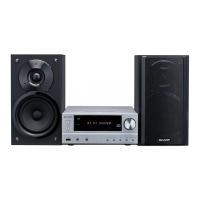
MICRO COMPONENT SYSTEM
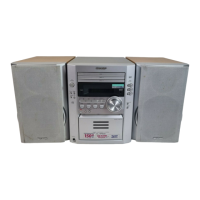
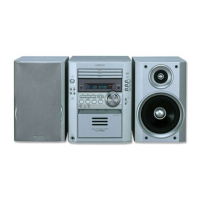
XL-HP605E Micro Component System consisting of XL-HP605E (main
unit) and CP-HP605E (speaker system).
Accessories
Please confirm that the following accessories are included.
Remote control 1 AM loop aerial 1 FM aerial 1
XL-HP605E(E) TINSEA028AWZZ
1
MODEL
If you require any advice or assistance regarding
your Sharp product, please visit our web-site
www.sharp.co.uk/customersupport.
Customers without Internet access may telephone
08705 274277 during office hours (or (01) 676 0648
if telephoning from Ireland).
0301
OPERATION MANUAL
XL-HP605E
Note:
Only the above accessories are included.
Downloaded from: http://www.usersmanualguide.com/

Questions and Answers

  • C
    Cassandra BoothAug 11, 2025
    What to do if my Sharp XL-HP605E has no sound?
    • R
      Richard ChavezAug 11, 2025
      If you cannot hear any sound from your Sharp Stereo System, check the following: * Ensure the volume level is not set to "0". * Verify that headphones are not connected. * Make sure the speaker wires are properly connected.
  • T
    terri05Aug 18, 2025
    Why does playback stop in the middle of a track on my Sharp XL-HP605E Stereo System?
    • J
      Joshua ParkerAug 18, 2025
      Playback may stop or be improper on your Sharp Stereo System due to several reasons: * The unit might be located near excessive vibrations. * The disc may be very dirty. * Condensation may have formed inside the unit.
  • K
    Kenneth CollinsAug 25, 2025
    Why won't my Sharp XL-HP605E start playback?
    • J
      James FloresAug 25, 2025
      If playback does not start on your Sharp Stereo System, consider the following: * Ensure the disc is loaded correctly (not upside down). * Confirm the disc meets the required standards. * Check if the disc is distorted or scratched.
  • L
    Lori WhiteAug 29, 2025
    What to do if my Sharp XL-HP605E doesn't respond when I press a button?
    • C
      Carrie CaseyAug 29, 2025
      If your Sharp Stereo System does not respond when a button is pressed, set the unit to the power stand-by mode and then turn it back on. If the unit still malfunctions, reset it. (Refer to page 31.)
  • J
    Jennifer LawrenceSep 4, 2025
    How to fix the clock if it is not set to the correct time on my Sharp XL-HP605E?
    • C
      Carol MyersSep 4, 2025
      If the clock on your Sharp Stereo System is not set to the correct time, it may be due to a power failure. Reset the clock. (Refer to page 13.)

Sharp XL-HP605E Specifications

General IconGeneral
TypeMini Hi-Fi System
CD PlayerYes
Supported FormatsMP3, WMA
USB PlaybackYes
USB PortYes
FM RadioYes
FM TunerYes
BluetoothYes
Remote ControlYes
Speaker Type2-Way
Playable MediaCD, CD-R, CD-RW

Related product manuals