EasyManua.ls Logo

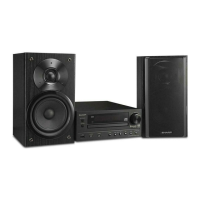
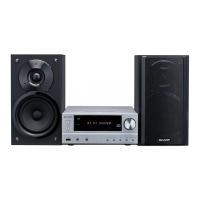
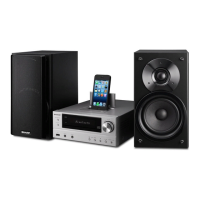
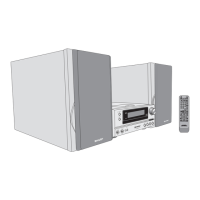
Sharp XL-HF401PH - User Manual

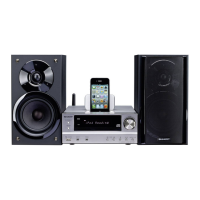
Sharp XL-HF401PH
37 pages
Print Icon
To Next Page IconTo Next Page
Loading...
12/3/15 XL-HF401PH_Front.fm
AirPlay, the AirPlay logo, iPad, iPhone, iPod, iPod classic, iPod nano, and iPod
touch are trademarks of Apple Inc., registered in the U.S. and other countries.
MODELL
MODÈLE
MODELO
MODELL
MODELLO
XL-HF401PH
HI FI-KOMPONENTEN-SYSTEM
SYSTÈME HI FI
SISTEMA HI FI COMPONENTE
HI FI KOMPONENT SYSTEM
HI FI SISTEMA
HI FI SYSTEEM
SISTEMA DE COMPONENTE Hi Fi
HI FI-KOMPONENTTIJÄRJESTELMÄ
ZESTAW HI-FI
HI FI COMPONENT SYSTEM
MODEL
MODELO
MALLI
MODEL
MODEL
DEUTSCH
PORTUGUÊS
FRANÇAIS
ESPAÑOL
SVENSKA
ITALIANO
NEDERLANDS
SUOMI
POLSKI
ENGLISH
Siehe Seiten i bis x und D-1 bis D-24.
Se reporter aux pages i à x et F-1 à F-24.
Consulte las páginas i a x y S-1 a S-24.
Hänvisa till sidorna i till x och V-1 till V-24.
Leggere le pagine i a x e I-1 a I-24.
Raadpleeg de bladzijden i t/m x en N-1 t/m N-24.
Favor consultar as páginas i a x e P-1 a P-24.
Sivut i - x sekä SU-1 - SU-24.
Patrz strony od i do x oraz od 1 PL-1 do PL-24.
Please refer to pages i to x and E-1 to E-24.
BEDIENUNGSANLEITUNG
MODE D’EMPLOI
MANUAL DE MANEJO
BRUKSANVISNING
KÄYTTÖOHJE
INSTRUKCJA OBSŁUGI
OPERATION MANUAL
MANUALE DI ISTRUZIONI
GEBRUIKSAANWIJZING
MANUAL DE OPERAÇÃO
Downloaded From Disc-Player.com Sharp Manuals

Other manuals for Sharp XL-HF401PH

Questions and Answers

  • J
    julie09Aug 2, 2025
    Why is my Sharp Speaker System remote control not working?
    • T
      taveryAug 2, 2025
      Your Sharp Speaker System remote control might not be working for several reasons: * The AC power lead of the unit may not be plugged in, so check that it is properly connected. * The batteries may be dead, so try replacing them. * The battery polarity may be incorrect; ensure the batteries are installed correctly. * The distance or angle to the unit may be incorrect; adjust your position. * The remote control sensor may be receiving strong light; make sure the sensor is not exposed to bright light.
  • Z
    zbergerAug 8, 2025
    What to do if Wi-Fi network connection failed on Sharp Speaker System?
    • J
      Joseph HuynhAug 8, 2025
      If your Sharp Speaker System fails to connect to Wi-Fi, consider the following: * Check if your router is Wi-Fi certified. * Ensure your router is compatible, as WPS-Pin and WPS-PBC routers are not supported. * Enable SSID broadcast on your Wi-Fi router. * Change the Wi-Fi channel to avoid overlap with nearby networks. * Reposition the unit away from potential sources of interference like microwave ovens. * Verify the correct network connection for your PC. * Use a Wi-Fi connection instead of Ethernet for AirPlay / DLNA network setup. * Rename your router and AirPlay device without using special characters like ‘%, #, *’.
  • K
    Kathy TannerAug 14, 2025
    Why does my Sharp Speaker System skip or stop during playback?
    • G
      George HaleAug 14, 2025
      If your Sharp Speaker System skips or stops during playback, it might be due to: * Excessive vibrations near the unit; move it away from such vibrations. * A dirty disc; clean the disc. * Condensation inside the unit; leave the power on with no disc in the unit until normal playback is possible (about 1 hour). Wipe off any condensation on the transmitter with a soft cloth before operating the unit.
  • J
    Jessica PriceAug 20, 2025
    What to do if Sharp Speaker System does not respond when a button is pressed?
    • B
      brittany35Aug 20, 2025
      If your Sharp Speaker System doesn't respond when a button is pressed, try setting the unit to the power stand-by mode and then turning it back on. If the unit still malfunctions, reset it.
  • A
    Amber KingAug 26, 2025
    Why is the clock on my Sharp Speaker System showing the wrong time?
    • M
      Marvin McmillanAug 26, 2025
      If the clock on your Sharp Speaker System is not set to the correct time, it might be due to a power failure. Reset the clock.

Summary

Important Safety and Compliance Information

Product Compliance Declarations

Manufacturer's declaration of compliance with directives.

Safety and Precautions

General Safety and Handling

Covers electrical safety, handling, and general warnings.

Laser Safety and Device Compatibility

Details laser warnings, classification, and Apple device compatibility.

Environmental Disposal Information

Product and Battery Disposal Guidelines

Instructions for proper disposal of the unit and batteries.

Product Introduction and Accessories

Included Accessories List

Lists all items included in the product package.

Controls and Basic Operation

Unit Controls and Sound Adjustment

Explains unit buttons, volume, bass, treble, and mute functions.

Remote Control Functions

Details the functions of each button on the remote control.

Network and Wireless Setup

Wi-Fi and AirPlay;DLNA Configuration

Steps for setting up wireless network connections.

Media Playback Operations

iPod, iPhone, iPad Playback

How to connect and play music from Apple devices.

Disc and USB Playback

Instructions for playing CDs, MP3/WMA discs, and USB devices.

Radio and RDS Features

Tuning and Station Memorization

How to tune, memorize, and recall radio stations.

Radio Data System (RDS) Functions

Explains RDS features like ASPM and PTY search.

Timer and Sleep Functions

Setting and Managing Timers

Guides for setting, checking, and cancelling timer playback.

Troubleshooting and Maintenance

Common Issues and Solutions

Addresses general problems, connectivity, and remote control issues.

Unit Care and Specifications

Covers disc care, cabinet cleaning, and technical specifications.

Sharp XL-HF401PH Specifications

General IconGeneral
Karaoke-
Bass reflexYes
Speaker type2-way
RMS rated power100 W
Number of speakers2
Peak Music Power Output (PMPO)200 W
Cassette deckNo
Product colorBlack, Silver
Disc loading typeTray
Playback disc formatsCD audio
Audio formats supportedMP3, WMA
Supported radio bandsFM
Speaker depth203.5 mm
Speaker width148 mm
Speaker height262 mm
Apple docking compatibilityiPad, iPhone, iPod
Headphone connectivity3.5 mm
USB 2.0 ports quantity1
Power sourceAC
Input voltage230 V
Input frequency50 Hz
Power consumption (standby)0.4 W
Weight and Dimensions IconWeight and Dimensions
Depth335 mm
Width215 mm
Height136 mm
Weight2700 g

Related product manuals