my Zaurus SL-C3000 and SL-C3100 http://www.users.on.net/~hluc/myzaurus/
108 of 212 16/09/2007 12:23
natively, or as a loopback filesystem. You will need at least 20MB of disk space for QuantumStep. If
you create a loopback filesystem, make it at least 32MB.
To manually install it, you will need the following files:
QuantumSTEP-ZED-DR7.mypkg
quantumstep-setup
You will first need to extract QuantumSTEP-ZED-DR7.mypkg to an ext2/ext3 formatted disk, eg:
# su
# dd if=/dev/zero of=/hdd3/quantumstep.ext3
# echo y | mke2fs -j /hdd3/quantumstep.ext3
# mkdir -p /mnt/quantumstep
# echo "/hdd3/quantumstep.ext3 /mnt/quantumstep ext3 loop,rw,noatime 0 0" >> /etc/fstab
# mount -o loop /hdd3/quantumstep.ext3 /mnt/quantumstep
# zcat QuantumSTEP-ZED-DR7.mypkg | tar xvf - -C /mnt/quantumstep
# cp quantumstep-setup /mnt/quantumstep
# chmod 755 /mnt/quantumstep
# echo "echo QuantumStep DR7.0" > /mnt/quantumstep/version
#chmod 755 /mnt/quantumstep/version
# cd /mnt/quantumstep
# ./quantumstep-setup
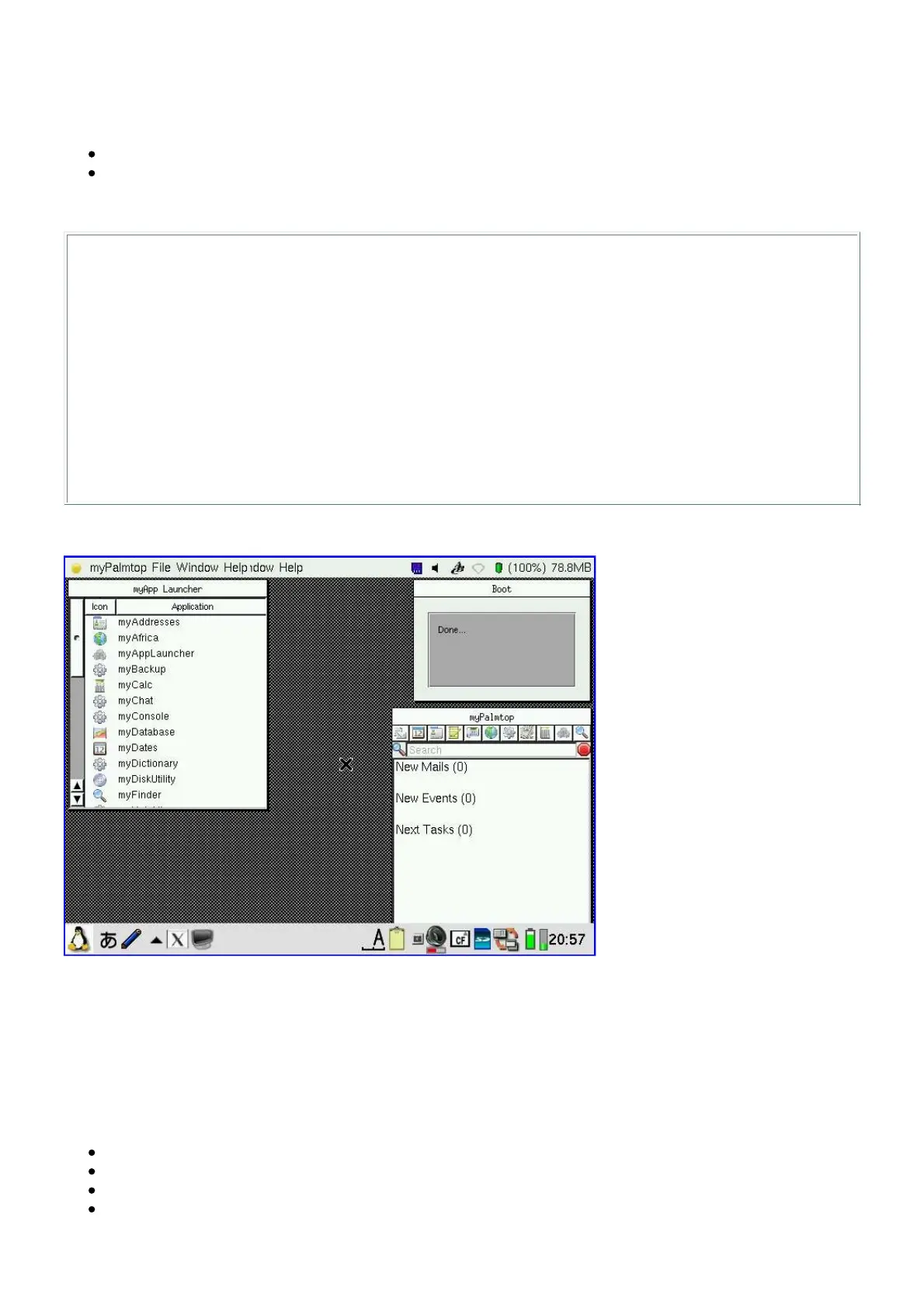
This is how it looks like once installed:
You might want to move the quantum step icon from the Application tab to the X/Qt tab, and you
can delete the quantumstep icon from the Settings tab.
Installing Wellenreiter
You need to install the following packages:
libcopie1 - [libopie1_1.1.0-20031220_arm.ipk]
libcopie2 - [libopie2_1.8.2-20031220_arm.ipk]
libpcap - [libpcap0_0.7.2-20031220_arm.ipk]
opie-wellenreiter - [opie-wellenreiter_1.0.2.1-20031220_arm.ipk]



 To Next Page