EasyManua.ls Logo

Sharp ZQ-6100M - Page 106

Sharp ZQ-6100M
194 pages
Print Icon
To Next Page IconTo Next Page
To Previous Page IconTo Previous Page
Loading...
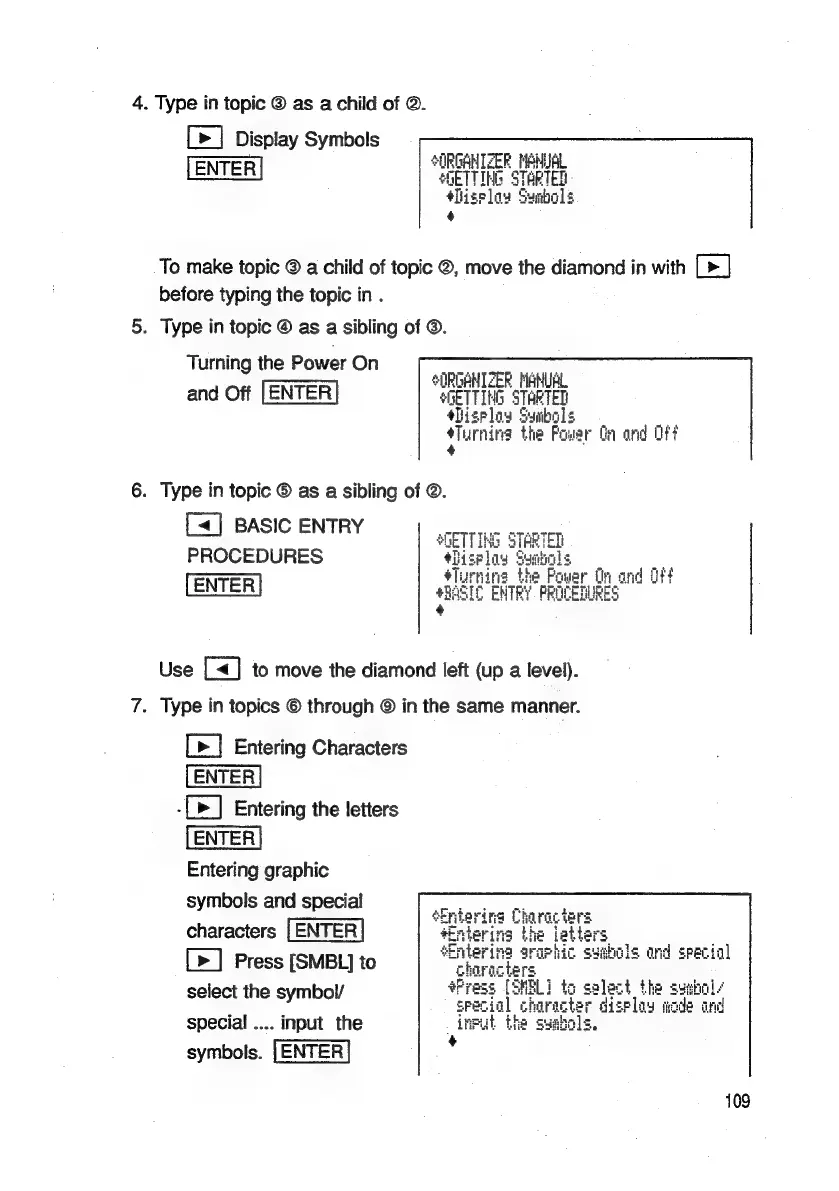
4.
Type
in
topic
@
as
a
child
of
©.
[>]
Display
Symbols
*0RGANTZER
NENUAL
ENTER
sGETTING
STARTED
+Bizelow
Sunbols
+
To
make
topic
©
a
child
of
topic
©,
move
the
diamond
in
with
[>]
before
typing
the
topic
in
.
5.
Type
in
topic
@
as
a
sibling
of
©.
Turning
the
Power
On
ORGANIZER
MENLAL
SURDHNITZER
FHNUR
and
Off
[ENTER
SheTTH
4G
STARTED
shigplay
Sunbols
Turning
the
Power
Ga
ond
Off
6.
Type
in
topic
©
as
a
sibling
of
©.
[«]
BASIC
ENTRY
PROCEDURES
ENTER
4
Use
[<]
to
move
the
diamond
left
(up
a
level).
7.
Type
in
topics
©
through
©
in
the
same
manner.
[>]
Entering
Characters
-[>]
Entering
the
letters
Entering
graphic
symbols
and
special
characters
[>]
Press
[SMBL]
to
select
the
symbol/
special
....
input
the
symbols.
[ENTER
109

Related product manuals