EasyManua.ls Logo

Sharp ZQ-6100M - Page 105

Sharp ZQ-6100M
194 pages
Print Icon
To Next Page IconTo Next Page
To Previous Page IconTo Previous Page
Loading...
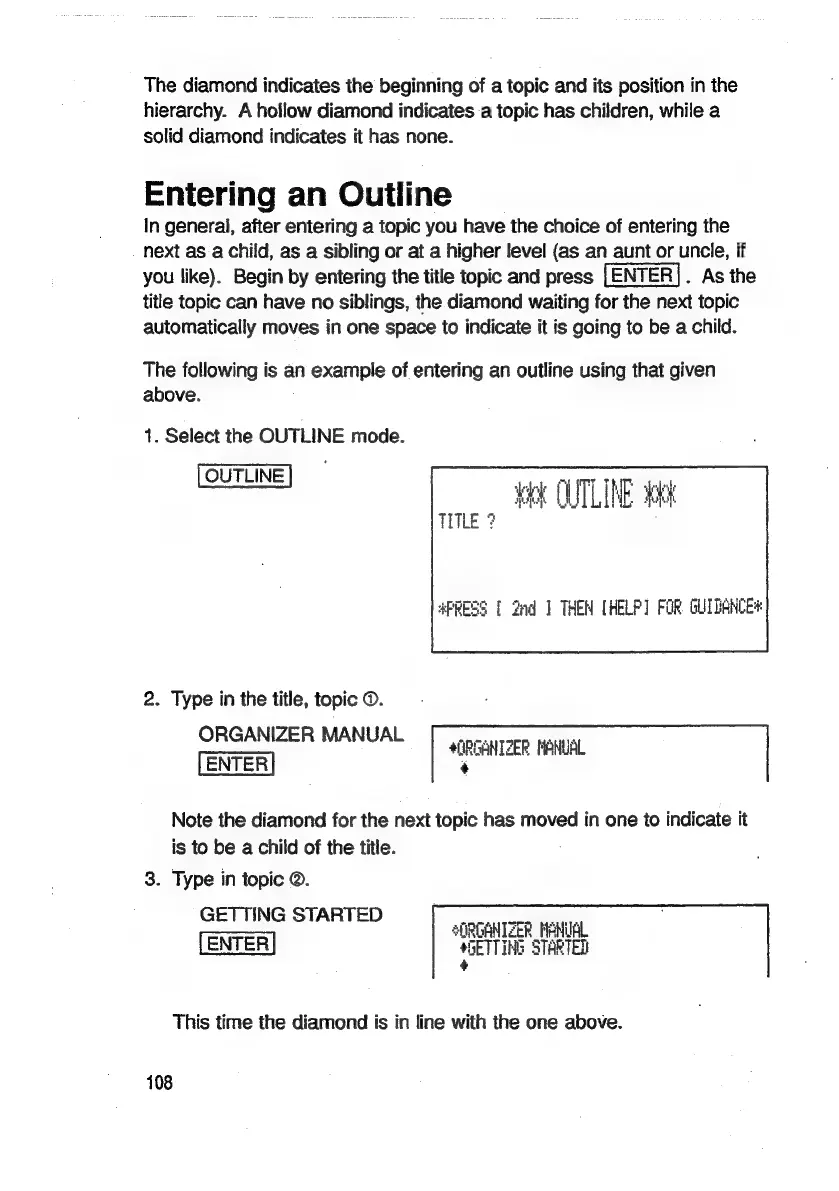
The
diamond
indicates
the
beginning
of
a
topic
and
its
position
in
the
hierarchy.
A
hollow
diamond
indicates
a
topic
has
children,
while
a
solid
diamond
indicates
it
has
none.
Entering
an
Outline
In
general,
after
entering
a
topic
you
have
the
choice
of
entering
the
next
as
a
child,
as
a
sibling
or
at
a
higher
level
(as
an
aunt
or
uncle,
if
you
like).
Begin
by
entering
the
title
topic
and
press
.
As
the
title
topic
can
have
no
siblings,
the
diamond
waiting
for
the
next
topic
automatically
moves
in
one
space
to
indicate
it
is
going
to
be
a
child.
The
following
is
an
example
of
entering
an
outline
using
that
given
above.
1.
Select
the
OUTLINE
mode.
OUTLINE]
ARN
oa
‘ook
OUTLINE
chk
TITLE
?
APRESS
[
2nd
1
THEN
[HELP]
FOR
GUIDANCE*
2.
Type
in
the
title,
topic
©.
ORGANIZER
MANUAL
cas
ae
4(0RGANIZER
MANUAL
¢
Note
the
diamond
for
the
next
topic
has
moved
in
one
to
indicate
it
is
to
be
a
child
of
the
title.
3.
Type
in
topic
@.
GETTING
STARTED
SORGANTZER
MANUAL
*GETTING
STARTED
This time
the
diamond
is
in
line
with
the
one
above.
108

Related product manuals