EasyManua.ls Logo

Sharp ZQ-6100M - Page 109

Sharp ZQ-6100M
194 pages
Print Icon
To Next Page IconTo Next Page
To Previous Page IconTo Previous Page
Loading...
MANUAL
ORGANIZER
MANUAL
*OETTING
STARTED
sDisrlay
Ssnbols
ae
#Turning
the
Power
On
and
Off
BASIC
ENTRY
PROCEDURES
‘Entering
Characters
Entering
the
letters
Entering
ararhic
symbols
and
special
4
e
When
there
are
no
more
outlines
containing
the
keyword,
NOT
FOUND!
is
displayed.
e
Upper-
and
lowercase
fetters
and
other
letters
of
the
same
group
are
treated
as
the
same.
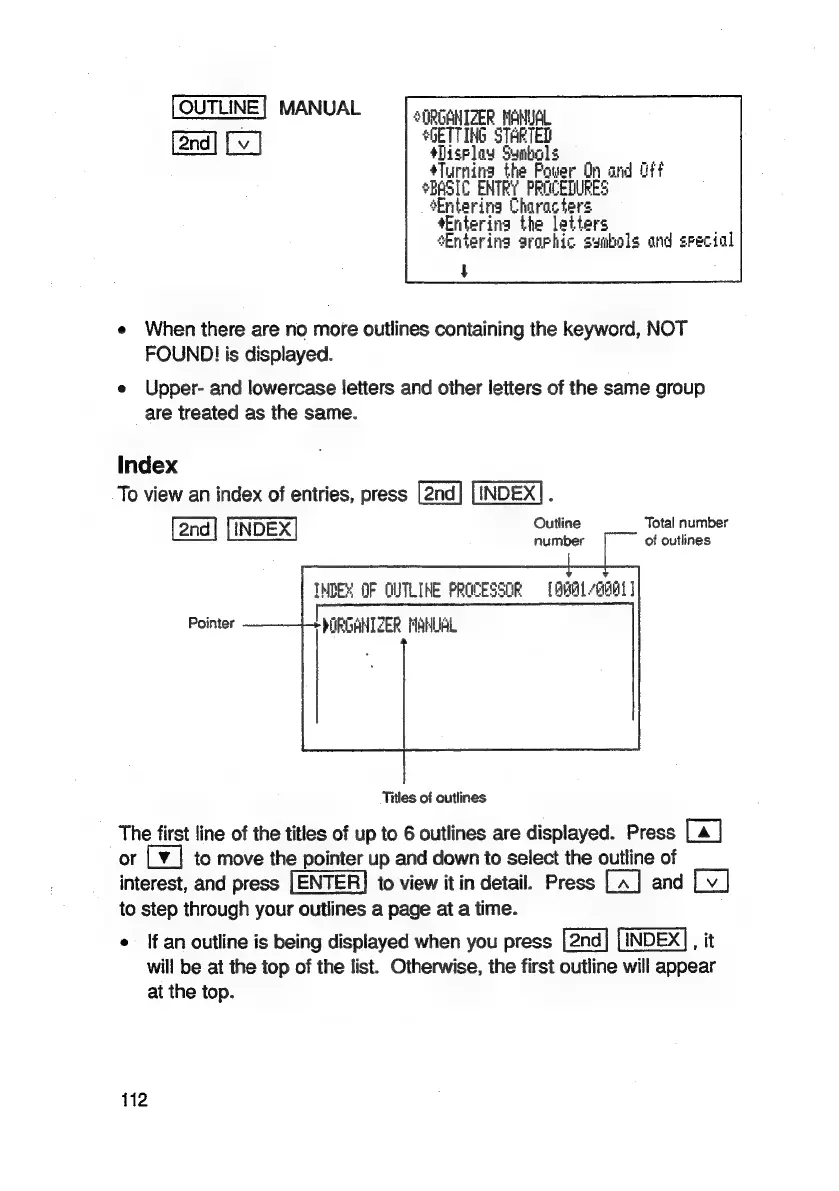
Index
To
view
an
index
of
entries,
press
INDEX]
.
Outi
Total
numbe
INDEX
maitber
(2
Globes.
TMDEM
OF
QUTLINE
PROCESSOR
©
[BBH1QH01]
Pointer
PORGANTZER
MANUAL
Titles
of
outlines
The
first
line
of
the
titles
of
up
to
6
outlines
are
displayed.
Press
[a
|
or
L¥_|
to
move
the
pointer
up
and
down
to
select
the
outline
of
interest,
and
press
[ENTER]
to
view
it
in
detail.
Press
and
to
step
through
your
outlines
a
page
at
a
time.
*
If
an
outline
is
being
displayed
when
you
press
INDEX],
it
will
be
at
the
top
of
the
list.
Otherwise,
the
first
outline
will
appear
at
the
top.
112

Related product manuals